QDesktopServices::openUrl failing on KDE Fedora Linux (Qt_6.10_PRIVATE_API not found)
-
Hello.
I was on Fedora Linux 42 (KDE Plasma version). I installed Qt 6.10.1, Qt Build Tools, and Qt Creator 18.0.1 from Qt's online installer. Building and testing a C++/CMake Qt app mostly worked without issue, but whenever I try to open a URL, e.g.:
QDesktopServices::openUrl(QUrl("file:///home/karob/Documents/notes.txt", QUrl::TolerantMode));I get the error:
kde-open: /home/karob/Qt/6.10.1/gcc_64/lib/libQt6Gui.so.6: version `Qt_6.9_PRIVATE_API' not found (required by /lib64/libKF6WindowSystem.so.6)I tried installing and switching the project kit to Qt 6.9.3, to which I got this error.
kde-open: /home/karob/Qt/6.9.3/gcc_64/lib/libQt6Gui.so.6: version `Qt_6.9_PRIVATE_API' not found (required by /lib64/libKF6WindowSystem.so.6)I tried upgrading to Fedora 43 and switching the project back to Qt 6.10.1, which only changed the error message to:
kde-open: /home/karob/Qt/6.10.1/gcc_64/lib/libQt6Gui.so.6: version `Qt_6.10_PRIVATE_API' not found (required by /lib64/libKF6WindowSystem.so.6)When I run
strings /home/karob/Qt/6.10.1/gcc_64/lib/libQt6Gui.so.6|grep Qt.*API, I only get "Qt_6_PRIVATE_API" (notice the lack of a minor version number). Does anyone know what I can do to get QDesktopServices::openUrl to work, or to further diagnose the issue? -
Hello.
I was on Fedora Linux 42 (KDE Plasma version). I installed Qt 6.10.1, Qt Build Tools, and Qt Creator 18.0.1 from Qt's online installer. Building and testing a C++/CMake Qt app mostly worked without issue, but whenever I try to open a URL, e.g.:
QDesktopServices::openUrl(QUrl("file:///home/karob/Documents/notes.txt", QUrl::TolerantMode));I get the error:
kde-open: /home/karob/Qt/6.10.1/gcc_64/lib/libQt6Gui.so.6: version `Qt_6.9_PRIVATE_API' not found (required by /lib64/libKF6WindowSystem.so.6)I tried installing and switching the project kit to Qt 6.9.3, to which I got this error.
kde-open: /home/karob/Qt/6.9.3/gcc_64/lib/libQt6Gui.so.6: version `Qt_6.9_PRIVATE_API' not found (required by /lib64/libKF6WindowSystem.so.6)I tried upgrading to Fedora 43 and switching the project back to Qt 6.10.1, which only changed the error message to:
kde-open: /home/karob/Qt/6.10.1/gcc_64/lib/libQt6Gui.so.6: version `Qt_6.10_PRIVATE_API' not found (required by /lib64/libKF6WindowSystem.so.6)When I run
strings /home/karob/Qt/6.10.1/gcc_64/lib/libQt6Gui.so.6|grep Qt.*API, I only get "Qt_6_PRIVATE_API" (notice the lack of a minor version number). Does anyone know what I can do to get QDesktopServices::openUrl to work, or to further diagnose the issue?I dont know why, somehow it is asking for Qt's private API (headers), which can but better should not be used, since they might introduce heavy changes between two versions without any notice. That's why they are private.
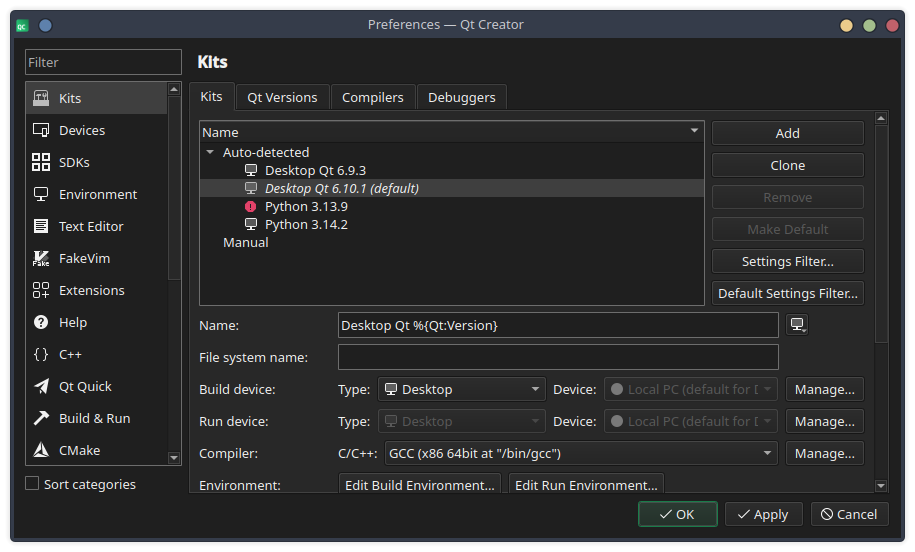
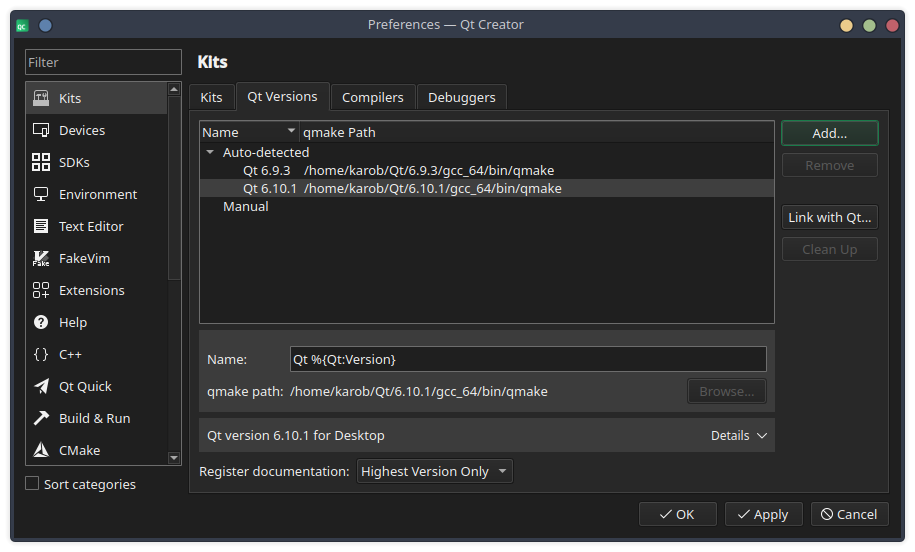
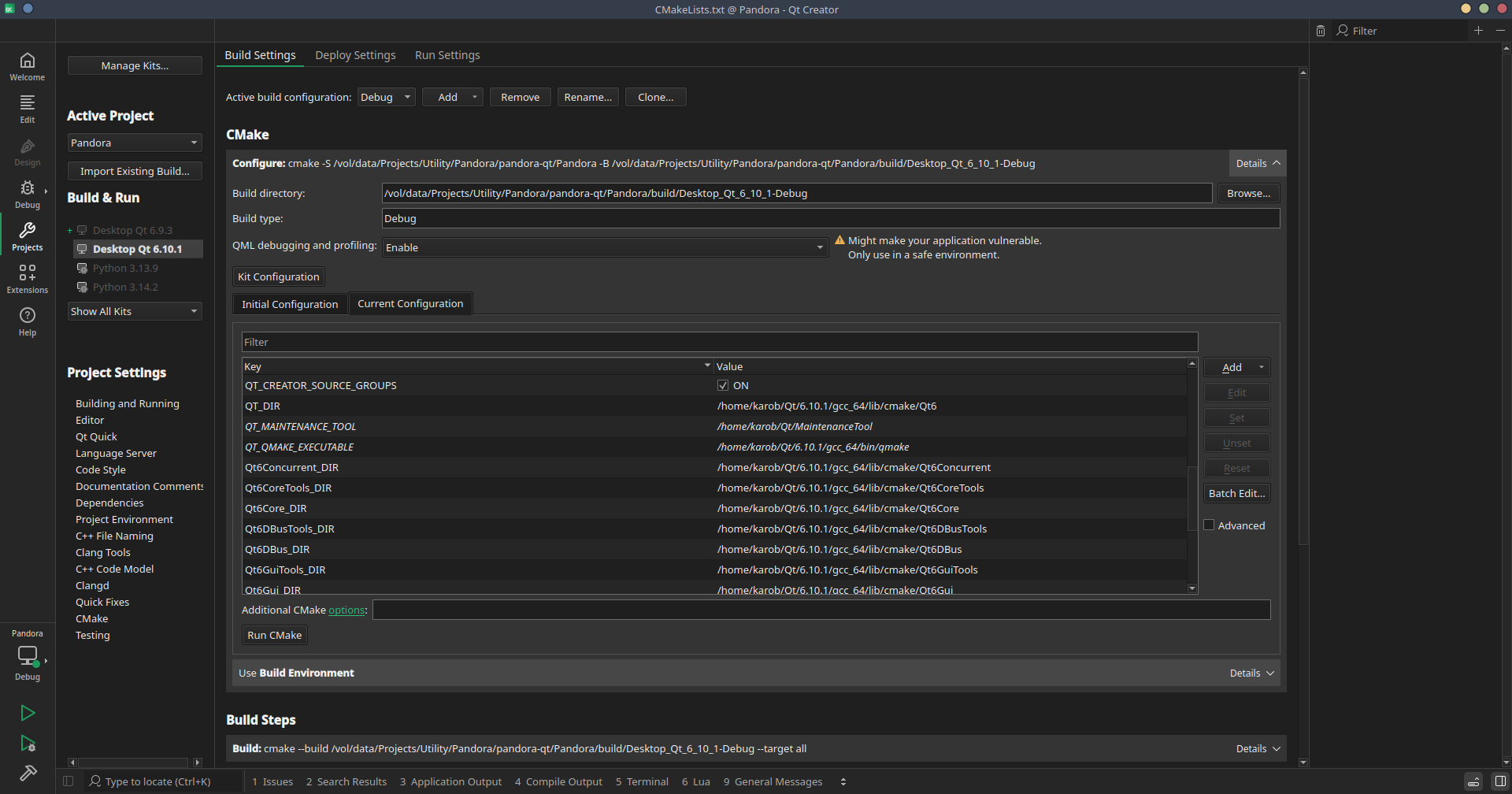
Not sure if KDE Plasma uses them, which would couple the Qt version to that one specific version.Are you sure the Qt version you are using to code the your downloaded version and not the system version that comes with KDE Plasma? How does your kit in QtCreator look like?
-
Hi,
A shot in the dark but, add the
QT_DEBUG_PLUGINSenvironment variable in the Run part of the Project panel and set it to 1. Then check the output of your application. I suspect that there's a system plugin getting loaded that is not built with the same Qt version. -
Hi,
you have run into this issue.
Unfortunately there is no easy fix for it.
In the application I was trying to build before I reported it, I ended up building in a customisable option. Users can specify in the application settings whether they want to useQDesktopServices::openUrl()or a custom executable instead. On my system, I just usexdg-openlaunched in aQProcess. -
Thank you, that clarifies it very well. I was worried this PRIVATE_API issue would be a broader problem where whole swaths of Qt would be inaccessible to me, but if it's specific to
QDesktopServices::openUrl(), then I can be content with a workaround as you have suggested. -
K Karob has marked this topic as solved on
-
I spoke prematurely. @Axel-Spoerl 's solution does not work for me, because I am having the same errors with QProcess when launching seemingly any KDE app (kwrite, konsole, kde-open), and xdg-open appears to forward to kde-open.
Running
QProcess::execute("xdg-open", { "/" });fails with:kde-open: /home/karob/Qt/6.10.1/gcc_64/lib/libQt6Gui.so.6: version `Qt_6.10_PRIVATE_API' not found (required by /lib64/libKF6WindowSystem.so.6)Running
QProcess::execute("konsole");fails with:/usr/bin/konsole: /home/karob/Qt/6.10.1/gcc_64/lib/libQt6Gui.so.6: version `Qt_6.10_PRIVATE_API' not found (required by /lib64/libKF6DBusAddons.so.6) /usr/bin/konsole: /home/karob/Qt/6.10.1/gcc_64/lib/libQt6Core.so.6: version `Qt_6.10_PRIVATE_API' not found (required by /lib64/libKF6XmlGui.so.6) /usr/bin/konsole: /home/karob/Qt/6.10.1/gcc_64/lib/libQt6Gui.so.6: version `Qt_6.10_PRIVATE_API' not found (required by /lib64/libKF6ConfigWidgets.so.6) /usr/bin/konsole: /home/karob/Qt/6.10.1/gcc_64/lib/libQt6Gui.so.6: version `Qt_6.10_PRIVATE_API' not found (required by /lib64/libKF6WindowSystem.so.6) /usr/bin/konsole: /home/karob/Qt/6.10.1/gcc_64/lib/libQt6Gui.so.6: version `Qt_6.10_PRIVATE_API' not found (required by /lib64/libKF6IconThemes.so.6) /usr/bin/konsole: /home/karob/Qt/6.10.1/gcc_64/lib/libQt6Gui.so.6: version `Qt_6.10_PRIVATE_API' not found (required by /lib64/libKF6GlobalAccel.so.6) /usr/bin/konsole: /home/karob/Qt/6.10.1/gcc_64/lib/libQt6Gui.so.6: version `Qt_6.10_PRIVATE_API' not found (required by /lib64/libKF6KIOWidgets.so.6) /usr/bin/konsole: /home/karob/Qt/6.10.1/gcc_64/lib/libQt6Gui.so.6: version `Qt_6.10_PRIVATE_API' not found (required by /lib64/libKF6ColorScheme.so.6) /usr/bin/konsole: /home/karob/Qt/6.10.1/gcc_64/lib/libQt6Gui.so.6: version `Qt_6.10_PRIVATE_API' not found (required by /lib64/libKF6JobWidgets.so.6) /usr/bin/konsole: /home/karob/Qt/6.10.1/gcc_64/lib/libQt6Core.so.6: version `Qt_6.10_PRIVATE_API' not found (required by /lib64/libQt6TextToSpeech.so.6)Non-KDE Qt apps launch fine, such as qpwgraph and qdirstat.
Is there a further diagnosis for this, or a way to launch a process without the private API issue, or is there a way to launch a file or path in its default app without relying on kde-open in this environment?
-
K Karob has marked this topic as unsolved on
-
There are two things you can do, @Karob :
The underlying problem is, that your application is loading the Qt version you installed via the Qt online installer.
My guess is that your local LD_LIBRARY_PATH is set to something under/home/karob/Qt/6.10.1/...- Unset LD_LIBRARY_PATH
I personally find LD_LIBRARY_PATH a kitten murderer. It's easy to use and can cause terrible spill overs, because it affects all your dynamically linked applications. Better to unset and compile the application with a run path.
That would be something like
set(LOCALQT, "/home/karob/Qt/6.10.1/gcc_64/lib") set_target_properties(KarobsApp PROPERTIES BUILD_RPATH "${LOCALQT}" INSTALL_RPATH "${LOCALQT}" INSTALL_RPATH_USE_LINK_PATH TRUE )- Eliminate LD_LIBRARY_PATH from process environment
Usexdg-open. Before starting yourQProcess, do the following:
auto env = karobsProcess.processEnvironment(); env.remove("LD_LIBRARY_PATH"); karobsProcess.setProcessEnvironment(env); - Unset LD_LIBRARY_PATH
-
@Axel-Spoerl I tried the second option via:
QProcess process(this);
process.setProcessChannelMode(QProcess::ForwardedChannels);
auto env = process.processEnvironment();
env.remove("LD_LIBRARY_PATH");
process.setProcessEnvironment(env);
process.start("xdg-open", { "/" });
process.waitForFinished(-1);
This still resulted in the same errors for some reason.
But you pointed me in the right direction. I realized everything works correctly when the built files are executed outside of Qt Creator. (I should have tried this from the start.) I found the option "Add build library search path to LD_LIBRARY_PATH" in Qt Creator's run settings for the configuration.
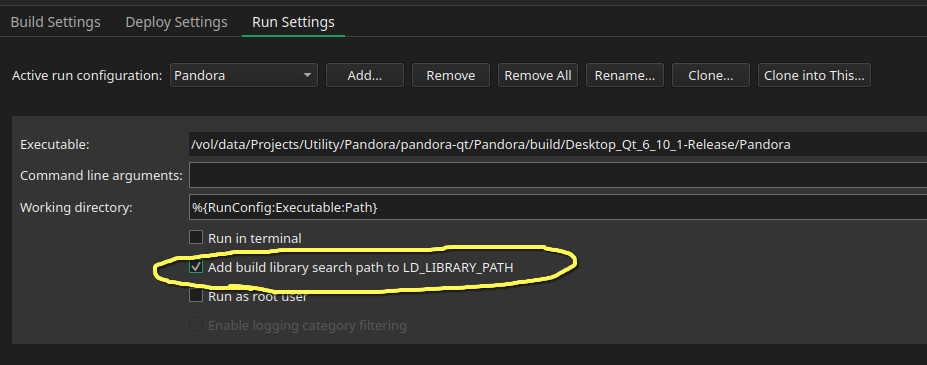
Unchecking that causes
QDesktopServices::openUrl(andQProcess::startwith xdg-open) to work correctly in my app even when launched from Qt Creator. -
K Karob has marked this topic as solved on