
Skip to content
  • Categories
  • Recent
  • Tags
  • Popular
  • Users
  • Groups
  • Search
  • Get Qt Extensions
  • Unsolved
Collapse
Brand Logo
  1. Home
  2. Qt Development
  3. General and Desktop
  4. When setting font bold in Qt 6.7, why doesn't the font appear in black?

When setting font bold in Qt 6.7, why doesn't the font appear in black?

Scheduled Pinned Locked Moved Unsolved General and Desktop
5 Posts 2 Posters 87 Views
  • Oldest to Newest
  • Newest to Oldest
  • Most Votes
Reply
  • Reply as topic
Log in to reply
This topic has been deleted. Only users with topic management privileges can see it.
  • L Offline
    L Offline
    lctong888
    wrote last edited by
    #1
    Qt6.7 MinGw 64-bit
    
    // Set the font to bold
    QFont font1("SimSun",11,QFont::Bold);
    ui->Btt1->setFont(font1);
    
    // Set the font color to black
    QPalette palette = ui->Btt1->palette();
    palette.setColor(QPalette::ButtonText, Qt::black);
    ui->Btt1->setPalette(palette);
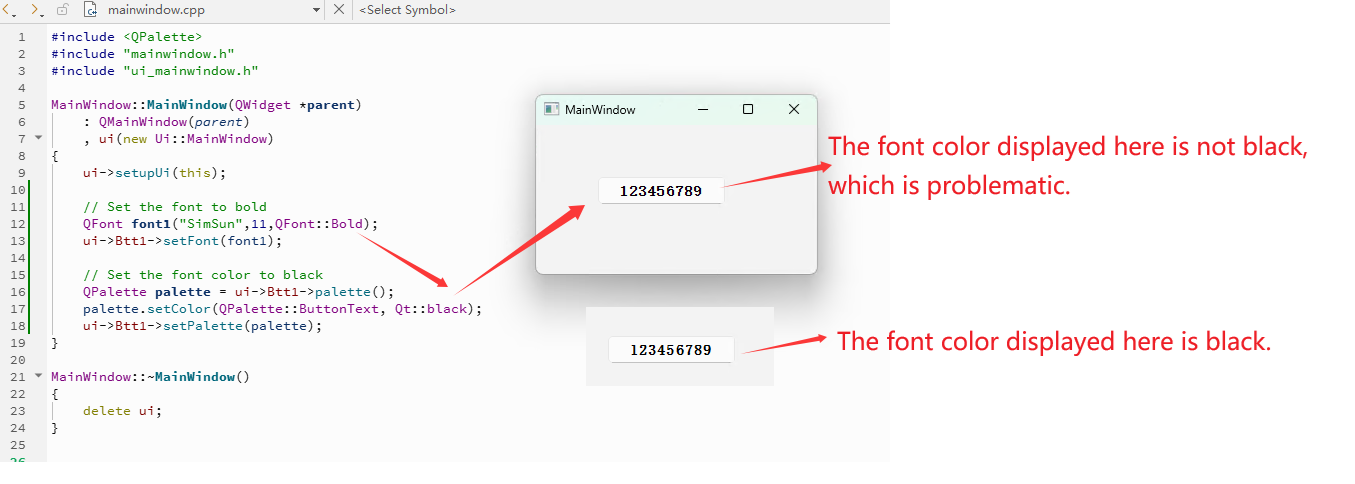
    

    1.png

    1 Reply Last reply
    0
    • Christian EhrlicherC Offline
      Christian EhrlicherC Offline
      Christian Ehrlicher
      Lifetime Qt Champion
      wrote last edited by
      #2

      I don't see a difference in your pictures. Please provide a minimal, compilable example to reproduce your problem.
      What style do you use? If it's windows11 style then update to 6.10 as it massively evolved since the introduction in 6.7

      Qt Online Installer direct download: https://download.qt.io/official_releases/online_installers/
      Visit the Qt Academy at https://academy.qt.io/catalog

      1 Reply Last reply
      2
      • L Offline
        L Offline
        lctong888
        wrote last edited by
        #3

        Windows 11
        Qt6.10 MinGw 64-bit
        also problematic

        Code example:
        1、Test0116.pro
        QT += core gui

        greaterThan(QT_MAJOR_VERSION, 4): QT += widgets

        CONFIG += c++17

        SOURCES +=
        main.cpp
        mainwindow.cpp

        HEADERS +=
        mainwindow.h

        FORMS +=
        mainwindow.ui

        2、main.cpp
        #include "mainwindow.h"

        #include <QApplication>

        int main(int argc, char *argv[])
        {
        QApplication a(argc, argv);
        MainWindow w;
        w.show();
        return a.exec();
        }

        3、mainwindow.ui
        <?xml version="1.0" encoding="UTF-8"?>
        <ui version="4.0">
        <class>MainWindow</class>
        <widget class="QMainWindow" name="MainWindow">
        <property name="geometry">
        <rect>
        <x>0</x>
        <y>0</y>
        <width>281</width>
        <height>149</height>
        </rect>
        </property>
        <property name="font">
        <font>
        <family>SimSun</family>
        <pointsize>11</pointsize>
        <bold>true</bold>
        </font>
        </property>
        <property name="windowTitle">
        <string>MainWindow</string>
        </property>
        <widget class="QWidget" name="centralwidget">
        <widget class="QPushButton" name="Btt1">
        <property name="geometry">
        <rect>
        <x>60</x>
        <y>50</y>
        <width>131</width>
        <height>31</height>
        </rect>
        </property>
        <property name="font">
        <font>
        <family>SimSun</family>
        <pointsize>11</pointsize>
        <bold>true</bold>
        </font>
        </property>
        <property name="styleSheet">
        <string notr="true">font-weight: bold;
        color: black;</string>
        </property>
        <property name="text">
        <string>123456789</string>
        </property>
        </widget>
        </widget>
        </widget>
        <resources/>
        <connections/>
        </ui>

        4、mainwindow.h
        #ifndef MAINWINDOW_H
        #define MAINWINDOW_H

        #include <QMainWindow>

        QT_BEGIN_NAMESPACE
        namespace Ui { class MainWindow; }
        QT_END_NAMESPACE

        class MainWindow : public QMainWindow
        {
        Q_OBJECT

        public:
        MainWindow(QWidget *parent = nullptr);
        ~MainWindow();

        private:
        Ui::MainWindow *ui;
        };
        #endif // MAINWINDOW_H

        5、mainwindow.cpp
        #include <QPalette>
        #include "mainwindow.h"
        #include "ui_mainwindow.h"

        MainWindow::MainWindow(QWidget *parent)
        : QMainWindow(parent)
        , ui(new Ui::MainWindow)
        {
        ui->setupUi(this);

        // Set the font to bold
        QFont font1("SimSun",11,QFont::Bold);
        ui->Btt1->setFont(font1);
        
        // Set the font color to black
        QPalette palette = ui->Btt1->palette();
        palette.setColor(QPalette::ButtonText, Qt::black);
        ui->Btt1->setPalette(palette);
        

        }

        MainWindow::~MainWindow()
        {
        delete ui;
        }

        1 Reply Last reply
        0
        • L Offline
          L Offline
          lctong888
          wrote last edited by
          #4

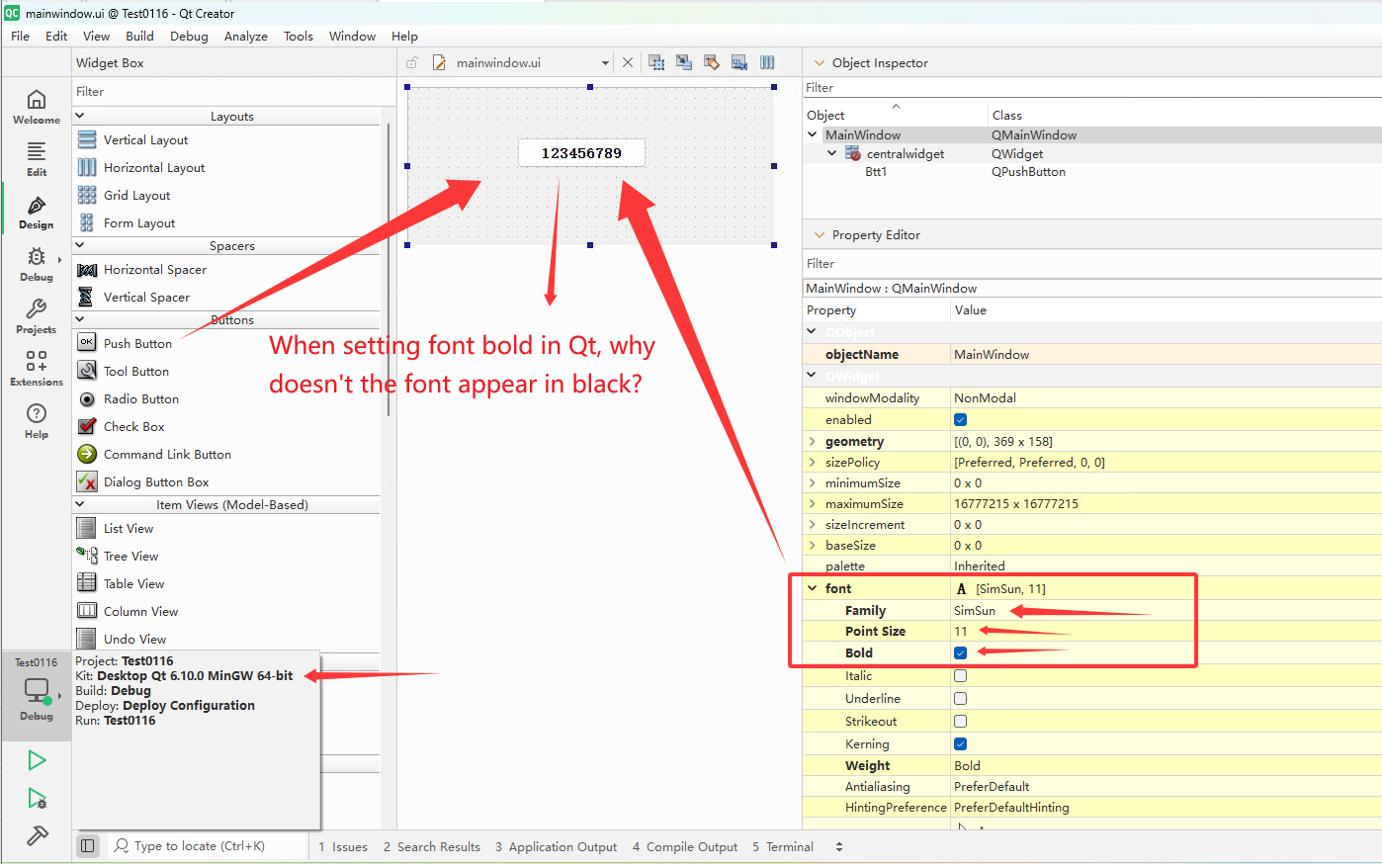
          Windows 11
          Qt6.7、Qt6.10 MinGw 64-bit
          also problematic

          Create a QT project,
          Add a button, settings Font: SimSun, bold, size 11.
          As shown in the figure:
          2.png

          1 Reply Last reply
          0
          • Christian EhrlicherC Offline
            Christian EhrlicherC Offline
            Christian Ehrlicher
            Lifetime Qt Champion
            wrote last edited by
            #5

            Your picture still shows a black text.
            Please use a recent Qt version and provide a minimal, compilable example including style you use and the color value you expect and you got (however you read it out, maybe a screenshot and read out the value with an image editor like e.g. gimp)

            Qt Online Installer direct download: https://download.qt.io/official_releases/online_installers/
            Visit the Qt Academy at https://academy.qt.io/catalog

            1 Reply Last reply
            2

            • Login

            • Login or register to search.
            • First post
              Last post
            0
            • Categories
            • Recent
            • Tags
            • Popular
            • Users
            • Groups
            • Search
            • Get Qt Extensions
            • Unsolved