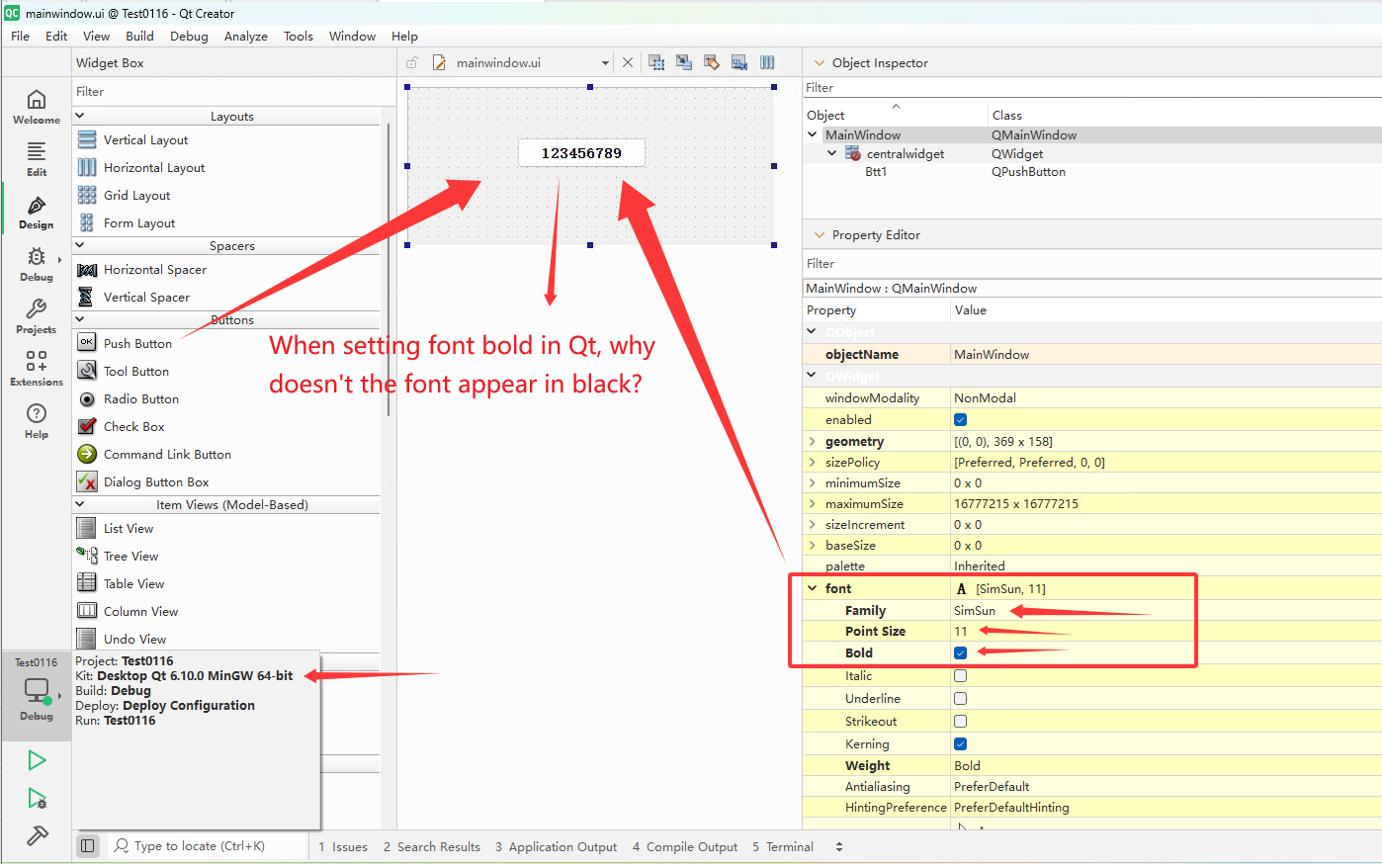
When setting font bold in Qt 6.7, why doesn't the font appear in black?
-
Qt6.7 MinGw 64-bit

// Set the font to bold
QFont font1("SimSun",11,QFont::Bold);
ui->Btt1->setFont(font1);

// Set the font color to black
QPalette palette = ui->Btt1->palette();
palette.setColor(QPalette::ButtonText, Qt::black);
ui->Btt1->setPalette(palette);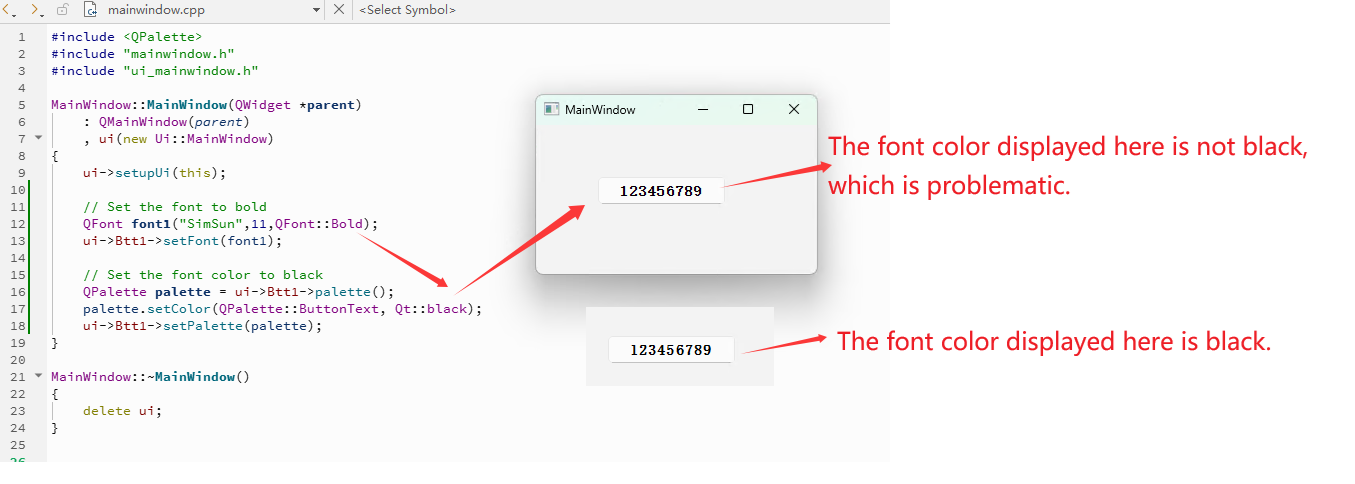
-
I don't see a difference in your pictures. Please provide a minimal, compilable example to reproduce your problem.
What style do you use? If it's windows11 style then update to 6.10 as it massively evolved since the introduction in 6.7 -
Windows 11
Qt6.10 MinGw 64-bit
also problematicCode example:
1、Test0116.pro
QT += core guigreaterThan(QT_MAJOR_VERSION, 4): QT += widgets
CONFIG += c++17
SOURCES +=
main.cpp
mainwindow.cppHEADERS +=
mainwindow.hFORMS +=
mainwindow.ui2、main.cpp
#include "mainwindow.h"#include <QApplication>
int main(int argc, char *argv[])
{
QApplication a(argc, argv);
MainWindow w;
w.show();
return a.exec();
}3、mainwindow.ui
<?xml version="1.0" encoding="UTF-8"?>
<ui version="4.0">
<class>MainWindow</class>
<widget class="QMainWindow" name="MainWindow">
<property name="geometry">
<rect>
<x>0</x>
<y>0</y>
<width>281</width>
<height>149</height>
</rect>
</property>
<property name="font">
<font>
<family>SimSun</family>
<pointsize>11</pointsize>
<bold>true</bold>
</font>
</property>
<property name="windowTitle">
<string>MainWindow</string>
</property>
<widget class="QWidget" name="centralwidget">
<widget class="QPushButton" name="Btt1">
<property name="geometry">
<rect>
<x>60</x>
<y>50</y>
<width>131</width>
<height>31</height>
</rect>
</property>
<property name="font">
<font>
<family>SimSun</family>
<pointsize>11</pointsize>
<bold>true</bold>
</font>
</property>
<property name="styleSheet">
<string notr="true">font-weight: bold;
color: black;</string>
</property>
<property name="text">
<string>123456789</string>
</property>
</widget>
</widget>
</widget>
<resources/>
<connections/>
</ui>4、mainwindow.h
#ifndef MAINWINDOW_H
#define MAINWINDOW_H#include <QMainWindow>
QT_BEGIN_NAMESPACE
namespace Ui { class MainWindow; }
QT_END_NAMESPACEclass MainWindow : public QMainWindow
{
Q_OBJECTpublic:
MainWindow(QWidget *parent = nullptr);
~MainWindow();private:
Ui::MainWindow *ui;
};
#endif // MAINWINDOW_H5、mainwindow.cpp
#include <QPalette>
#include "mainwindow.h"
#include "ui_mainwindow.h"MainWindow::MainWindow(QWidget *parent)
: QMainWindow(parent)
, ui(new Ui::MainWindow)
{
ui->setupUi(this);// Set the font to bold QFont font1("SimSun",11,QFont::Bold); ui->Btt1->setFont(font1); // Set the font color to black QPalette palette = ui->Btt1->palette(); palette.setColor(QPalette::ButtonText, Qt::black); ui->Btt1->setPalette(palette);}
MainWindow::~MainWindow()
{
delete ui;
} -
Your picture still shows a black text.
Please use a recent Qt version and provide a minimal, compilable example including style you use and the color value you expect and you got (however you read it out, maybe a screenshot and read out the value with an image editor like e.g. gimp)