Skip to content
  • Categories
  • Recent
  • Tags
  • Popular
  • Users
  • Groups
  • Search
  • Get Qt Extensions
  • Unsolved
Collapse
Brand Logo
  1. Home
  2. Qt Development
  3. Qt Creator and other tools
  4. Configure VSCode to use Qt Kits
Forum Updated to NodeBB v4.3 + New Features

Configure VSCode to use Qt Kits

Scheduled Pinned Locked Moved Unsolved Qt Creator and other tools
1 Posts 1 Posters 40 Views 1 Watching
  • Oldest to Newest
  • Newest to Oldest
  • Most Votes
Reply
  • Reply as topic
Log in to reply
This topic has been deleted. Only users with topic management privileges can see it.
  • msauer751M Offline
    msauer751M Offline
    msauer751
    wrote last edited by
    #1

    Hi,
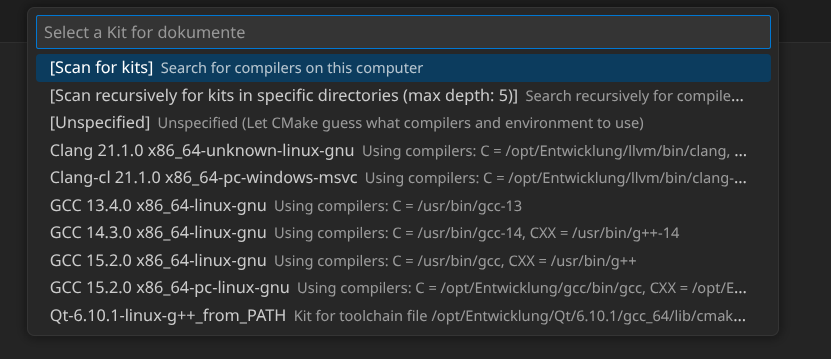
    on Linux Kubuntu I want to use VSCode for Qt programming. How can I configure VSCode to use the QT Kits? If I scan for kits I will get only this one:

    19aee496-6965-4398-8862-d06f122739c2-image.png

    I already installed the Qt Extensions for VSCode.

    Thank you for your help.
    BR
    Martin

    1 Reply Last reply
    0
    • Christian EhrlicherC Christian Ehrlicher moved this topic from General and Desktop

    • Login

    • Login or register to search.
    • First post
      Last post
    0
    • Categories
    • Recent
    • Tags
    • Popular
    • Users
    • Groups
    • Search
    • Get Qt Extensions
    • Unsolved