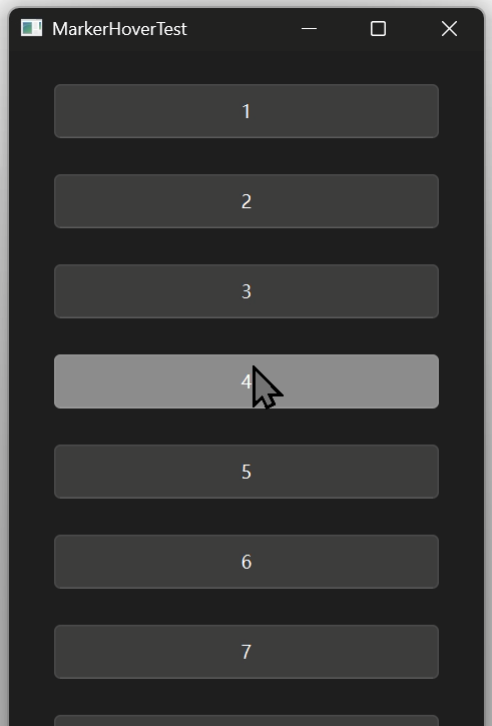
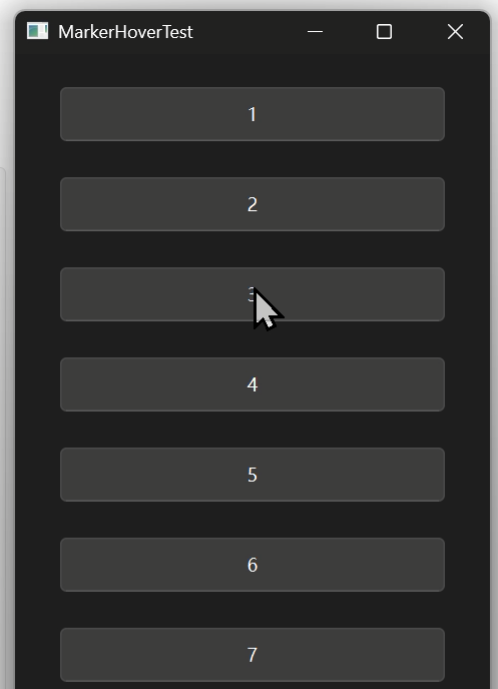
Possible missed Enter event in Qt 6.9.3 causing QPushButton hover state to get stuck
-
Also please provide a minimal, compilable example to reproduce the problem.
-
Please post it as text, not images
-
Please post it as text, not images
-
Please post it as text, not images
@Christian-Ehrlicher
Thanks for taking a look. I’ve attached a minimal, compilable Qt Widgets example. I reproduced the issue with Qt 6.9.3 on Windows at 150% display scaling.The debugger confirmed that Qt selected the QPushButton as the mouse event receiver, but the mapped local Y coordinate was approximately -7.82e-14 at the button’s top edge. This made widgetUnderMouse false, so sendMouseEvent() skipped the Enter event. It still updated lastMouseReceiver to that button, so moving farther into the button did not trigger another Enter.
I checked the upstream qtbase dev source and found the same coordinate mapping and event dispatch logic. This suggests the issue is still present upstream, though I’ve only confirmed it at runtime on Qt 6.9.3.
-
Please post it as text, not images
#include <QtWidgets> int main(int argc, char **argv) { QApplication app(argc, argv); QWidget window; window.setWindowTitle(QStringLiteral("MarkerHoverTest")); window.resize(320, 520); auto *layout = new QVBoxLayout(&window); layout->setContentsMargins(8, 20, 8, 28); layout->setSpacing(20); for (int i = 1; i <= 8; ++i) { auto *button = new QPushButton(QString::number(i), &window); button->setFixedSize(260, 40); layout->addWidget(button, 0, Qt::AlignHCenter); } layout->addStretch(); window.show(); return app.exec(); } -
#include <QtWidgets> int main(int argc, char **argv) { QApplication app(argc, argv); QWidget window; window.setWindowTitle(QStringLiteral("MarkerHoverTest")); window.resize(320, 520); auto *layout = new QVBoxLayout(&window); layout->setContentsMargins(8, 20, 8, 28); layout->setSpacing(20); for (int i = 1; i <= 8; ++i) { auto *button = new QPushButton(QString::number(i), &window); button->setFixedSize(260, 40); layout->addWidget(button, 0, Qt::AlignHCenter); } layout->addStretch(); window.show(); return app.exec(); } -
It's already fixed - please use a recent Qt version
QTBUG-128391 -
It's already fixed - please use a recent Qt version
QTBUG-128391@Christian-Ehrlicher
QTBUG-128391 switched childAt() to floating-point hit testing.
In my case, the hit test already finds the correct button, but the subsequent coordinate conversion produces a tiny negative Y value, causing Enter to be skipped.I can still reproduce this with the same minimal example on Qt 6.12.0, Windows, at 150% scaling.
-
It's already fixed - please use a recent Qt version
QTBUG-128391@Christian-Ehrlicher
I reviewed QTBUG-128391 and its patch. I’m confident this is a separate issue, and I’ve confirmed that the same minimal example still reproduces it on Qt 6.12.0.I’m new to reporting Qt bugs, so I’d appreciate it if you could take a look at the example and help confirm whether this should be tracked separately.
Thank you so much, Christian. It means a lot to me that you’ve taken the time to help.
-
I can't reproduce your problem with 6.12 so please test it with a recent version
-
I can't reproduce your problem with 6.12 so please test it with a recent version
@Christian-Ehrlicher
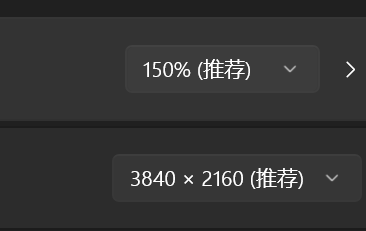
Thanks for trying to reproduce it, Christian. I tested the same example with Qt 6.12.0 (MSVC x64) on Windows at 3840 × 2160 with 150% display scaling, and I can still reproduce it intermittently.
If it doesn’t happen at the initial window position, could you try moving the window to another spot on the screen and then slowly moving the pointer across a button’s top edge? The reproduction seems sensitive to the window’s position.
I’d also be happy to record a short video showing how I reproduce it. What’s the best way to share the video here?
Thanks again for taking the time to check. -
@Christian-Ehrlicher
Thanks for trying to reproduce it, Christian. I tested the same example with Qt 6.12.0 (MSVC x64) on Windows at 3840 × 2160 with 150% display scaling, and I can still reproduce it intermittently.
If it doesn’t happen at the initial window position, could you try moving the window to another spot on the screen and then slowly moving the pointer across a button’s top edge? The reproduction seems sensitive to the window’s position.
I’d also be happy to record a short video showing how I reproduce it. What’s the best way to share the video here?
Thanks again for taking the time to check.@DongHao said in Possible missed Enter event in Qt 6.9.3 causing QPushButton hover state to get stuck:
What’s the best way to share the video here?
Make a GIF and upload the same way as other images.
For me it also works. I don't see anything wrong. But maybe we are not doing what you do...
-
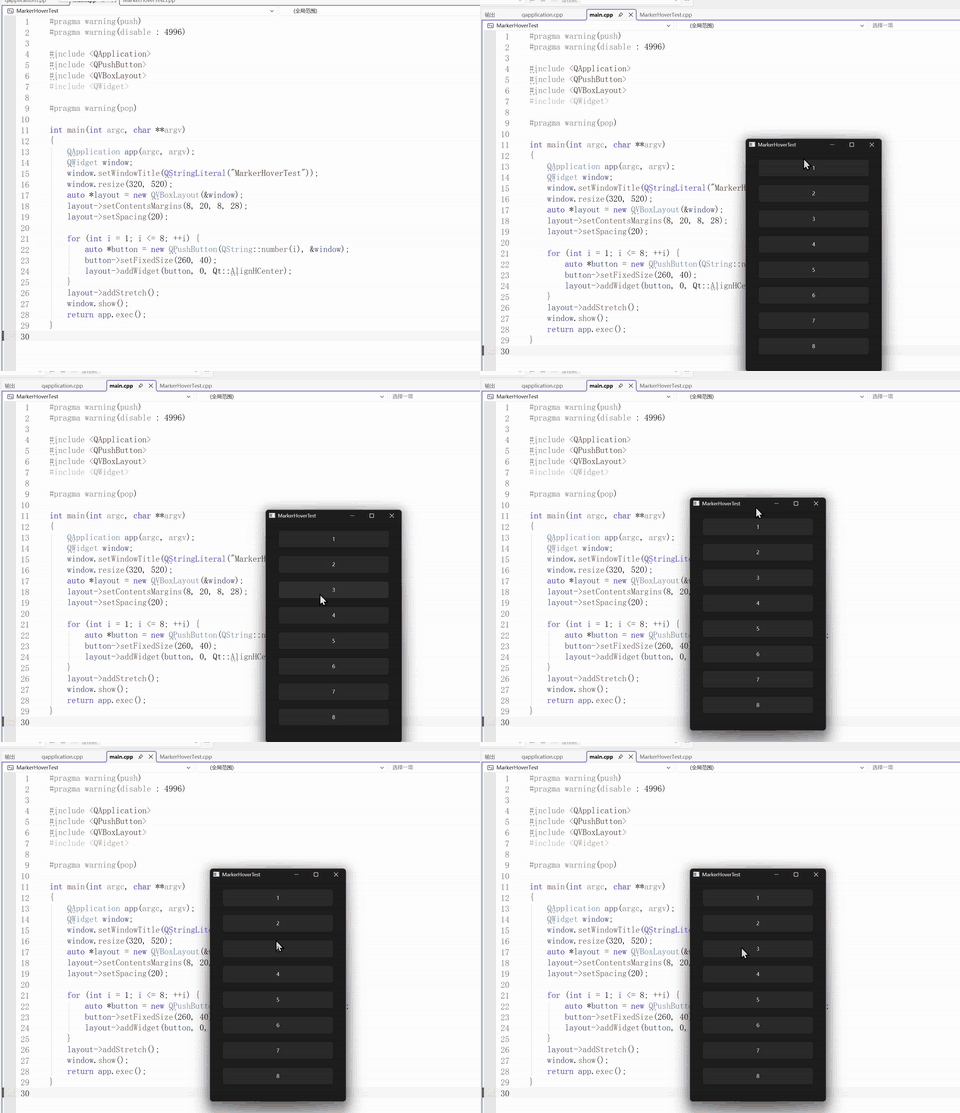
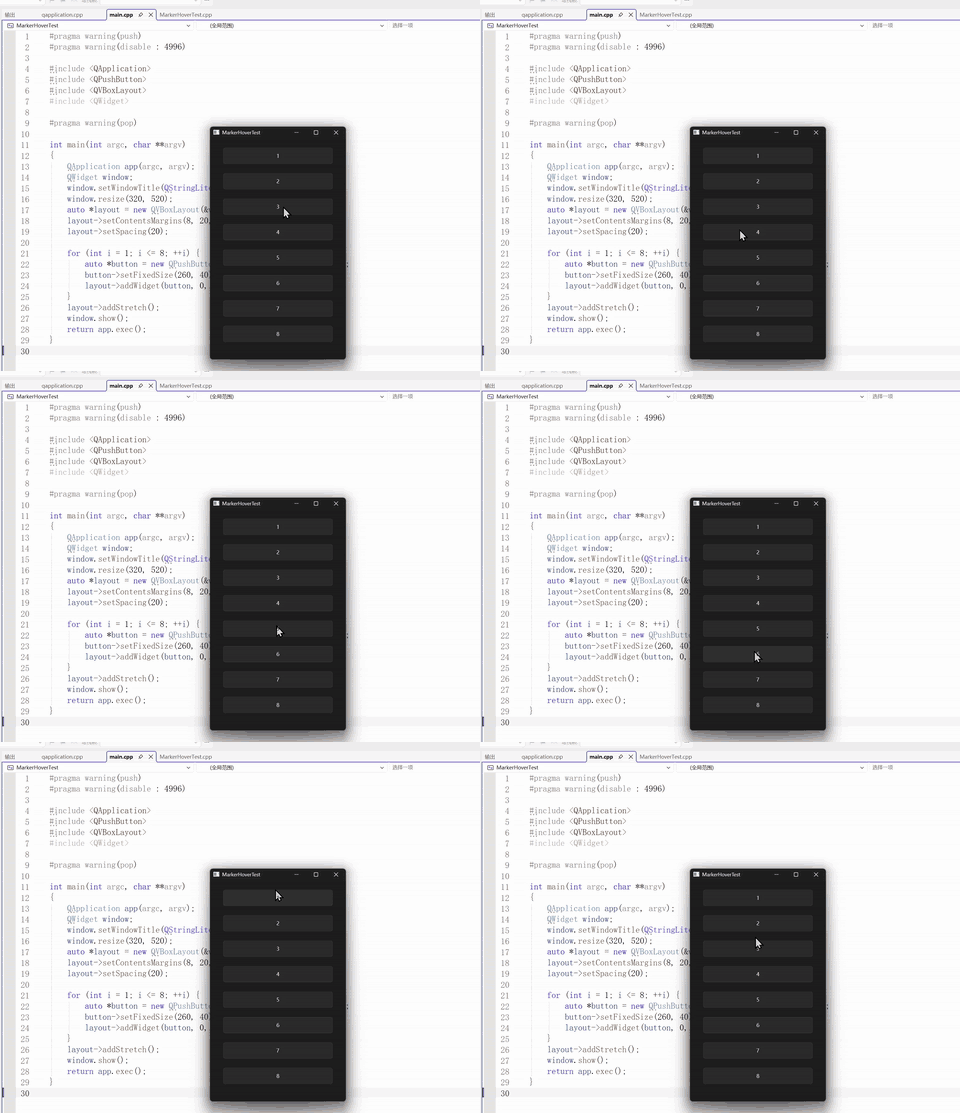
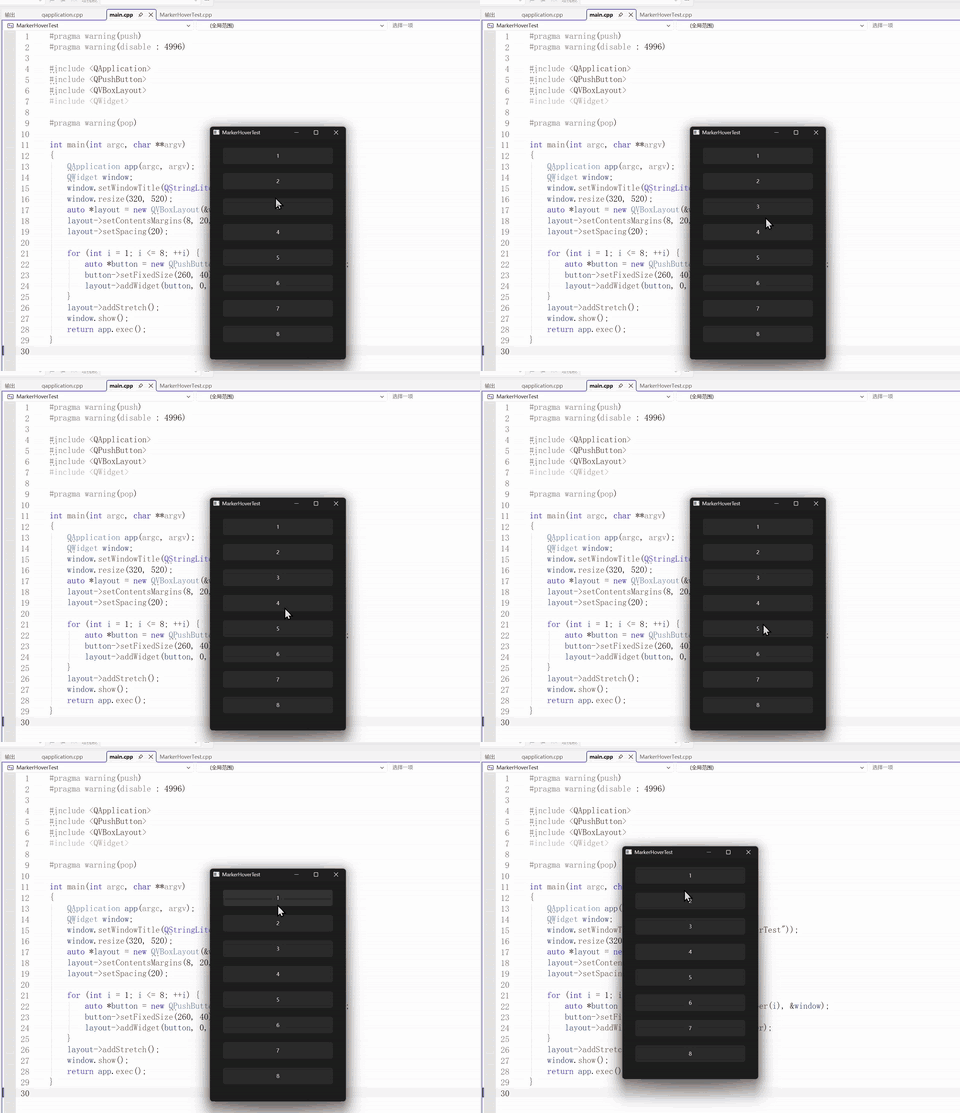
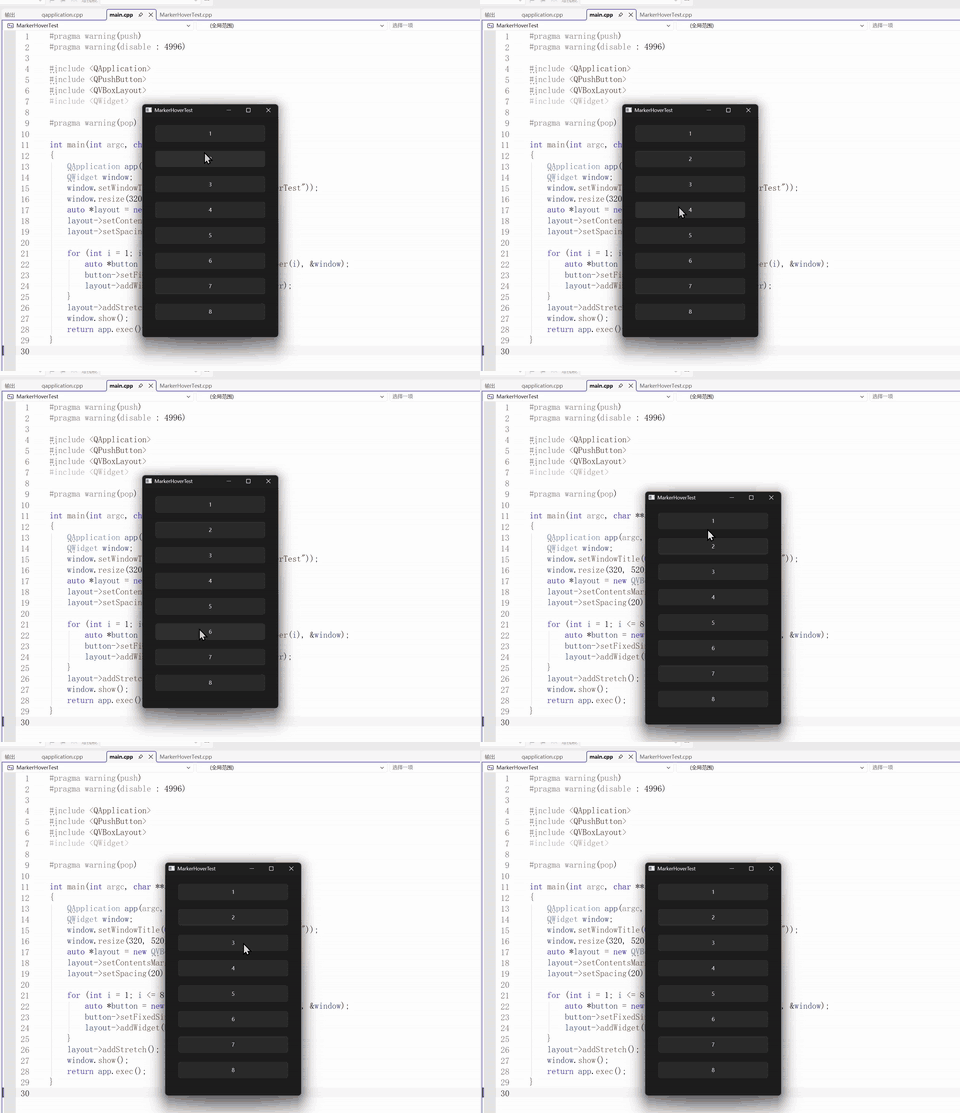
Thanks for your help! I split the recording into four GIFs and uploaded them in post #17.
Please watch button 3 in the first GIF. The first time I move the pointer over it, the button highlights. The second time, it stays unhighlighted even though the pointer is over it.
I couldn’t reproduce the issue on my 2560 × 1600 monitor either. After switching to my 3840 × 2160 monitor with Windows display scaling set to 150%, I can reproduce it fairly often.