Small examples for game development in Qt, OpenGL, Box2D, Bullet Physics, and OpenAL
-
Music volume slider
pip install PyOpenAL PySide6

The free audio file from itch is used in this example.
import sys from openal import oalOpen, oalQuit from PySide6.QtCore import Qt from PySide6.QtWidgets import (QApplication, QCheckBox, QHBoxLayout, QPushButton, QSlider, QVBoxLayout, QWidget) class Widget(QWidget): def __init__(self): super().__init__() self.setWindowTitle("PyOpenAL, PySide6") self.resize(300, 150) # Music check box playMusic = QCheckBox("Play music") # playMusic.toggle() # print(playMusic.isChecked()) playMusic.stateChanged.connect(self.onPlayMusic) # Sound button playSoundButton = QPushButton("Play sound") playSoundButton.clicked.connect(self.onPlaySound) mousicVolume = 0.1 # Volume slider volumeSlider = QSlider(Qt.Orientation.Horizontal) volumeSlider.setValue(int(mousicVolume * 100)) volumeSlider.valueChanged[int].connect(self.onChangeVolume) self.mousicSource = oalOpen("assets/infant_tour.wav") self.soundSource = oalOpen("assets/bounce.wav") self.mousicSource.set_gain(mousicVolume) self.mousicSource.set_looping(True) vbox = QVBoxLayout() vbox.addWidget(volumeSlider) vbox.addWidget(playMusic) vbox.addWidget(playSoundButton) vbox.addStretch(1) hbox = QHBoxLayout() hbox.addLayout(vbox) hbox.addStretch(1) self.setLayout(hbox) def onPlayMusic(self, state): if state == Qt.CheckState.Checked.value: self.mousicSource.play() else: self.mousicSource.pause() def onPlaySound(self): self.soundSource.play() def onChangeVolume(self, value): self.mousicSource.set_gain(value / 100) def closeEvent(self, event): oalQuit() if __name__ == "__main__": app = QApplication(sys.argv) w = Widget() w.show() sys.exit(app.exec()) -
Custom OpenGL button for WebAssembly and Android
You cannot make the standard Qt button for WebAssembly because of this bug: https://bugreports.qt.io/browse/QTBUG-120651 (you can use the patch from the "Gerrit Reviews") But OpenGL allows to make custom GUI elements.
WebAssembly demo on free Netlify hosting (QOpenGLWindow)
QOpenGLWindowworks on Android 7.1.2 in the mobile browser without problems. You can find a lot of GUI game assets on itch: https://itch.io/game-assets/tag-gui I use the following GUI game asset in this demo: https://wenrexa.itch.io/holoui I have used Free Texture Packer to pack to button textures to one texture + json-file. Text was added in GIMP.
The same demo for SDL3:
Click buttons with color ID using glReadPixels
This example uses the following GUI asset: https://wenrexa.itch.io/holoui. You can find a lot of GUI assets on itch: https://itch.io/game-assets/tag-gui I packed the GUI textures using Free Texture Packer to one texture + JSON. RapidJSON is used to parse the JSON file.
Tools: SDL3, Emscripten, C++, CMake, OpenGL ES 2.0, GLM, stb_image, Free Texture Packer, and RapidJSON

-
Activating the discrete GeForce of Radeon video card and OpenGL 3.3 Core profile on laptops
You can make it with the following code. The first one is for GeForce. The second one is for Radeon. If you can GeForce the second like with be ignored.
extern "C"
{
    __declspec(dllexport) unsigned long NvOptimusEnablement = 1;
    __declspec(dllexport) unsigned long AmdPowerXpressRequestHighPerformance = 1;
}
main.cpp
extern "C"
{
    __declspec(dllexport) unsigned long NvOptimusEnablement = 1;
    __declspec(dllexport) unsigned long AmdPowerXpressRequestHighPerformance = 1;
}

#include <QtGui/QOpenGLContext>
#include <QtGui/QOpenGLFunctions>
#include <QtGui/QSurfaceFormat>
#include <QtWidgets/QApplication>
#include <QtOpenGL/QOpenGLWindow>

class OpenGLWindow : public QOpenGLWindow, private QOpenGLFunctions
{
    void initializeGL() override
    {
        initializeOpenGLFunctions();

        qDebug() << "OpenGL version:" << (const char*) glGetString(GL_VERSION);
        qDebug() << "GLSL version: " << (const char*) glGetString(GL_SHADING_LANGUAGE_VERSION);
        qDebug() << "Vendor: " << (const char*) glGetString(GL_VENDOR);
    }
};

int main(int argc, char *argv[])
{
    QApplication::setAttribute(Qt::ApplicationAttribute::AA_UseDesktopOpenGL);
    QApplication app(argc, argv);
    QSurfaceFormat fmt;
    fmt.setDepthBufferSize(24);

    // Request OpenGL 3.3 core or OpenGL ES 3.0.
    if (QOpenGLContext::openGLModuleType() == QOpenGLContext::LibGL)
    {
        qDebug("Requesting 3.3 core context");
        fmt.setVersion(3, 3);
        fmt.setProfile(QSurfaceFormat::CoreProfile);
    }
    else
    {
        qDebug("Requesting 3.0 context");
        fmt.setVersion(3, 0);
    }

    OpenGLWindow w;
    w.setFormat(fmt);
    w.show();
    return app.exec();
}
Output:
Requesting 3.3 core context
OpenGL version: 3.3.0 NVIDIA 391.35
GLSL version:  3.30 NVIDIA via Cg compiler
Vendor:  NVIDIA Corporation
By default the laptops with two video cards use the integrated video card:
main.cpp
#include <QtGui/QOpenGLContext>
#include <QtGui/QOpenGLFunctions>
#include <QtGui/QSurfaceFormat>
#include <QtWidgets/QApplication>
#include <QtOpenGL/QOpenGLWindow>

class OpenGLWindow : public QOpenGLWindow, private QOpenGLFunctions
{
    void initializeGL() override
    {
        initializeOpenGLFunctions();

        qDebug() << "OpenGL version:" << (const char*) glGetString(GL_VERSION);
        qDebug() << "GLSL version: " << (const char*) glGetString(GL_SHADING_LANGUAGE_VERSION);
        qDebug() << "Vendor: " << (const char*) glGetString(GL_VENDOR);
    }
};

int main(int argc, char *argv[])
{
    QApplication::setAttribute(Qt::ApplicationAttribute::AA_UseDesktopOpenGL);
    QApplication app(argc, argv);
    QSurfaceFormat fmt;
    fmt.setDepthBufferSize(24);

    // Request OpenGL 3.3 core or OpenGL ES 3.0.
    if (QOpenGLContext::openGLModuleType() == QOpenGLContext::LibGL)
    {
        qDebug("Requesting 3.3 core context");
        fmt.setVersion(3, 3);
        fmt.setProfile(QSurfaceFormat::CoreProfile);
    }
    else
    {
        qDebug("Requesting 3.0 context");
        fmt.setVersion(3, 0);
    }

    OpenGLWindow w;
    w.setFormat(fmt);
    w.show();
    return app.exec();
}
Output:
Requesting 3.3 core context OpenGL version: 3.1.0 - Build 9.17.10.4459 GLSL version: 1.40 - Intel Build 9.17.10.4459 Vendor: Intel -
8 8Observer8 referenced this topic on
-
Rotate a 3D vector around X, Y, Z axes
In my example, three vectors are rotated 10 degrees around the X, Y and Z axes:
- Rotate the vector (0.f, 0.f, 1.f) 10 degrees around the X axis. Output: (0, -0.173648, 0.984808)
- Rotate the vector (1.f, 0.f, 0.f) 10 degrees around the Y axis. Output: (0.984808, 0, -0.173648)
- Rotate the vector (0.f, 1.f, 0.f) 10 degrees around the Z axis. Output: (-0.173648, 0.984808, 0)
#include <QtGlobal>
#include <QtMath>
#include <QtGui/QOpenGLFunctions>
#include <QtGui/QVector3D>
#include <QtOpenGL/QOpenGLWindow>
#include <QtWidgets/QApplication>

class OpenGLWindow : public QOpenGLWindow, private QOpenGLFunctions
{
    virtual void initializeGL() override
    {
        initializeOpenGLFunctions();

        // Rotate a 3D vector around the x-axis
        QVector3D vector1(0.f, 0.f, 1.f);
        QVector3D origin1(0.f, 0.f, 0.f);
        float r1 = qDegreesToRadians(10.f);
        QVector3D out1 = rotateX(vector1, origin1, r1);
        qDebug() << out1;

        // Rotate a 3D vector around the y-axis
        QVector3D vector2(1.f, 0.f, 0.f);
        QVector3D origin2(0.f, 0.f, 0.f);
        float r2 = qDegreesToRadians(10.f);
        QVector3D out2 = rotateY(vector2, origin2, r2);
        qDebug() << out2;

        // Rotate a 3D vector around the z-axis
        QVector3D vector3(0.f, 1.f, 0.f);
        QVector3D origin3(0.f, 0.f, 0.f);
        float r3 = qDegreesToRadians(10.f);
        QVector3D out3 = rotateZ(vector3, origin3, r3);
        qDebug() << out3;
    }

    QVector3D rotateX(const QVector3D &vector, const QVector3D &origin, float rad)
    {
        // Translate point to the origin
        QVector3D pos;
        pos.setX(vector.x() - origin.x());
        pos.setY(vector.y() - origin.y());
        pos.setZ(vector.z() - origin.z());

        // Perform rotation
        QVector3D rot;
        rot.setX(pos.x());
        rot.setY(pos.y() * qCos(rad) - pos.z() * qSin(rad));
        rot.setZ(pos.y() * qSin(rad) + pos.z() * qCos(rad));

        // Translate to correct position
        QVector3D out;
        out.setX(rot.x() + origin.x());
        out.setY(rot.y() + origin.y());
        out.setZ(rot.z() + origin.z());

        return out;
    }

    QVector3D rotateY(const QVector3D &vector, const QVector3D &origin, float rad)
    {
        // Translate point to the origin
        QVector3D pos;
        pos.setX(vector.x() - origin.x());
        pos.setY(vector.y() - origin.y());
        pos.setZ(vector.z() - origin.z());

        // Perform rotation
        QVector3D rot;
        rot.setX(pos.z() * qSin(rad) + pos.x() * qCos(rad));
        rot.setY(pos.y());
        rot.setZ(pos.z() * qCos(rad) - pos.x() * qSin(rad));

        // Translate to correct position
        QVector3D out;
        out.setX(rot.x() + origin.x());
        out.setY(rot.y() + origin.y());
        out.setZ(rot.z() + origin.z());

        return out;
    }

    QVector3D rotateZ(const QVector3D &vector, const QVector3D &origin, float rad)
    {
        // Translate point to the origin
        QVector3D pos;
        pos.setX(vector.x() - origin.x());
        pos.setY(vector.y() - origin.y());
        pos.setZ(vector.z() - origin.z());

        // Perform rotation
        QVector3D rot;
        rot.setX(pos.x() * qCos(rad) - pos.y() * qSin(rad));
        rot.setY(pos.x() * qSin(rad) + pos.y() * qCos(rad));
        rot.setZ(pos.z());

        // Translate to correct position
        QVector3D out;
        out.setX(rot.x() + origin.x());
        out.setY(rot.y() + origin.y());
        out.setZ(rot.z() + origin.z());

        return out;
    }
};

int main(int argc, char *argv[])
{
    QApplication::setAttribute(Qt::ApplicationAttribute::AA_UseDesktopOpenGL);
    QApplication app(argc, argv);
    OpenGLWindow w;
    w.show();
    return app.exec();
}
pro
QT += core gui openglwidgets

win32: LIBS += -lopengl32

CONFIG += c++17

SOURCES += \
    main.cpp
Source: https://glmatrix.net/docs/vec3.js.html#line564
Using GLM:
// Input vector
auto v = glm::vec3(0.f, 0.f, 1.f);
std::cout << v.x << ", " << v.y << ", " << v.z << std::endl;
// Rotation
auto rotationMatrix = glm::rotate(glm::mat4(1.f), glm::radians(10.f), glm::vec3{1.f, 0.f, 0.f});
auto newVector = rotationMatrix * glm::vec4(v, 0.f);
std::cout << newVector.x << ", " << newVector.y << ", " << newVector.z << std::endl;
// Output: 0, -0.173648, 0.984808
Stack Oveflow: https://stackoverflow.com/a/78633772/4159530
-
This post is deleted!
-
I have found two solutions how I can make the first person movement in the browser. Qt doesn't allow it because it is impossible to call
emscripten_request_pointerlock()from Qt application: https://bugreports.qt.io/browse/QTBUG-126513The first solution is to use pure WebGL and Ammo.js: Click to run a demo in the browser
The second solution is to use SDL3, Emscripten, and Bullet Physics: Click to run a demo in the browser
The demo allows to move with first person and third person view:

Baked shadows and textures using SDL3, Emscripten, OpenGL ES 2.0, Bullet Physics, and C++

-
-
Critical problems for WebAssembly
- Background color of parent window is changed to black: https://bugreports.qt.io/browse/QTBUG-120651
- emscripten_request_pointerlock() returns EMSCRIPTEN_RESULT_UNKNOWN_TARGET: https://bugreports.qt.io/browse/QTBUG-126513
- Dealing with keyboard layout for input on Qt WebAssembly: https://forum.qt.io/post/790688
-
Transformed triangle in OpenGL 3.3 and Qt 6.9
Video: https://www.youtube.com/watch?v=AGHZsOrazEU
Source: https://github.com/8Observer8/basics-of-opengl33-and-qt6

-
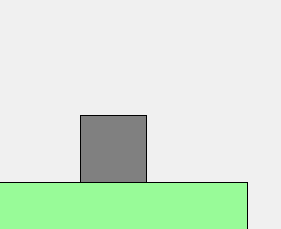
Debug drawer for Box2D v3 using QPainter
It uses
b2World_Drawto draw Box2D objects for debugging. You can just download and run it without compiling libs because it include libs for Windows (MinGW) and Android.Source: https://github.com/8Observer8/debug-drawer-qpainter-box2dv3-qt6-cpp
-
-
This post is deleted!