

Qt 6.12 LTS is out! See what's new in the release
blog
QWebEngineView not displaying my generated pages
-
I'm trying to add a dialog that displays web pages generated by my application. I'm getting the bad character icons. The websites I've tested work. (However, one site's cookie warning has the same problem.) This webpage displays properly in QTextBrowser and in my web browsers but not in the QWebEngineView. My thought is I am doing something in my html code that the QWebEngineView doesn't like, but after viewing several HTML documents I'm not seeing why QWebEngineView isn't displaying a simple text string. Any ideas?
I've created a tiny app that reproduces the issue.
The problem:
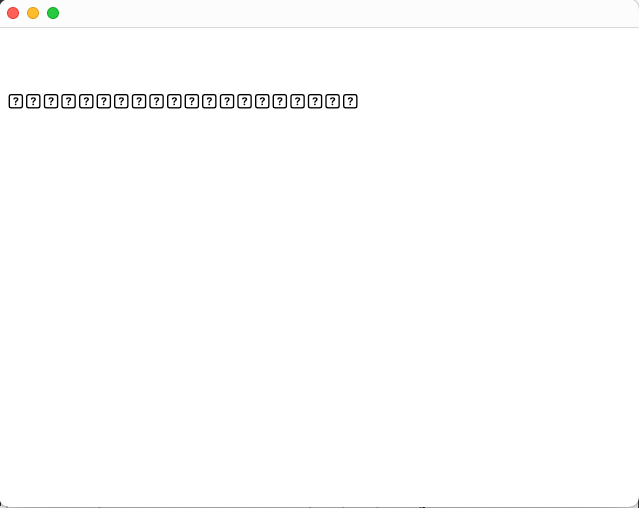
The code example:
#include <QApplication>
#include <QMainWindow>
#include <QWebEngineView>

int main(int argc, char *argv[])
{
    QApplication a(argc, argv);
    QMainWindow mw;
    QWebEngineView *view = new QWebEngineView();
    // The following works as expected.
    // view->load(QUrl("https://forum.qt.io"));

    view->load(QUrl("file:///Users/prplchkj/myProjects/SmWebEngineTest/TestWebpage.html"));

    mw.setCentralWidget(view);
    mw.show();
    return a.exec();
}
The contents of the test webpage:
<!DOCTYPE HTML> <html lang="en-US"> <head> <title>Debugging Web Page</title> <meta http-equiv="Content-Type" content="text/html;charset=UTF-8"/> </head> <body> <br> <br> <br> Hello this is a test<br> </body> </html> -
Finally got my 6.11 installation working.
This was fixed in the update. -
J Jennise Hall has marked this topic as solved on