Skip to content
  • Categories
  • Recent
  • Tags
  • Popular
  • Users
  • Groups
  • Search
  • Get Qt Extensions
  • Unsolved
Collapse
Brand Logo
  1. Home
  2. Qt Development
  3. Qt Creator and other tools
  4. Examples don't show up
Qt 6.11 is out! See what's new in the release blog

Examples don't show up

Scheduled Pinned Locked Moved Solved Qt Creator and other tools
16 Posts 3 Posters 3.5k Views
  • Oldest to Newest
  • Newest to Oldest
  • Most Votes
Reply
  • Reply as topic
Log in to reply
This topic has been deleted. Only users with topic management privileges can see it.
  • G gabrield-droid

    @cristian-adam How did you install Qt? Did you install it like I show in the question? I searched for QtCreator.ini in my device and I got four files named QtCreator.ini, all are in QtCreator source directory which I haven't built yet.

    jsulmJ Offline
    jsulmJ Offline
    jsulm
    Lifetime Qt Champion
    wrote on last edited by
    #6

    @gabrield-droid said in Examples don't show up:

    QtCreator.ini

    This is the QtCreator config file. Should be: ~/.config/QtProject/QtCreator.ini

    https://forum.qt.io/topic/113070/qt-code-of-conduct

    G 1 Reply Last reply
    1
    • G gabrield-droid

      @cristian-adam How did you install Qt? Did you install it like I show in the question? I searched for QtCreator.ini in my device and I got four files named QtCreator.ini, all are in QtCreator source directory which I haven't built yet.

      cristian-adamC Offline
      cristian-adamC Offline
      cristian-adam
      wrote on last edited by
      #7

      @gabrield-droid I used the Qt SDK. But, after one Qt Creator run, you should have a QtCreator.ini file in ~/.config/QtProject on Linux.

      See https://doc.qt.io/qtcreator/creator-how-to-find-settings-files.html for more information.

      G 1 Reply Last reply
      0
      • cristian-adamC cristian-adam

        @gabrield-droid I used the Qt SDK. But, after one Qt Creator run, you should have a QtCreator.ini file in ~/.config/QtProject on Linux.

        See https://doc.qt.io/qtcreator/creator-how-to-find-settings-files.html for more information.

        G Offline
        G Offline
        gabrield-droid
        wrote on last edited by
        #8

        @cristian-adam I found it. What should I do now?

        jsulmJ 1 Reply Last reply
        0
        • G gabrield-droid

          @cristian-adam I found it. What should I do now?

          jsulmJ Offline
          jsulmJ Offline
          jsulm
          Lifetime Qt Champion
          wrote on last edited by
          #9

          @gabrield-droid See https://forum.qt.io/post/834437

          https://forum.qt.io/topic/113070/qt-code-of-conduct

          G 1 Reply Last reply
          0
          • jsulmJ jsulm

            @gabrield-droid said in Examples don't show up:

            QtCreator.ini

            This is the QtCreator config file. Should be: ~/.config/QtProject/QtCreator.ini

            G Offline
            G Offline
            gabrield-droid
            wrote on last edited by
            #10
            This post is deleted!
            1 Reply Last reply
            0
            • jsulmJ jsulm

              @gabrield-droid See https://forum.qt.io/post/834437

              G Offline
              G Offline
              gabrield-droid
              wrote on last edited by
              #11

              @jsulm
              Only does the version appear, not the projects
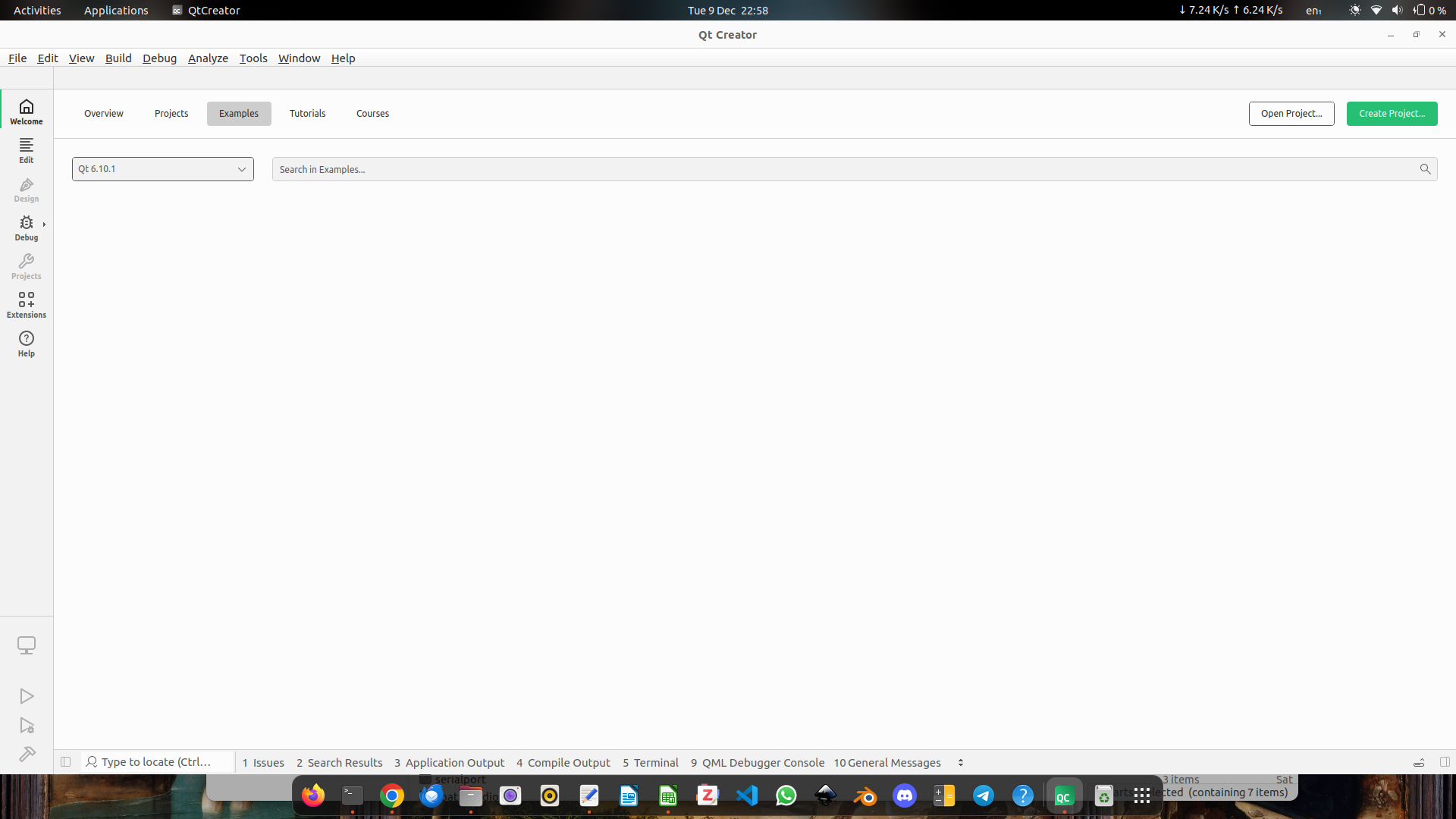
              Screenshot from 2025-12-09 22-58-41.png

              I have added these lines in the [Help] in the QtCreator.ini:

              InstalledDocumentation=/opt/Qt6/doc
              InstalledExamples=Qt 6.10.1|/opt/Qt6/doc|/opt/Qt6/examples
              

              Is there more something wrong?

              cristian-adamC 1 Reply Last reply
              0
              • G gabrield-droid

                @jsulm
                Only does the version appear, not the projects
                Screenshot from 2025-12-09 22-58-41.png

                I have added these lines in the [Help] in the QtCreator.ini:

                InstalledDocumentation=/opt/Qt6/doc
                InstalledExamples=Qt 6.10.1|/opt/Qt6/doc|/opt/Qt6/examples
                

                Is there more something wrong?

                cristian-adamC Offline
                cristian-adamC Offline
                cristian-adam
                wrote on last edited by
                #12

                @gabrield-droid You could try running Qt Creator as:

                $ QT_LOGGING_RULES=qtc.examples=true ./qtcreator
                

                See the code loading the examples at https://github.com/qt-creator/qt-creator/blob/18.0/src/plugins/qtsupport/exampleslistmodel.cpp#L67

                G 1 Reply Last reply
                0
                • cristian-adamC cristian-adam

                  @gabrield-droid You could try running Qt Creator as:

                  $ QT_LOGGING_RULES=qtc.examples=true ./qtcreator
                  

                  See the code loading the examples at https://github.com/qt-creator/qt-creator/blob/18.0/src/plugins/qtsupport/exampleslistmodel.cpp#L67

                  G Offline
                  G Offline
                  gabrield-droid
                  wrote on last edited by
                  #13

                  @cristian-adam I still don't see the examples. But, in the terminal, it returns something like this:

                  qtc.examples: Reading Help/InstalledExamples from settings: QList("Qt 6.10.1|/opt/Qt6/doc|/opt/Qt6/examples")
                  qtc.examples: Adding examples set displayName= "Qt 6.10.1" , manifestPath= "/opt/Qt6/doc" , examplesPath= "/opt/Qt6/examples"
                  qtc.examples: Skipping "Qt 6.10.1 (Qt6)" because it either is remote, or its QT_INSTALL_EXAMPLES and QT_INSTALL_DEMOS, or QT_INSTALL_DOCS paths are not readable directories, or there are no documentation files.
                  

                  Maybe, you could help with that

                  jsulmJ 1 Reply Last reply
                  0
                  • G gabrield-droid

                    @cristian-adam I still don't see the examples. But, in the terminal, it returns something like this:

                    qtc.examples: Reading Help/InstalledExamples from settings: QList("Qt 6.10.1|/opt/Qt6/doc|/opt/Qt6/examples")
                    qtc.examples: Adding examples set displayName= "Qt 6.10.1" , manifestPath= "/opt/Qt6/doc" , examplesPath= "/opt/Qt6/examples"
                    qtc.examples: Skipping "Qt 6.10.1 (Qt6)" because it either is remote, or its QT_INSTALL_EXAMPLES and QT_INSTALL_DEMOS, or QT_INSTALL_DOCS paths are not readable directories, or there are no documentation files.
                    

                    Maybe, you could help with that

                    jsulmJ Offline
                    jsulmJ Offline
                    jsulm
                    Lifetime Qt Champion
                    wrote on last edited by
                    #14

                    @gabrield-droid Check the content of /opt/Qt6/doc and /opt/Qt6/examples - is there something inside? Doe you have read access there?

                    https://forum.qt.io/topic/113070/qt-code-of-conduct

                    G 1 Reply Last reply
                    1
                    • jsulmJ jsulm

                      @gabrield-droid Check the content of /opt/Qt6/doc and /opt/Qt6/examples - is there something inside? Doe you have read access there?

                      G Offline
                      G Offline
                      gabrield-droid
                      wrote on last edited by
                      #15

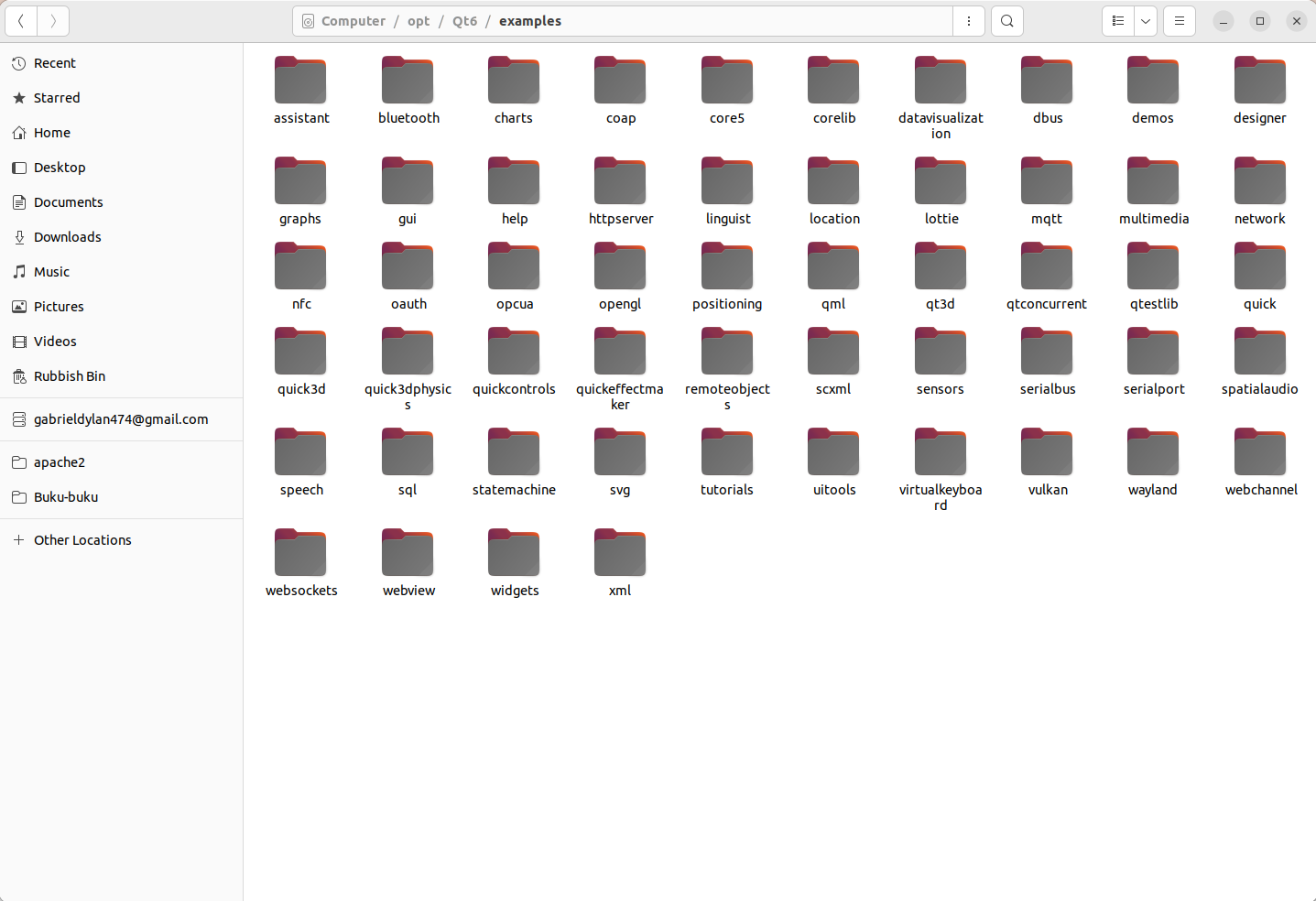
                      @jsulm In /opt/Qt6/doc/ there are two folders called config and global. The contents of /opt/Qt6/examples are shown in the picture below:
                      Screenshot from 2025-12-10 14-19-28.png
                      Both folders are owned by root and have their permissions set to rwxr-xr-x

                      1 Reply Last reply
                      0
                      • cristian-adamC cristian-adam referenced this topic on
                      • G Offline
                        G Offline
                        gabrield-droid
                        wrote last edited by
                        #16

                        Hi, I've solved this problem. In README.md, I found an extra step to install the documentation. I should've run these commands after installing Qt:

                        cmake --build . --target docs
                        
                        sudo cmake --build . --target install_docs
                        

                        But, since I had deleted my qt-build and /opt/Qt6/examples, I did these following to make the examples, along with the documentation, accessible from within Qt Creator:

                        mkdir qt-build && cd qt-build
                        
                        ~/qt-sources/configure -prefix /opt/Qt6 -skip qtwebengine -nomake tests -make examples -- -DQT_BUILD_EXAMPLES_BY_
                        DEFAULT=OFF -DQT_INSTALL_EXAMPLES_SOURCES=ON 
                        
                        cmake --build . --parallel --target docs
                        
                        sudo cmake --install . --component examples_sources 
                        
                        sudo cmake --build . --parallel --target install_docs
                        

                        After that, the examples and documentation are accessible from Qt Creator:
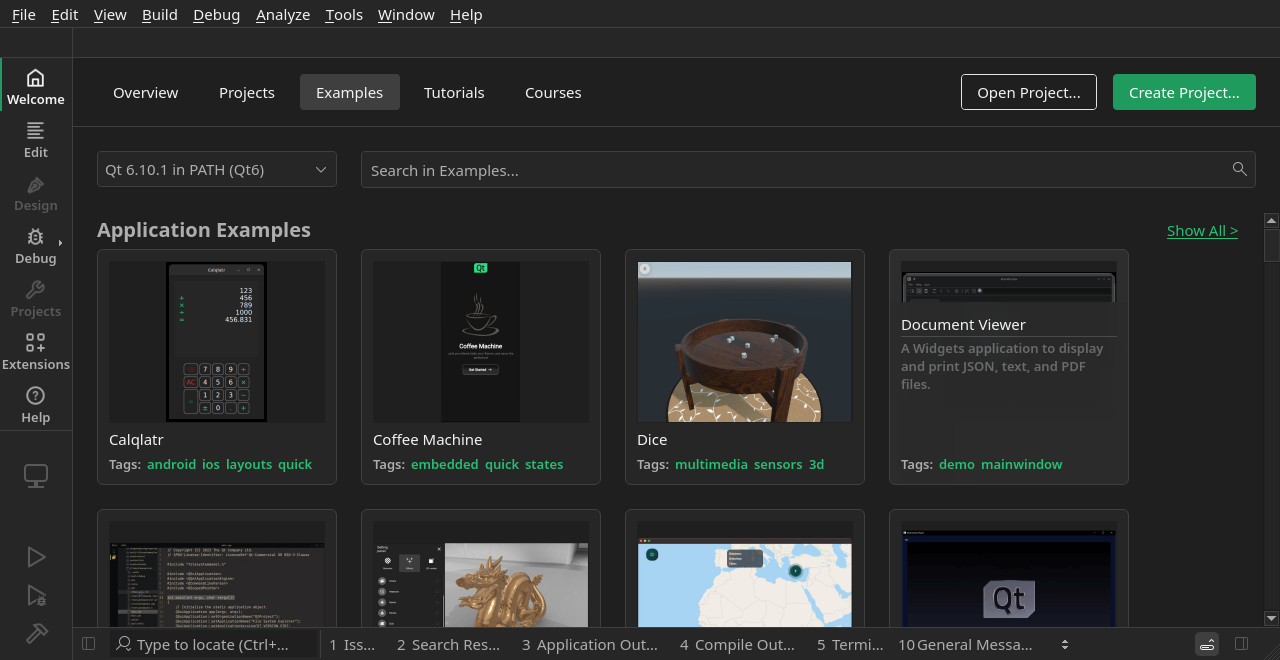
                        Screenshot of Examples
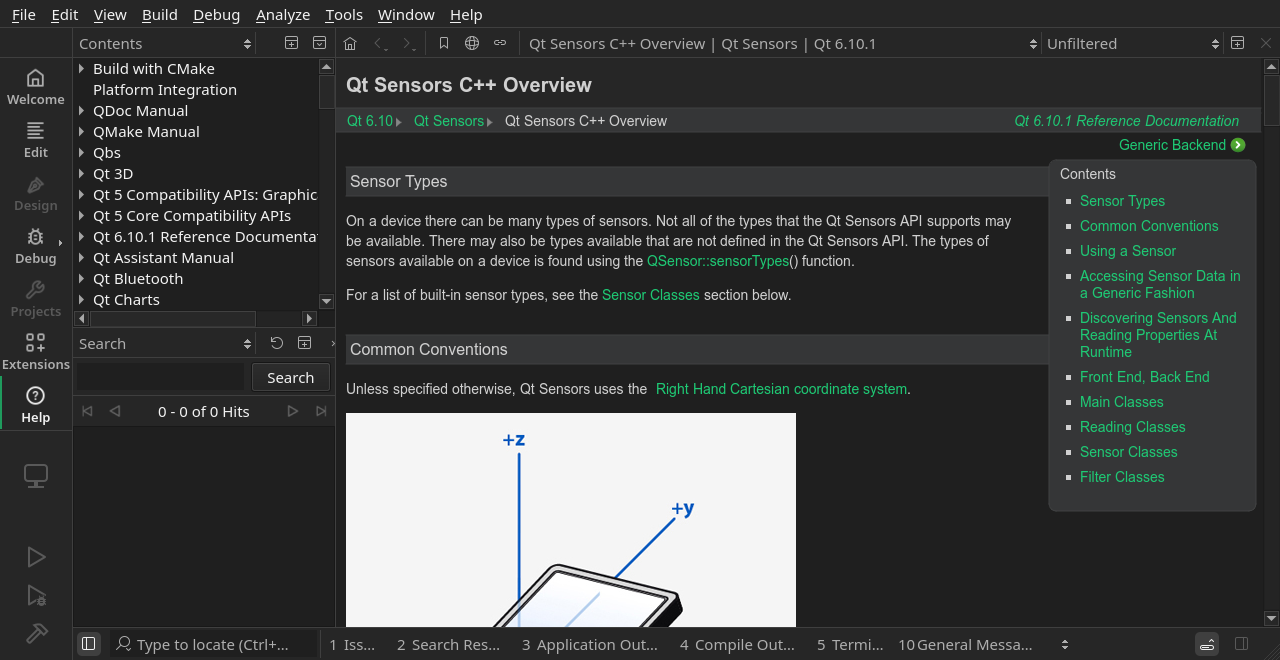
                        Screenshot of Examples

                        Screenshot of Help
                        Screenshot of Help

                        1 Reply Last reply
                        2
                        • G gabrield-droid has marked this topic as solved

                        • Login

                        • Login or register to search.
                        • First post
                          Last post
                        0
                        • Categories
                        • Recent
                        • Tags
                        • Popular
                        • Users
                        • Groups
                        • Search
                        • Get Qt Extensions
                        • Unsolved