
Examples don't show up
-
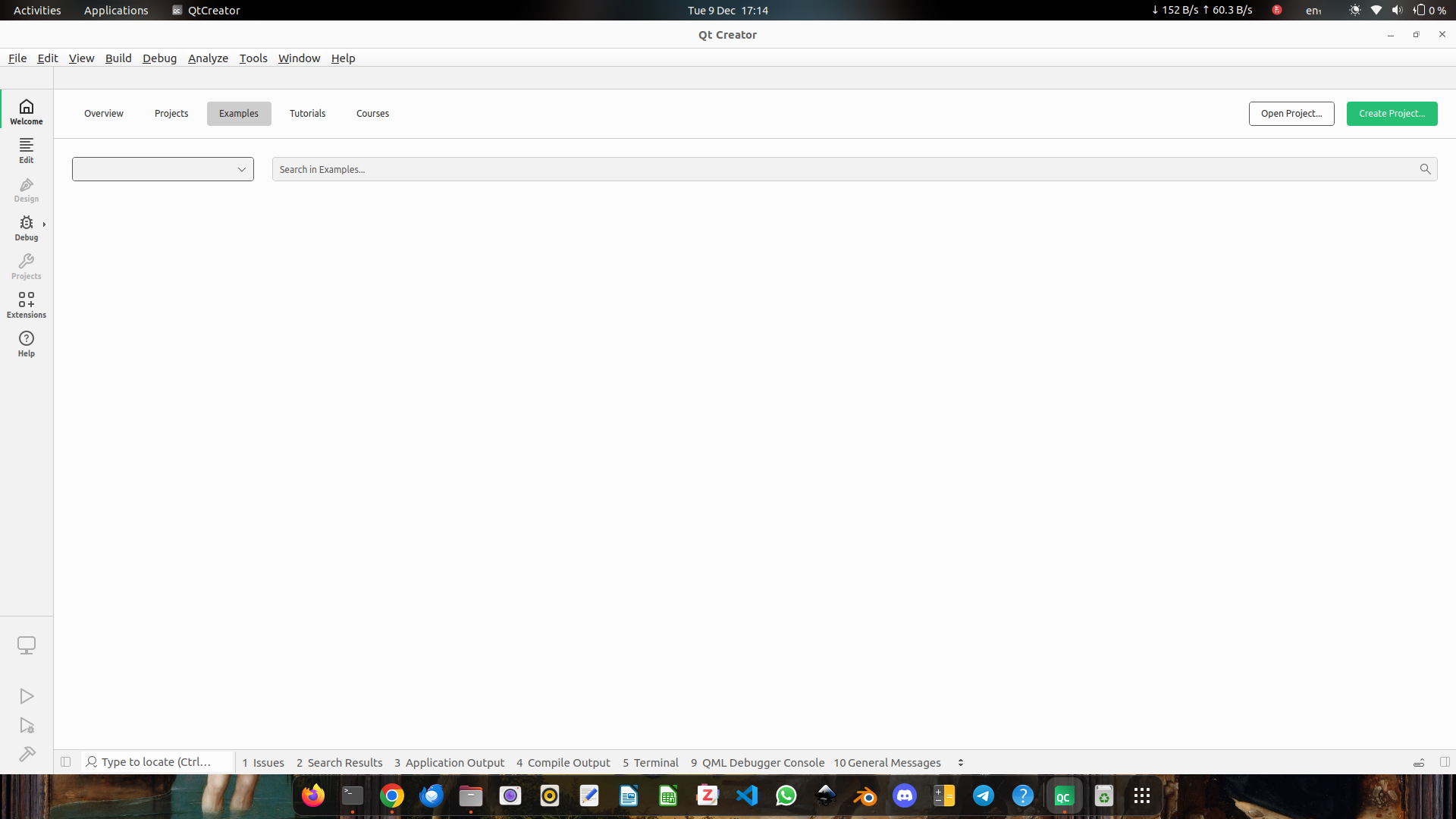
Why do my Qt exxamples not show up like in the picture? Are there any configurations I didn't set when run [qt-sources]/configure? Or is the problem in the Qt Creator itself? Or, should I build the Qt Creator from source as well?
This is how I installed Qt frameworks and Qt Creator
- Qt v6.10.1
- I ran
mkdir qt_sources, and thencd qt_sources - Within
~/qt_sources, I rangit clone --branch v6.10.1 git://code.qt.io/qt/qt5.git . - I created directory
~/qt-build - Within
~/qt-build, I ran~/qt-sources/configure -init-submodules, then~/qt-sources/configure -skip qtwebengine -prefix /opt/Qt6 -make examples -install-examples-sources - After configuring, I ran
cmake --build . --parallel. - And then,
sudo cmake --install .
- I ran
- Qt Creator
- I downloaded the
.debinstalled from https://download.qt.io/official_releases/qtcreator/18.0/18.0.0/cpack_experimental/qtcreator-opensource-linux-x86_64-18.0.0.deb and installed Qt Creator using this file
- I downloaded the
Other information that might be useful
- My computer runs
Ubuntu 22.04.5 LTS - My Kits preference
- The Kits tab
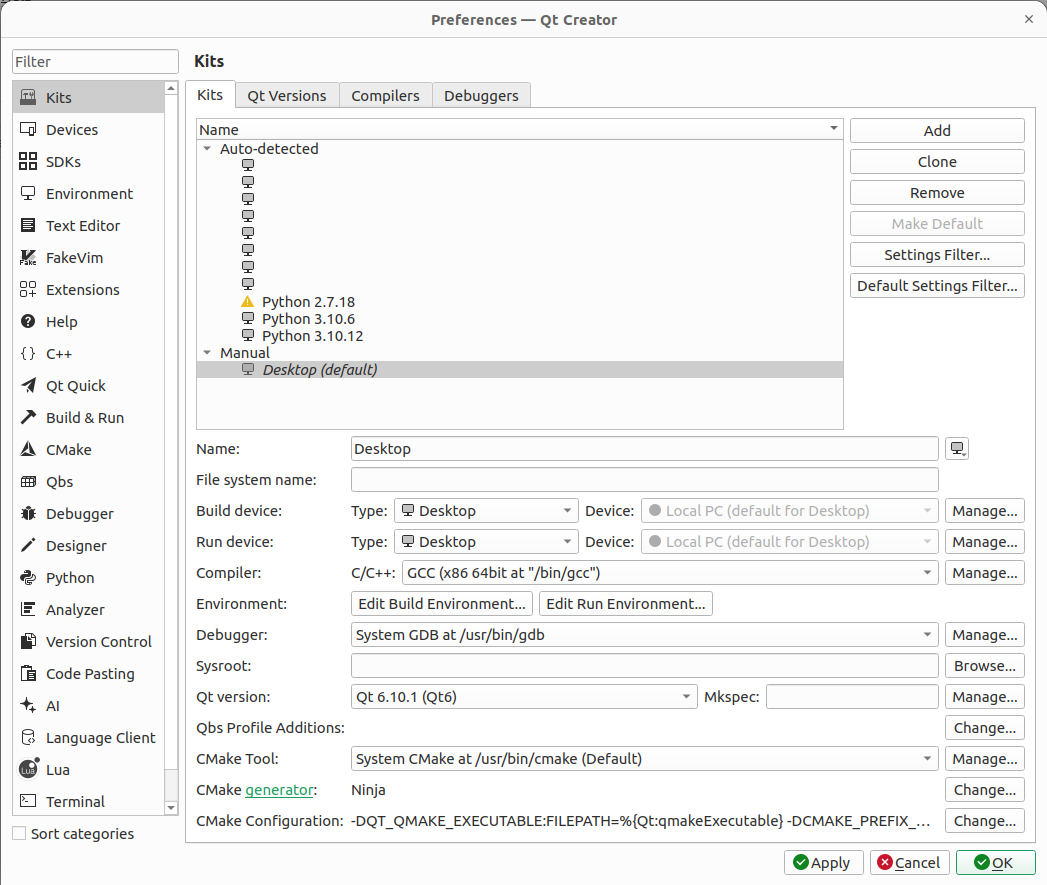
- The Qt Versions tab
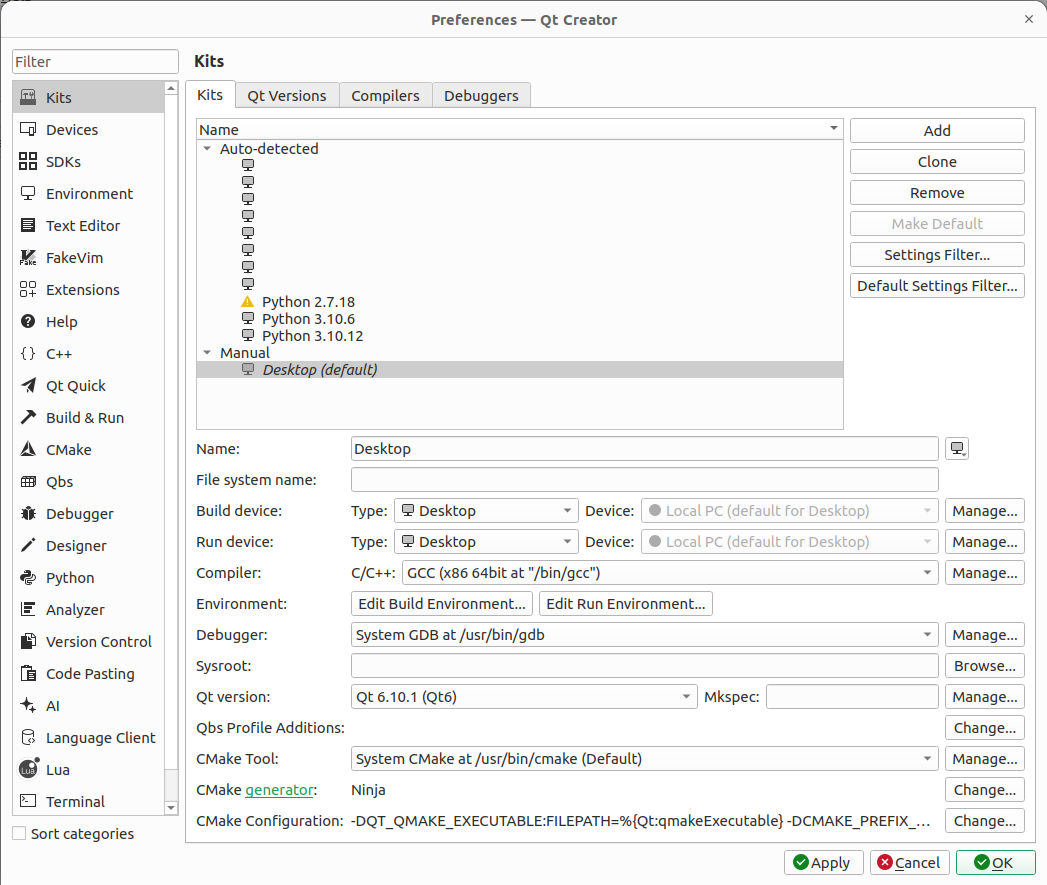
- The Kits tab
- Qt v6.10.1
-
Why do my Qt exxamples not show up like in the picture? Are there any configurations I didn't set when run [qt-sources]/configure? Or is the problem in the Qt Creator itself? Or, should I build the Qt Creator from source as well?
This is how I installed Qt frameworks and Qt Creator
- Qt v6.10.1
- I ran
mkdir qt_sources, and thencd qt_sources - Within
~/qt_sources, I rangit clone --branch v6.10.1 git://code.qt.io/qt/qt5.git . - I created directory
~/qt-build - Within
~/qt-build, I ran~/qt-sources/configure -init-submodules, then~/qt-sources/configure -skip qtwebengine -prefix /opt/Qt6 -make examples -install-examples-sources - After configuring, I ran
cmake --build . --parallel. - And then,
sudo cmake --install .
- I ran
- Qt Creator
- I downloaded the
.debinstalled from https://download.qt.io/official_releases/qtcreator/18.0/18.0.0/cpack_experimental/qtcreator-opensource-linux-x86_64-18.0.0.deb and installed Qt Creator using this file
- I downloaded the
Other information that might be useful
- My computer runs
Ubuntu 22.04.5 LTS - My Kits preference
- The Kits tab
- The Qt Versions tab
- The Kits tab
@gabrield-droid See https://wiki.qt.io/Qt_Examples_in_Qt_Creator
What doesqmake -query QT_INSTALL_DOCSreturn? Make sure you use qmake from your custom Qt build.
- Qt v6.10.1
-
@gabrield-droid See https://wiki.qt.io/Qt_Examples_in_Qt_Creator
What doesqmake -query QT_INSTALL_DOCSreturn? Make sure you use qmake from your custom Qt build.
@jsulm It returns
/opt/Qt6/doc. What does it mean? -
Why do my Qt exxamples not show up like in the picture? Are there any configurations I didn't set when run [qt-sources]/configure? Or is the problem in the Qt Creator itself? Or, should I build the Qt Creator from source as well?
This is how I installed Qt frameworks and Qt Creator
- Qt v6.10.1
- I ran
mkdir qt_sources, and thencd qt_sources - Within
~/qt_sources, I rangit clone --branch v6.10.1 git://code.qt.io/qt/qt5.git . - I created directory
~/qt-build - Within
~/qt-build, I ran~/qt-sources/configure -init-submodules, then~/qt-sources/configure -skip qtwebengine -prefix /opt/Qt6 -make examples -install-examples-sources - After configuring, I ran
cmake --build . --parallel. - And then,
sudo cmake --install .
- I ran
- Qt Creator
- I downloaded the
.debinstalled from https://download.qt.io/official_releases/qtcreator/18.0/18.0.0/cpack_experimental/qtcreator-opensource-linux-x86_64-18.0.0.deb and installed Qt Creator using this file
- I downloaded the
Other information that might be useful
- My computer runs
Ubuntu 22.04.5 LTS - My Kits preference
- The Kits tab
- The Qt Versions tab
- The Kits tab
@gabrield-droid The Examples part is usually configured by the Qt SDK.
I have for example in my
/Users/cristian/Qt/Tools/sdktool/QtProject/QtCreator.inithe following bits:[Help] InstalledDocumentation=/Users/cristian/Qt/Docs/Qt-6.10.0/ InstalledExamples=Qt 6.10.0|/Users/cristian/Qt/Docs/Qt-6.10.0|/Users/cristian/Qt/Examples/Qt-6.10.0/Add these settings to your
QtCreator.iniand you should get the Examples working. - Qt v6.10.1
-
@gabrield-droid The Examples part is usually configured by the Qt SDK.
I have for example in my
/Users/cristian/Qt/Tools/sdktool/QtProject/QtCreator.inithe following bits:[Help] InstalledDocumentation=/Users/cristian/Qt/Docs/Qt-6.10.0/ InstalledExamples=Qt 6.10.0|/Users/cristian/Qt/Docs/Qt-6.10.0|/Users/cristian/Qt/Examples/Qt-6.10.0/Add these settings to your
QtCreator.iniand you should get the Examples working.@cristian-adam How did you install Qt? Did you install it like I show in the question? I searched for QtCreator.ini in my device and I got four files named QtCreator.ini, all are in QtCreator source directory which I haven't built yet.
-
@cristian-adam How did you install Qt? Did you install it like I show in the question? I searched for QtCreator.ini in my device and I got four files named QtCreator.ini, all are in QtCreator source directory which I haven't built yet.
@gabrield-droid said in Examples don't show up:
QtCreator.ini
This is the QtCreator config file. Should be: ~/.config/QtProject/QtCreator.ini
-
@cristian-adam How did you install Qt? Did you install it like I show in the question? I searched for QtCreator.ini in my device and I got four files named QtCreator.ini, all are in QtCreator source directory which I haven't built yet.
@gabrield-droid I used the Qt SDK. But, after one Qt Creator run, you should have a QtCreator.ini file in
~/.config/QtProjecton Linux.See https://doc.qt.io/qtcreator/creator-how-to-find-settings-files.html for more information.
-
@gabrield-droid I used the Qt SDK. But, after one Qt Creator run, you should have a QtCreator.ini file in
~/.config/QtProjecton Linux.See https://doc.qt.io/qtcreator/creator-how-to-find-settings-files.html for more information.
@cristian-adam I found it. What should I do now?
-
@cristian-adam I found it. What should I do now?
-
@gabrield-droid said in Examples don't show up:
QtCreator.ini
This is the QtCreator config file. Should be: ~/.config/QtProject/QtCreator.ini
This post is deleted! -
@jsulm
Only does the version appear, not the projects
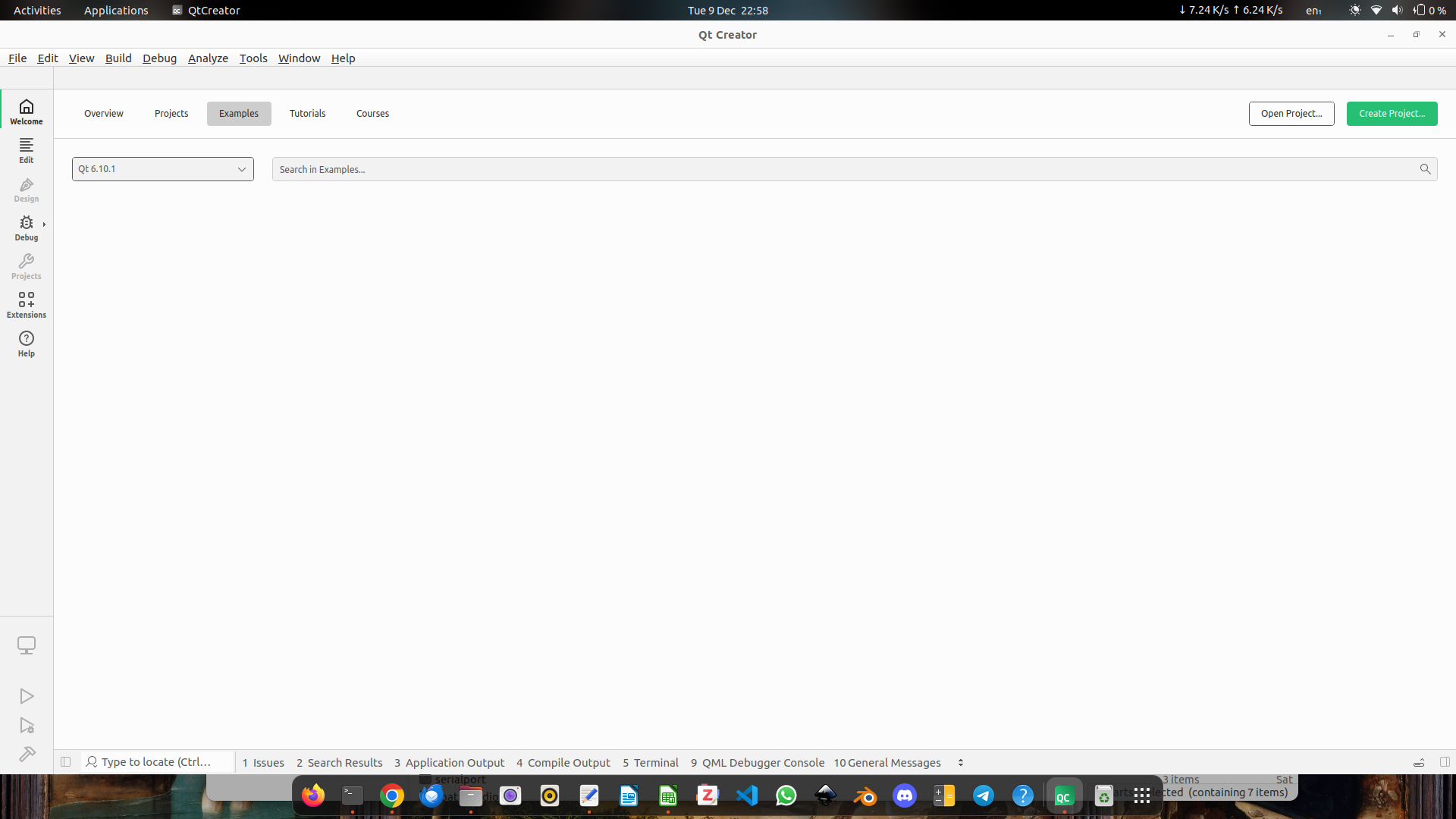
I have added these lines in the
[Help]in theQtCreator.ini:InstalledDocumentation=/opt/Qt6/doc InstalledExamples=Qt 6.10.1|/opt/Qt6/doc|/opt/Qt6/examplesIs there more something wrong?
-
@jsulm
Only does the version appear, not the projects
I have added these lines in the
[Help]in theQtCreator.ini:InstalledDocumentation=/opt/Qt6/doc InstalledExamples=Qt 6.10.1|/opt/Qt6/doc|/opt/Qt6/examplesIs there more something wrong?
@gabrield-droid You could try running Qt Creator as:
$ QT_LOGGING_RULES=qtc.examples=true ./qtcreatorSee the code loading the examples at https://github.com/qt-creator/qt-creator/blob/18.0/src/plugins/qtsupport/exampleslistmodel.cpp#L67
-
@gabrield-droid You could try running Qt Creator as:
$ QT_LOGGING_RULES=qtc.examples=true ./qtcreatorSee the code loading the examples at https://github.com/qt-creator/qt-creator/blob/18.0/src/plugins/qtsupport/exampleslistmodel.cpp#L67
@cristian-adam I still don't see the examples. But, in the terminal, it returns something like this:
qtc.examples: Reading Help/InstalledExamples from settings: QList("Qt 6.10.1|/opt/Qt6/doc|/opt/Qt6/examples")
qtc.examples: Adding examples set displayName= "Qt 6.10.1" , manifestPath= "/opt/Qt6/doc" , examplesPath= "/opt/Qt6/examples"
qtc.examples: Skipping "Qt 6.10.1 (Qt6)" because it either is remote, or its QT_INSTALL_EXAMPLES and QT_INSTALL_DEMOS, or QT_INSTALL_DOCS paths are not readable directories, or there are no documentation files.
Maybe, you could help with that
-
@cristian-adam I still don't see the examples. But, in the terminal, it returns something like this:
qtc.examples: Reading Help/InstalledExamples from settings: QList("Qt 6.10.1|/opt/Qt6/doc|/opt/Qt6/examples")
qtc.examples: Adding examples set displayName= "Qt 6.10.1" , manifestPath= "/opt/Qt6/doc" , examplesPath= "/opt/Qt6/examples"
qtc.examples: Skipping "Qt 6.10.1 (Qt6)" because it either is remote, or its QT_INSTALL_EXAMPLES and QT_INSTALL_DEMOS, or QT_INSTALL_DOCS paths are not readable directories, or there are no documentation files.
Maybe, you could help with that
@gabrield-droid Check the content of /opt/Qt6/doc and /opt/Qt6/examples - is there something inside? Doe you have read access there?
-
@gabrield-droid Check the content of /opt/Qt6/doc and /opt/Qt6/examples - is there something inside? Doe you have read access there?
@jsulm In
/opt/Qt6/doc/there are two folders calledconfigandglobal. The contents of/opt/Qt6/examplesare shown in the picture below:
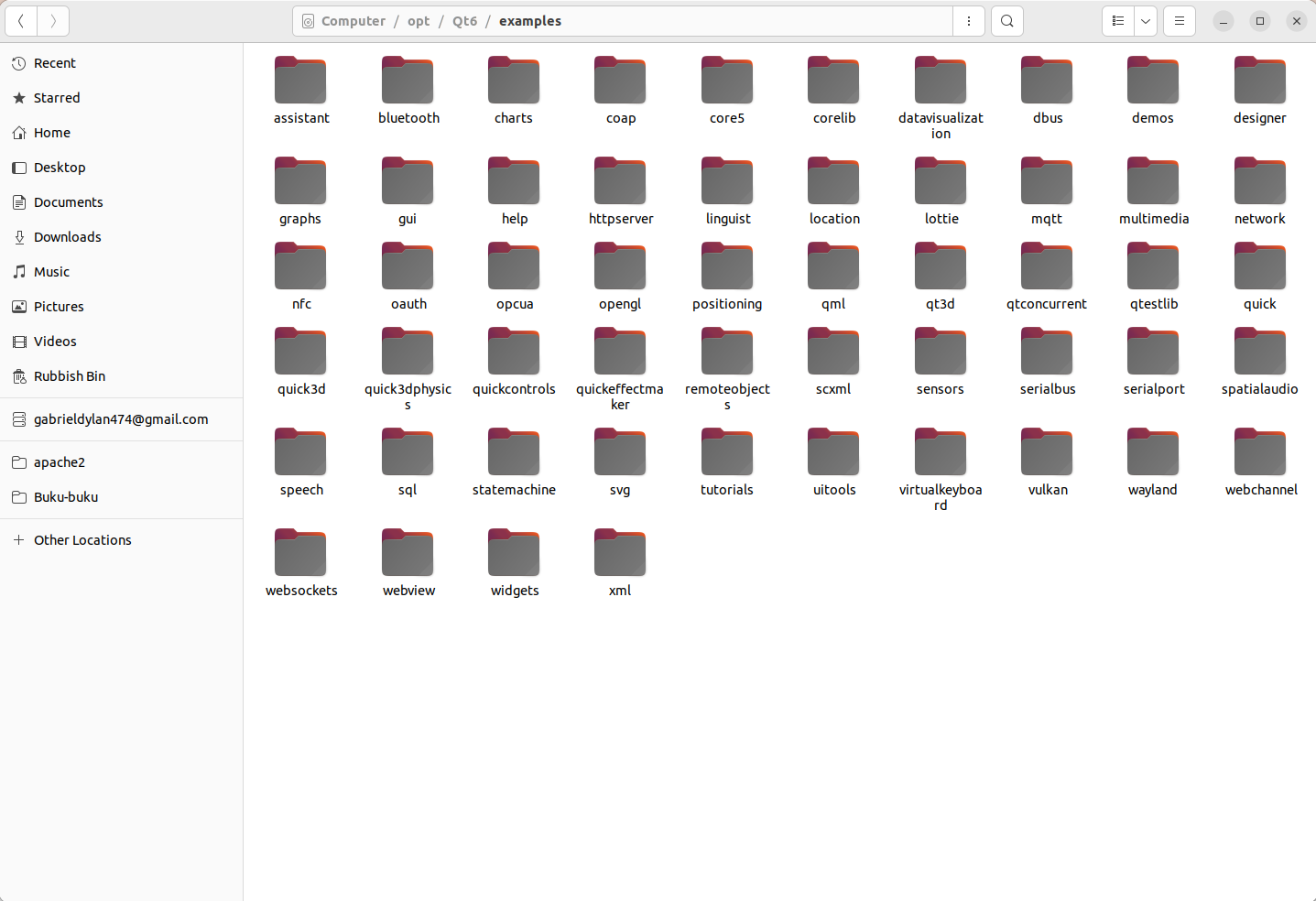
Both folders are owned byrootand have their permissions set torwxr-xr-x -
C cristian-adam referenced this topic on
-
Hi, I've solved this problem. In README.md, I found an extra step to install the documentation. I should've run these commands after installing Qt:
cmake --build . --target docssudo cmake --build . --target install_docsBut, since I had deleted my qt-build and /opt/Qt6/examples, I did these following to make the examples, along with the documentation, accessible from within Qt Creator:
mkdir qt-build && cd qt-build~/qt-sources/configure -prefix /opt/Qt6 -skip qtwebengine -nomake tests -make examples -- -DQT_BUILD_EXAMPLES_BY_ DEFAULT=OFF -DQT_INSTALL_EXAMPLES_SOURCES=ONcmake --build . --parallel --target docssudo cmake --install . --component examples_sourcessudo cmake --build . --parallel --target install_docsAfter that, the examples and documentation are accessible from Qt Creator:
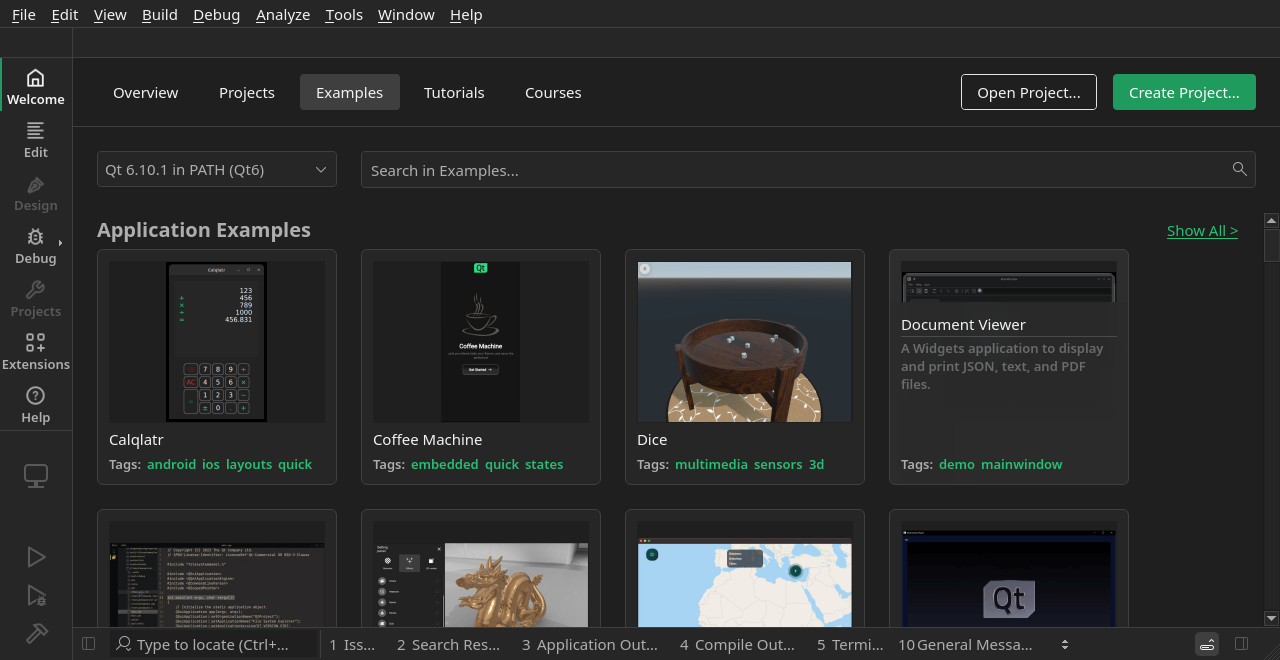
Screenshot of Examples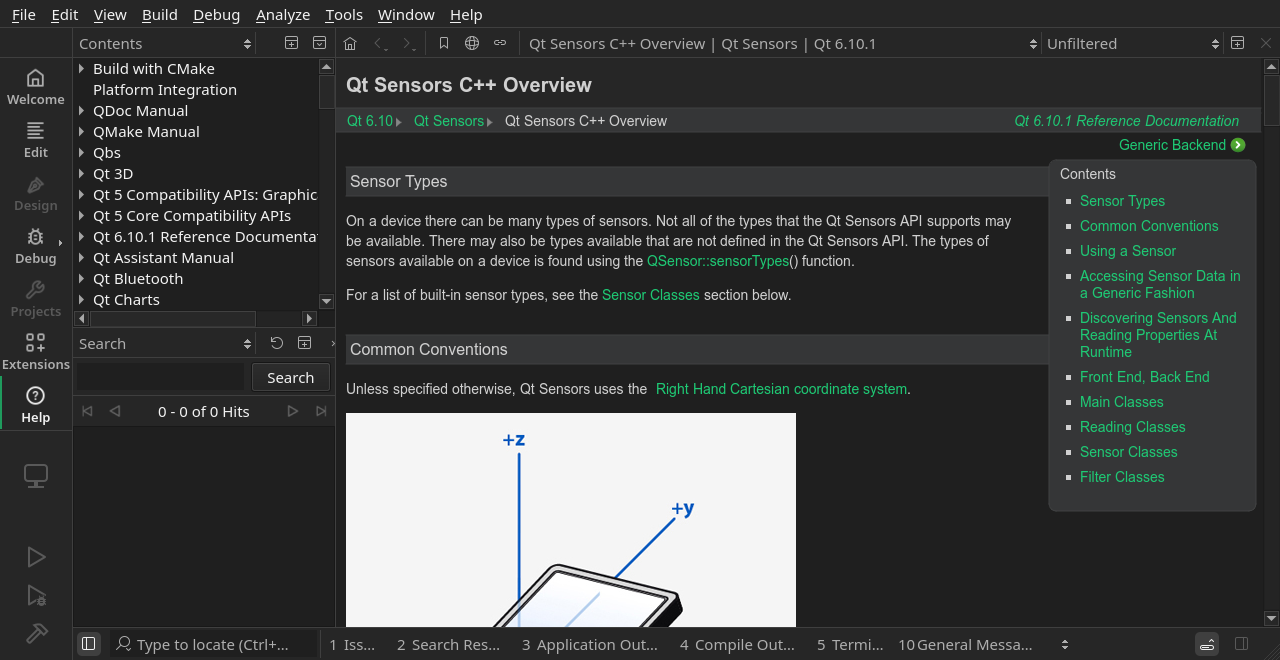
Screenshot of Help -
G gabrield-droid has marked this topic as solved
