Skip to content
  • Categories
  • Recent
  • Tags
  • Popular
  • Users
  • Groups
  • Search
  • Get Qt Extensions
  • Unsolved
Collapse
Brand Logo
  1. Home
  2. Qt Development
  3. QML and Qt Quick
  4. BUG: QML TextField/Combobox: (StyleItem) implicit height is smaller than minimum
Qt 6.11 is out! See what's new in the release blog

BUG: QML TextField/Combobox: (StyleItem) implicit height is smaller than minimum

Scheduled Pinned Locked Moved Unsolved QML and Qt Quick
3 Posts 2 Posters 961 Views 1 Watching
  • Oldest to Newest
  • Newest to Oldest
  • Most Votes
Reply
  • Reply as topic
Log in to reply
This topic has been deleted. Only users with topic management privileges can see it.
  • Q Offline
    Q Offline
    QtTester
    wrote last edited by
    #1

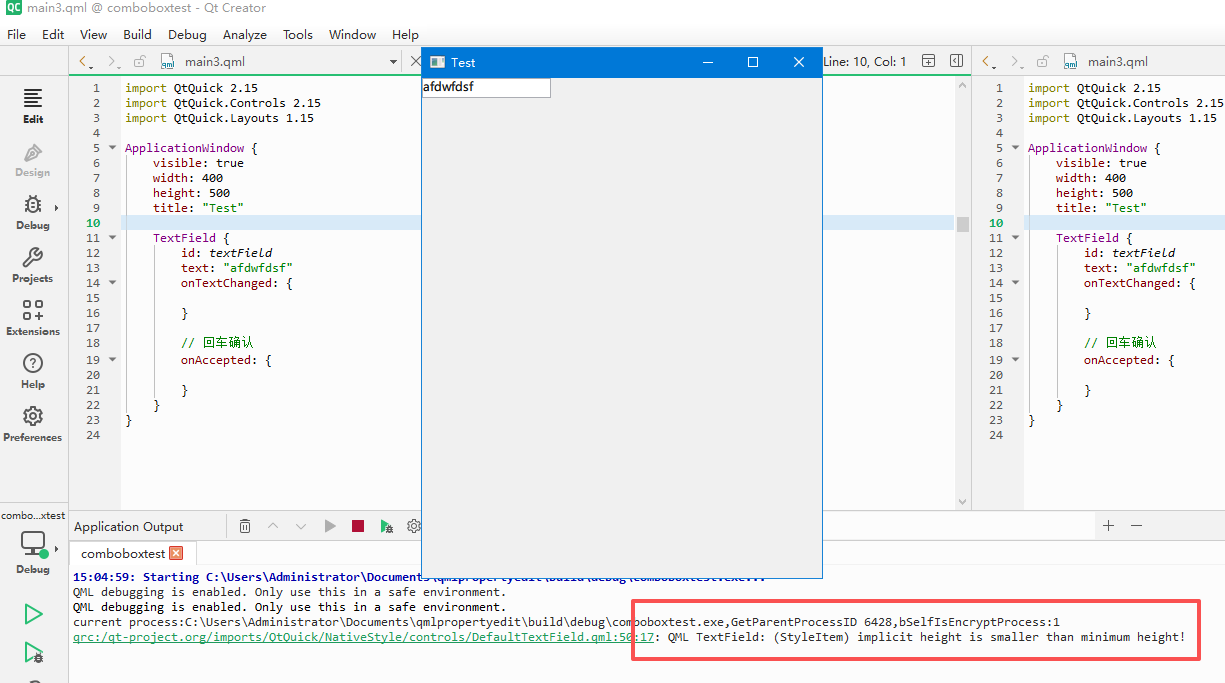
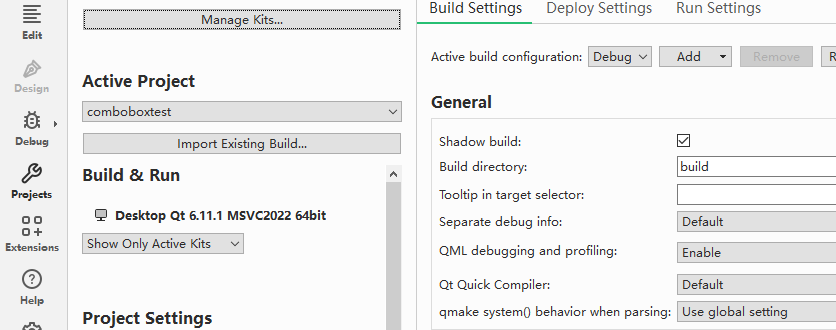
    qt6.11 will throw this warning, but 5.15 6.8 works fine

    JKSHJ 1 Reply Last reply
    0
    • Q QtTester

      qt6.11 will throw this warning, but 5.15 6.8 works fine

      JKSHJ Offline
      JKSHJ Offline
      JKSH
      Moderators
      wrote last edited by
      #2

      @QtTester said in BUG: QML TextField/Combobox: (StyleItem) implicit height is smaller than minimum:

      qt6.11 will throw this warning, but 5.15 6.8 works fine

      What OS?

      That warning is only produced by "native" styles (e.g. Windows/macOS/iOS -- see https://codereview.qt-project.org/c/qt/qtdeclarative/+/419816/3/src/quicknativestyle/items/qquickstyleitem.cpp#273) However, I don't get any warning with this code on Qt 6.11.1 on Windows 10:

      import QtQuick
      import QtQuick.Controls
      
      ApplicationWindow {
          width: 640
          height: 480
          visible: true
      
          Column {
              TextField {}
              ComboBox {}
          }
      }
      

      So, please provide a minimal reproducer to trigger this warning.

      Alternatively, you could switch to a different style (e.g. Fusion) which doesn't have this warning.

      Qt Doc Search for browsers: forum.qt.io/topic/35616/web-browser-extension-for-improved-doc-searches

      1 Reply Last reply
      0
      • Q Offline
        Q Offline
        QtTester
        wrote last edited by
        #3

        windows 10

        import QtQuick 2.15
        import QtQuick.Controls 2.15
        import QtQuick.Layouts 1.15
        
        ApplicationWindow {
            visible: true
            width: 400
            height: 500
            title: "Test"
        
            TextField {
                id: textField
                text: "afdwfdsf"
                onTextChanged: {
                }
                onAccepted: {
                }
            }
        }
        

        ScreenShot_2026-07-10_150537_083.png
        ScreenShot_2026-07-10_150602_737.png

        1 Reply Last reply
        0

        • Login

        • Login or register to search.
        • First post
          Last post
        0
        • Categories
        • Recent
        • Tags
        • Popular
        • Users
        • Groups
        • Search
        • Get Qt Extensions
        • Unsolved