Need Help: Wander affector - some particles never wiggle, and xVariance seems to do nothing
-
Hi all,
I'm playing with the Wander affector inQtQuick.Particlesand I'm stuck on something weird.
My setup: a simple rocket emitter shooting particles straight up from the bottom of the window. I added a Wander on the rocket group to make them drift left and right a bit, like they're wobbling in the wind. I also added aTrailEmitterso I can see the actual path each particle takes.
Here's the code.import QtQuick 2.5 import QtQuick.Particles 2.0 Window { width: 640 height: 480 visible: true title: qsTr("Rocket Wander Test") Rectangle { id: root width: parent.width height: parent.height color: "#1F1F1F" ParticleSystem { id: particleSystem } ImageParticle { id: trailPainter system: particleSystem groups: ['trail'] source: "assets/particle.png" color: "cyan" alpha: 0.6 } ImageParticle { id: rocketPainter system: particleSystem groups: ['rocket'] source: "assets/rocket.png" entryEffect: ImageParticle.Fade } Emitter { id: rocketEmitter anchors.bottom: parent.bottom width: parent.width; height: 40 system: particleSystem group: 'rocket' emitRate: 2 maximumEmitted: 4 lifeSpan: 5200 lifeSpanVariation: 400 size: 64 velocity: AngleDirection { angle: 270; magnitude: 150; magnitudeVariation: 10 } } TrailEmitter { id: pathTrail system: particleSystem group: 'trail' follow: 'rocket' emitRatePerParticle: 30 lifeSpan: 6000 size: 6 sizeVariation: 1 velocity: PointDirection { x: 0; y: 0 } } Wander { groups: ['rocket'] anchors.fill: parent system: particleSystem affectedParameter: Wander.Position pace: 150 xVariance: 1200 yVariance: 0 } } }I expected that, every rocket wiggles left and right by some amount, and turning
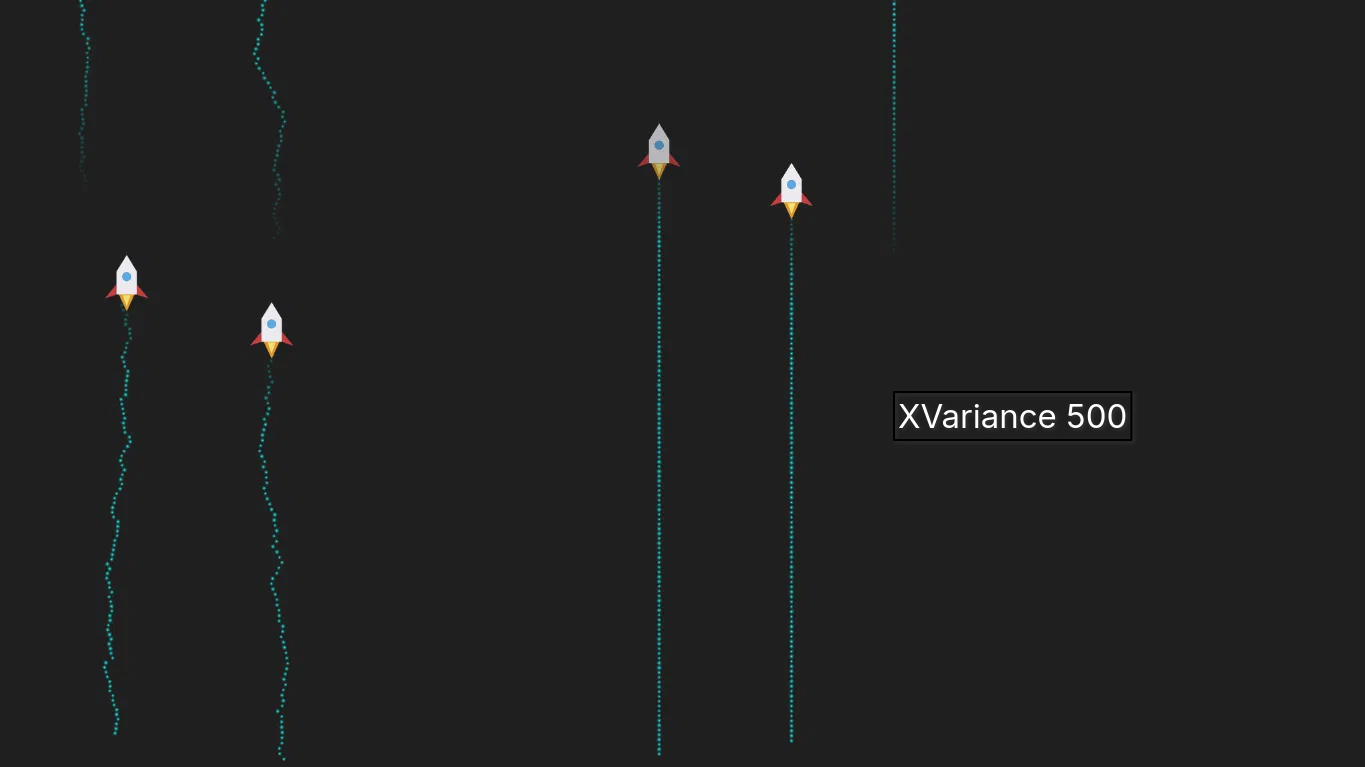
xVarianceup makes the wiggle wider. But instead this is what I'm seeing:Some rockets wiggle, some come out as a perfectly straight line, even though they all go through the same Wander block. I attached a screenshot showing this (some straight trails, some wavy trails, side by side).
I ran the same test four times, only changing
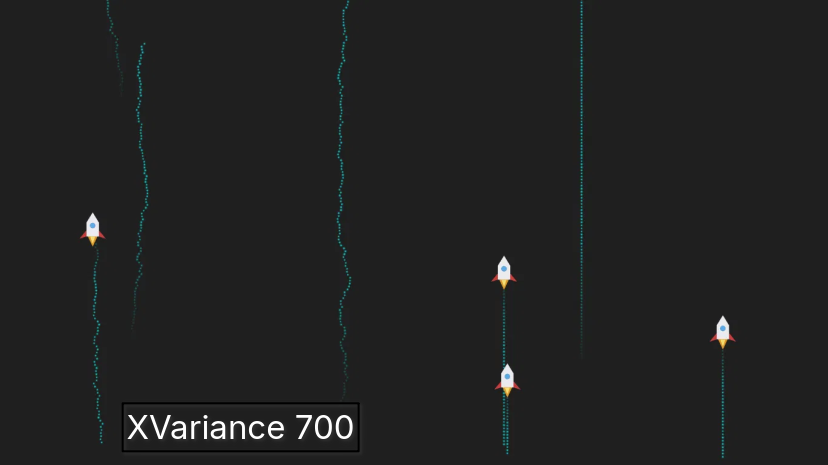
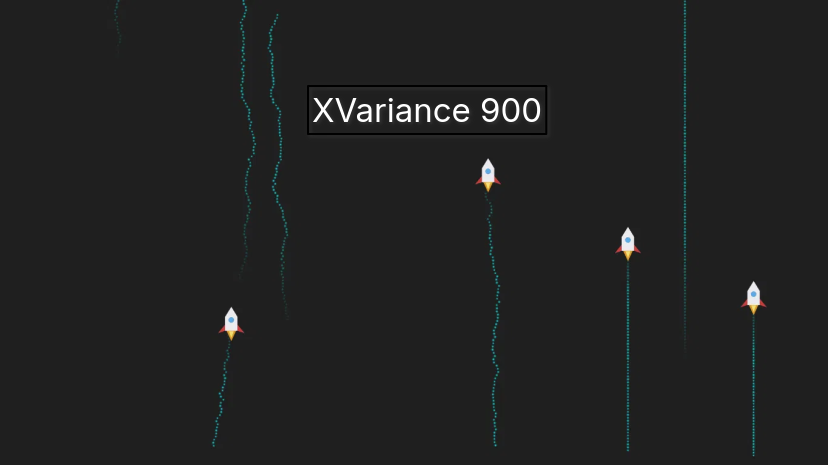
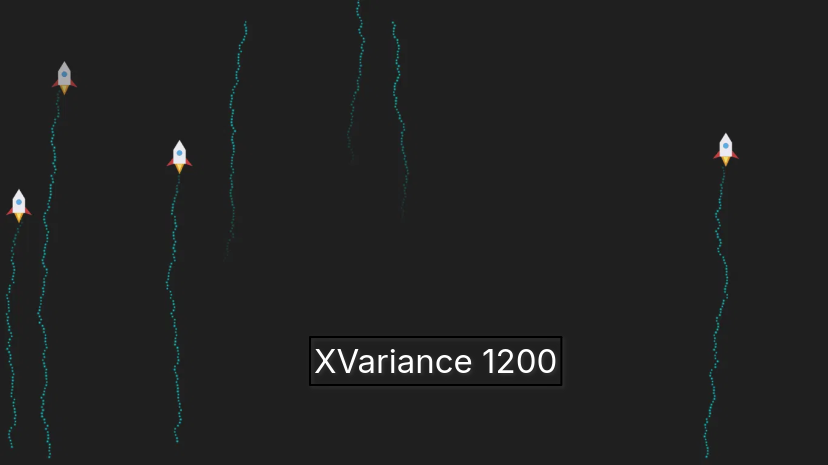
xVarianceeach time (500, then 700, then 900, then 1200). The wiggle width looked exactly the same every single time. ChangingxVariancedid not seem to make the wiggle any wider or narrower.
The only thing that changingxVariancefrom 500 to 700 to 900 to 1200 affected was how much of the x axis range it covered, not the wiggle amplitude itself.I tried making the Wander region smaller and moving it (using
anchors.horizontalCenterand a fixed width instead ofanchors.fill: parent). With this setup, nothing wiggled at all, no matter what I setxVarianceto (I tried 30 and 500, both flat lines). I also attached a screenshot of this test.So right now it looks like,
xVariancedoes not seem to control how wide the wiggle is.
Whether a rocket wiggles at all seems to depend on something else, maybe where it spawns, or where the Wander box sits on screen, but I have not been able to pin down what exactly.Has anyone run into this before? Is there something about how Wander picks which particles to affect, or how
xVarianceis supposed to work, that I am missing? Any pointers to the actual source or a working example would help a lot.
Thanks in advance.