
Weird QFont and QLabel behaviors
-
Hi everyone,
I ran into a font rendering inconsistency between QLabels with weird conditions.
Here's a minimal example of my app UI. I thought it was only on the app I'm currently working on, but it seems it's the same in this project too.
So I'm using Segoe UI font (which comes by default on Win 11, what I'm currently on) and I set it to my QApplication, and then retrieve it inMainWindow,setupUimethod, increment the pixel/point size and set it to my QLabels, but the text rendering is incorrect:
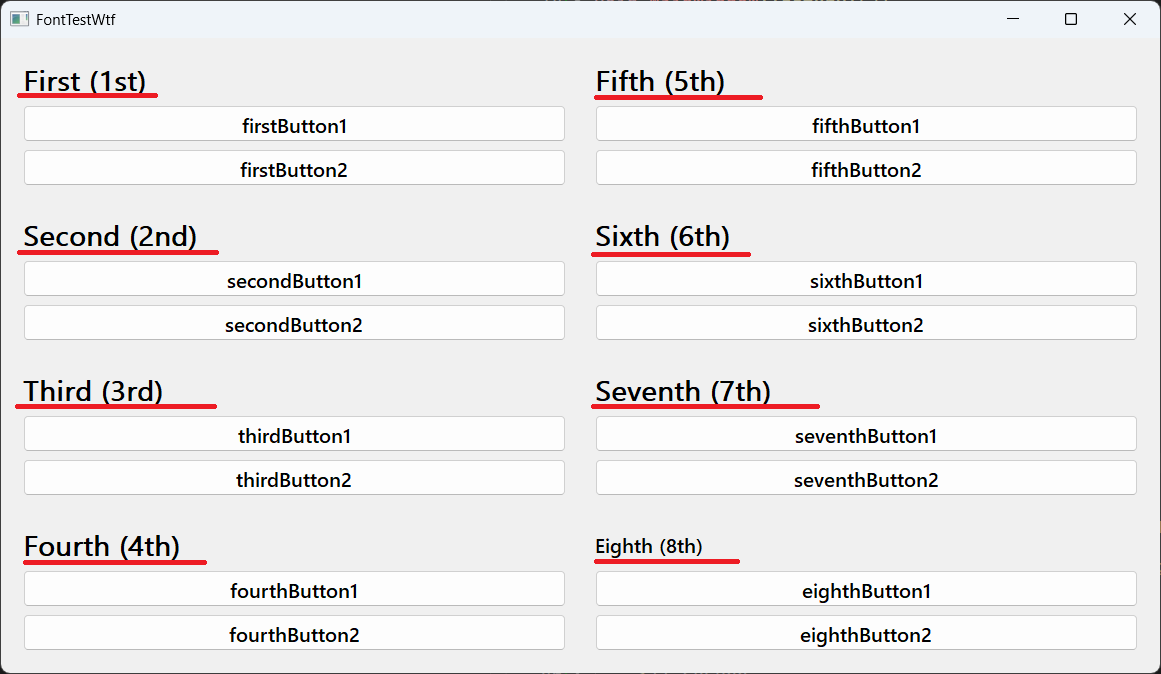
The weird part is when I comment the first title
setFonthere, the rest renders correctly:
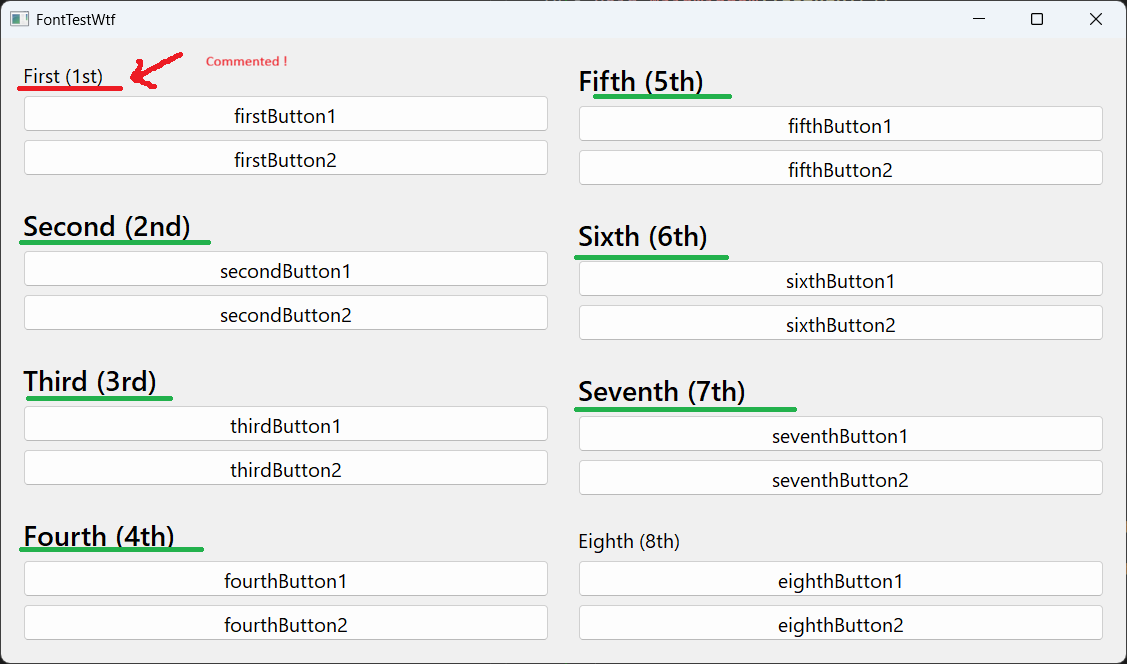
Did anyone run is a similar situation or am I missing something about QFont usage, or some clash with QLabels ? Advice or even deeper explanations are more than welcome.
Thanks in advance
-
Hi! Which Qt version is this? I tried your example on my end (also Windows 11) with Qt 6.10 and cannot see any differences between the labels with/without the firstLabel->setFont(titlefont).
-
Qt 5.15.2 is out of support.
I tested it with Qt6.12 with fusion, windowsvista and windows11 style and it worked as expected. Also installed 5.15.2 and even there all looked fine. -
Qt 5.15.2 is out of support.
I tested it with Qt6.12 with fusion, windowsvista and windows11 style and it worked as expected. Also installed 5.15.2 and even there all looked fine.@Christian-Ehrlicher Thanks a lot.
We already started a couple of years back in this project, and we went for 5.15.2.
To make things even weird I asked about it in Qt subbreddit here and the answer proposed works fine for this test app, but the actual project is still doing weird stuff.

