
Qt 6.11 is out! See what's new in the release
blog
Custom TextArea with visible text outside. How?
-
Hello all!
Need to create custom QML TextArea component. Something like this:
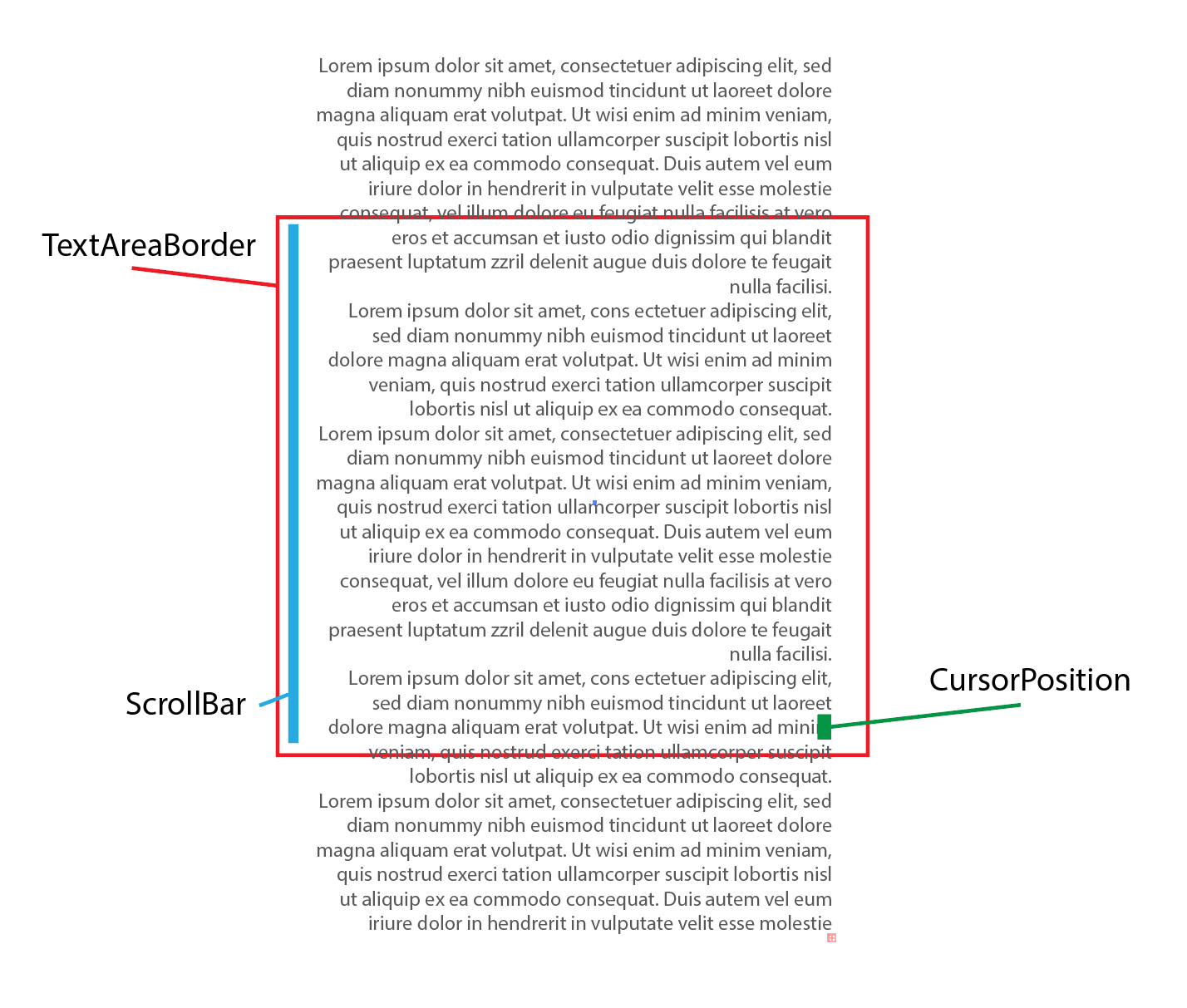
The requirements for this component is:
- the text outside of TextArea need to be visible, already tried 'clip' with 'false' value, it's not working.
- cursor need to be at one place positioned relatively to the TextArea itself, need to be illusion that text is around cursor
- scrollbar customised and positioned differently
Tried to use TextArea inside of ScrollView:
ScrollView {
            width: parent.width - 50
            height: 50
            clip: false;
            TextArea {
                placeholderText: "Enter your message here..."
                wrapMode: TextArea.Wrap;
                clip: false;
            }
        }
Column { anchors.fill: parent clip: false ScrollView { width: parent.width height: 200; clip: false; TextArea { id: oTextArea text: "Text...Text...Text...Text...Text...Text..." wrapMode: TextArea.Wrap clip: false } } }Different types of wrap mode and false value for clipping in different components.
Tried to use TextFiled:
TextField {

	id: oRoot;
	wrapMode: TextArea.WrapAtWordBoundaryOrAnywhere;
	clip: false;
}
Nothing is affecting clipping, everything is by component border. Technically need to make clipping by 'with' within wrapping by word and make visible by 'hight'.