
Weird behaviour with Qml (transparent background)
-
I am trying to achieve a transparent background in Qml for Win11 mica effect but for some reason the app starts with a white background and as i resize the window it becomes transparent what am i doing wrong ?
Qml :
import QtQuick 2.12
import QtQuick.Controls 2.12
import QtQuick.Controls.Universal 2.12

import QtQml 2.12

ApplicationWindow {
    visible: true
    color: "transparent"
    width: 640
    height: 480

    Button {
        id: btn
        text: "Button"
        anchors.centerIn: parent
    }
}
Win11 , Qt 6.8.3 , also happens on Qt6.9.3
You can clone to reproduce,
https://github.com/uncor3/qml-bug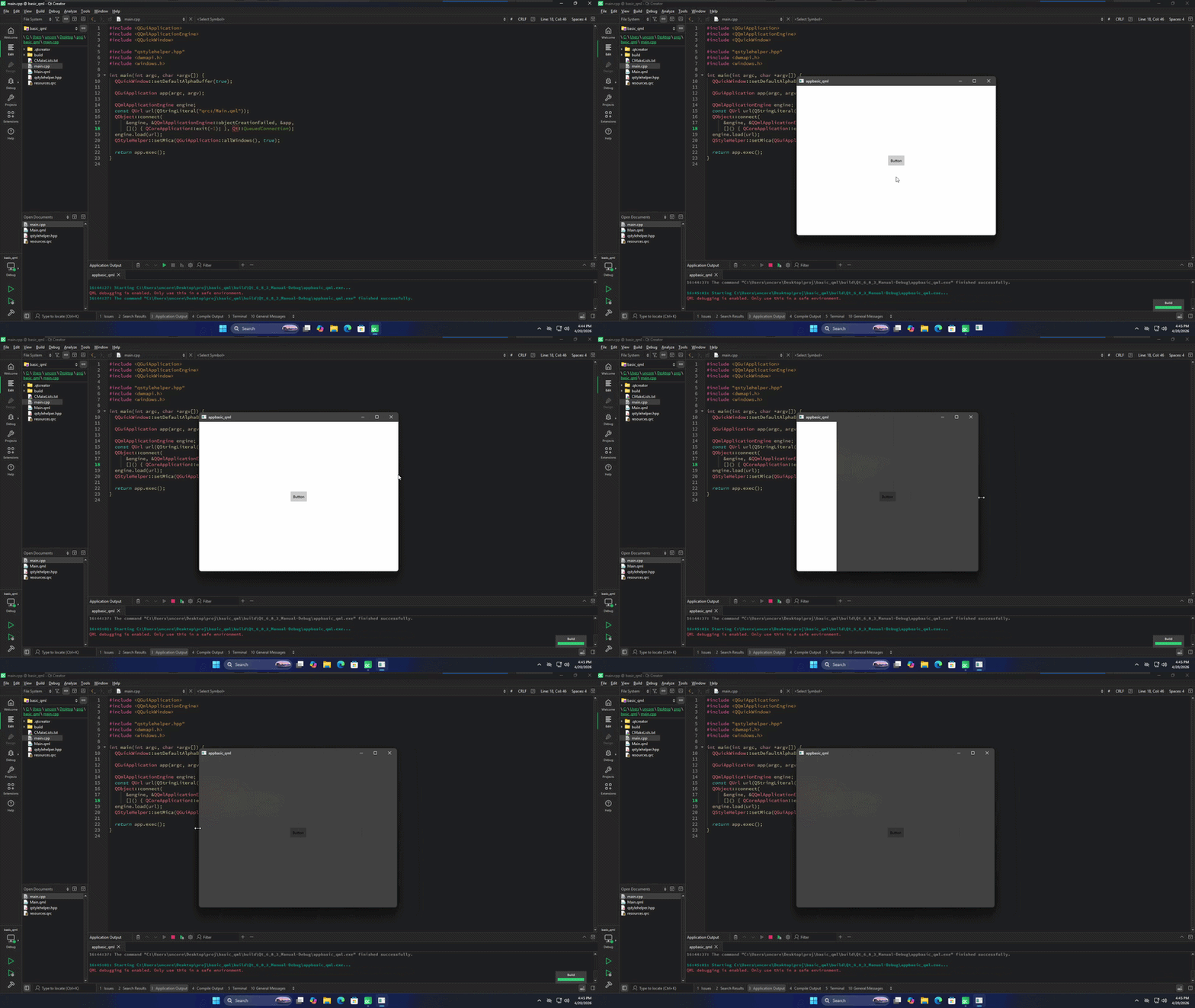
-
(At least in Qt 5, I think the following was needed. Not sure in Qt6)
Does it help if you try this?flagssettingApplicationWindow { flags: Qt.WA_TranslucentBackground // or perhaps not. (see correction below) color: "transparent"UPDATE: whatever I was remembering or mis-rembering from Qt5 days, @jeremy_k has pointed out that I must be mistaken (and I concur).
(I didn't want to merely delete this comment, because when I come across "this post deleted" I always assume there was some weird spam initially, and that is not what this was!)
www.219design.com
Software | Electrical | Mechanical | Product Design -
(At least in Qt 5, I think the following was needed. Not sure in Qt6)
Does it help if you try this?flagssettingApplicationWindow { flags: Qt.WA_TranslucentBackground // or perhaps not. (see correction below) color: "transparent"UPDATE: whatever I was remembering or mis-rembering from Qt5 days, @jeremy_k has pointed out that I must be mistaken (and I concur).
(I didn't want to merely delete this comment, because when I come across "this post deleted" I always assume there was some weird spam initially, and that is not what this was!)
@KH-219Design said in Weird behaviour with Qml (transparent background):
ApplicationWindow {


  flags: Qt.WA_TranslucentBackground
  color: "transparent"
"WA" is short for WidgetAttribute, while Window.flags is expecting a combination of WindowFlags.
-
Try the following:
ApplicationWindow {
    id: rootWindowd
    visible: false
    color: "transparent"
    width: 640
    height: 480

    Component.onCompleted: rootWindowd.visible = true

    Button {
        id: btn
        text: "Button"
        anchors.centerIn: parent
    }
}
that should force a redraw after everything is finished/initialized
or
function forceRedraw() {
        rootWindowd.contentItem.update()
    }
If this works, than I would consider it a bug in the framework and you should open a bug report
-
@J.Hilk Didn't work. I actually tried forcing a rerender from both C++ and Qml side before but didn't work. Also this doesn't have anything to do with the Mica effect even i disable it the behavior is the same, starts with a white background then as i resize, it becomes transparent. Just tried with Qt 6.11.0 same result
-
@J.Hilk Didn't work. I actually tried forcing a rerender from both C++ and Qml side before but didn't work. Also this doesn't have anything to do with the Mica effect even i disable it the behavior is the same, starts with a white background then as i resize, it becomes transparent. Just tried with Qt 6.11.0 same result
@uncore the actual problem is a false assumption. The black you see is not the transparent background after resize. It's just not rendered.
I don't know if you can actually get a normal ApplicationWindow with only a transparent background.
The Only way I know is via the QtFramelessWindowHint:
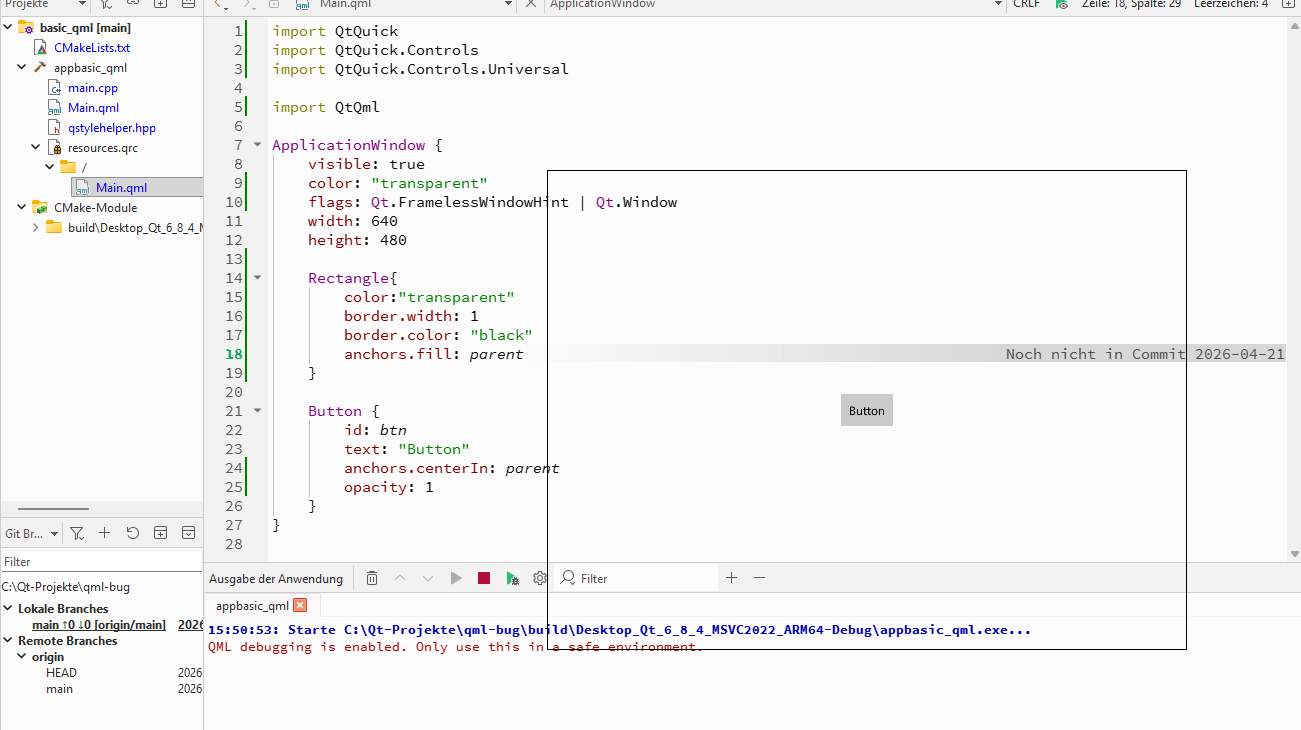
but that comes with missing menu bar and stuff


