
Pixel perfect drawing with QCanvasPainter - is it possible on scaled desktop?
-
Hi folks, I'm trying the new
QCanvasPainterthat comes with Qt 6.11.0. I like the API and performance and all. But it seems to be suffering some scaling issues when it comes to non-integer desktop scaling factors. My Windows 11 desktop is set to 150% scale.Looks like QCanvasPainter does scaling behind the scenes. It accepts logical widget coordinates and internally scales them to device pixel coordinates. I get that. I also understand, that pixel center is not at integer coordinates but at +(0.5, 0,5).
My question is: Is there a way to draw 1-pixel wide lines that are aligned perfectly to physical device pixels, even on 150% scaled desktop (
scale_factor = 1.5)? In theory, this should work also with AA turned on.I tried everything:
- setting line width to 1.0 / scale_factor
- shifting logical line coordinates by 0.5
- shifting logical line coordinates by 0.5 / scale_factor
Nothing worked quite right, there was always some bleed / blur and the line was never a true 1px black line.
Moreover, something seems buggy with
QCanvasPainterWidgetwhen I resize it to a non-even (logical) size. The drawing seem further misaligned from device pixels the further it is from the origin (0, 0). See my screenshot - the only difference is the widget (canvas) size - difference of 1 logical pixel.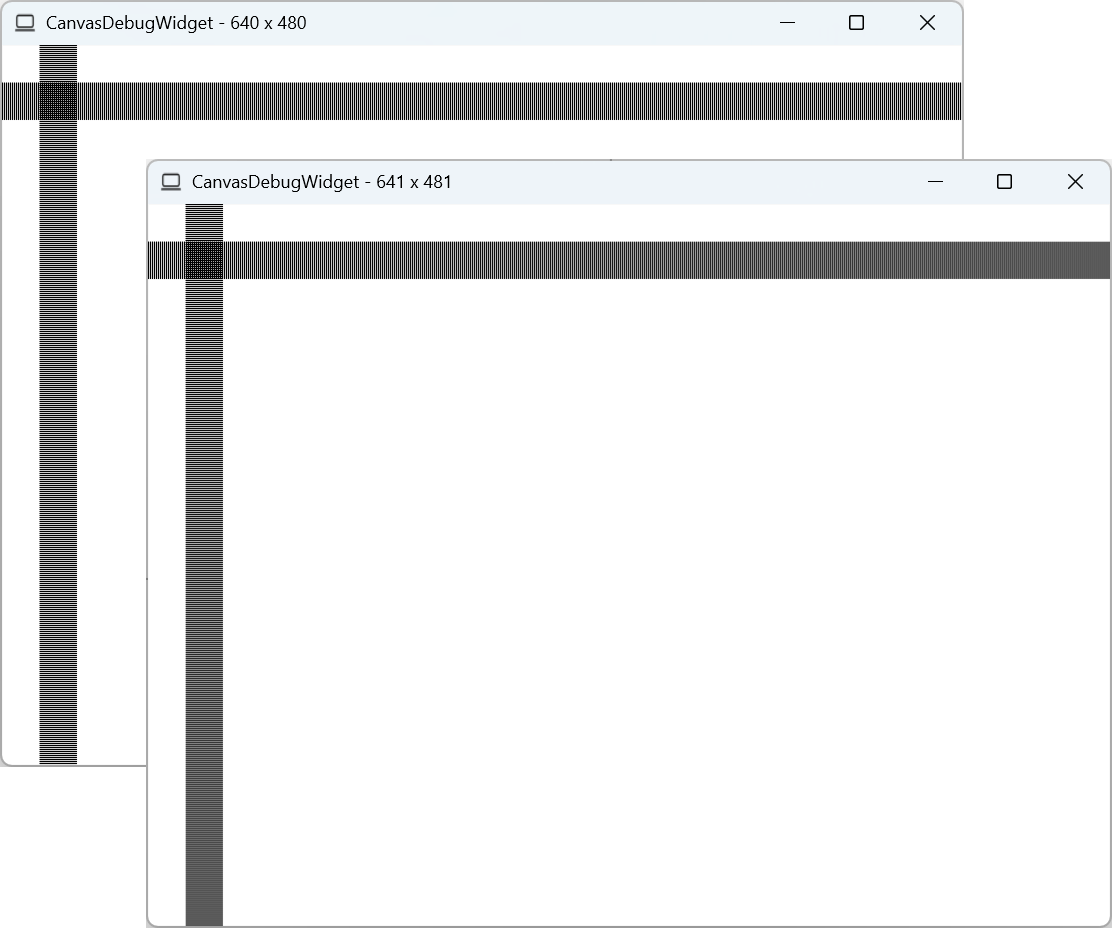
My
QCanvasPainterWidget::paint()code is here:void paint(QCanvasPainter *painter) override { const int w = width(); const int h = height(); const float scale_factor = 1.5; painter->setFillStyle(QColor(255, 255, 255)); painter->fillRect(0, 0, w, h); painter->setLineWidth(1.0 / scale_factor); painter->setStrokeStyle(QColor(0, 0, 0)); for (float i = 0.5 / scale_factor; i < w; i += 2.0 / scale_factor) { painter->beginPath(); painter->moveTo(i, 25); painter->lineTo(i, 50); painter->stroke(); } for (float j = 0.5 / scale_factor; j < h; j += 2.0 / scale_factor) { painter->beginPath(); painter->moveTo(25, j); painter->lineTo(50, j); painter->stroke(); } } -
-
This post is deleted!
@necertainly said in Pixel perfect drawing with QCanvasPainter - is it possible on scaled desktop?:
Or you explicitly render in device pixel coordinates
How is this possible, though? To my knowledge there is no API in
QCanvasPainterthat allows me to pass device pixel coordinates.Query the actual devicePixelRatio from the paint device instead of hardcoding 1.5
Sure, it's only hardcoded for sake of clarity. 1.5 is what
devicePixelRatioF()returns as well.Snap coordinates to device pixels after scaling, not before
QCP does the scaling internally, so it's not really possible for me to "snap coordinates to device pixels after scaling not before". I can only pass reverse-scaled coordinates to QCP to counteract its scaling, which I'm trying to do, but clearly not achieving very well. What I'd like, is ideally to be able to turn off scaling in QCP completely, or at least to know the exact scaling formula.
snap to integer pixel centers
That's not how GPU accelerated graphics works. At least not on D3D, which Qt uses on Windows. Device pixel centers are not at integer coordinates - https://learn.microsoft.com/en-us/windows/win32/direct3d10/d3d10-graphics-programming-guide-resources-coordinates
Disable antialiasing when drawing hairlines
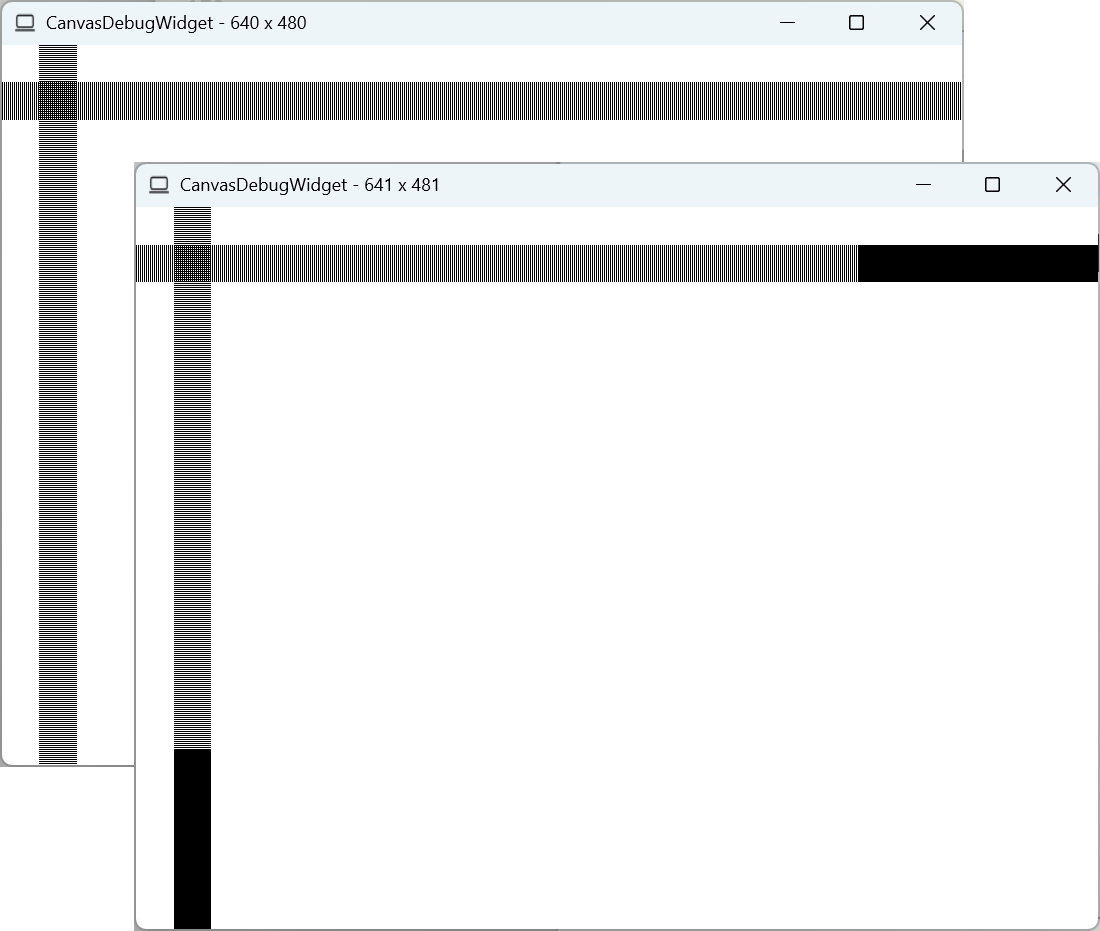
That works. Somewhat. But only when the canvas has an even-numbered size. When the canvas size is odd, something happens that makes the pixels shift - the farther they are from origin. I realize, that I accumulate some error in the loop. But A) the float type is still precise enough for my case, and B) the error is the same at x = 600, no matter whether the canvas width is 640 or 641 (logical) pixels. Yet, in the second case, the pixels are drawn 1px off.
Imagine that you resize the window. It produces horrible flickering. It flickers whether AA is on or off - the only difference is that with AA it's blurred. Now, why would it flicker, if I draw exactly the same lines at exactly the same (logical) pixel coordinates? This surely smells like a bug in QCanvasWidget or QCanvasPainter.
-
Looks like a bug you can report on https://qt-project.atlassian.net

