Skip to content
  • Categories
  • Recent
  • Tags
  • Popular
  • Users
  • Groups
  • Search
  • Get Qt Extensions
  • Unsolved
Collapse
Brand Logo
  1. Home
  2. Qt Development
  3. Qt Creator and other tools
  4. garbled characters are output in the compilation window(windows MSVC)
Qt 6.11 is out! See what's new in the release blog

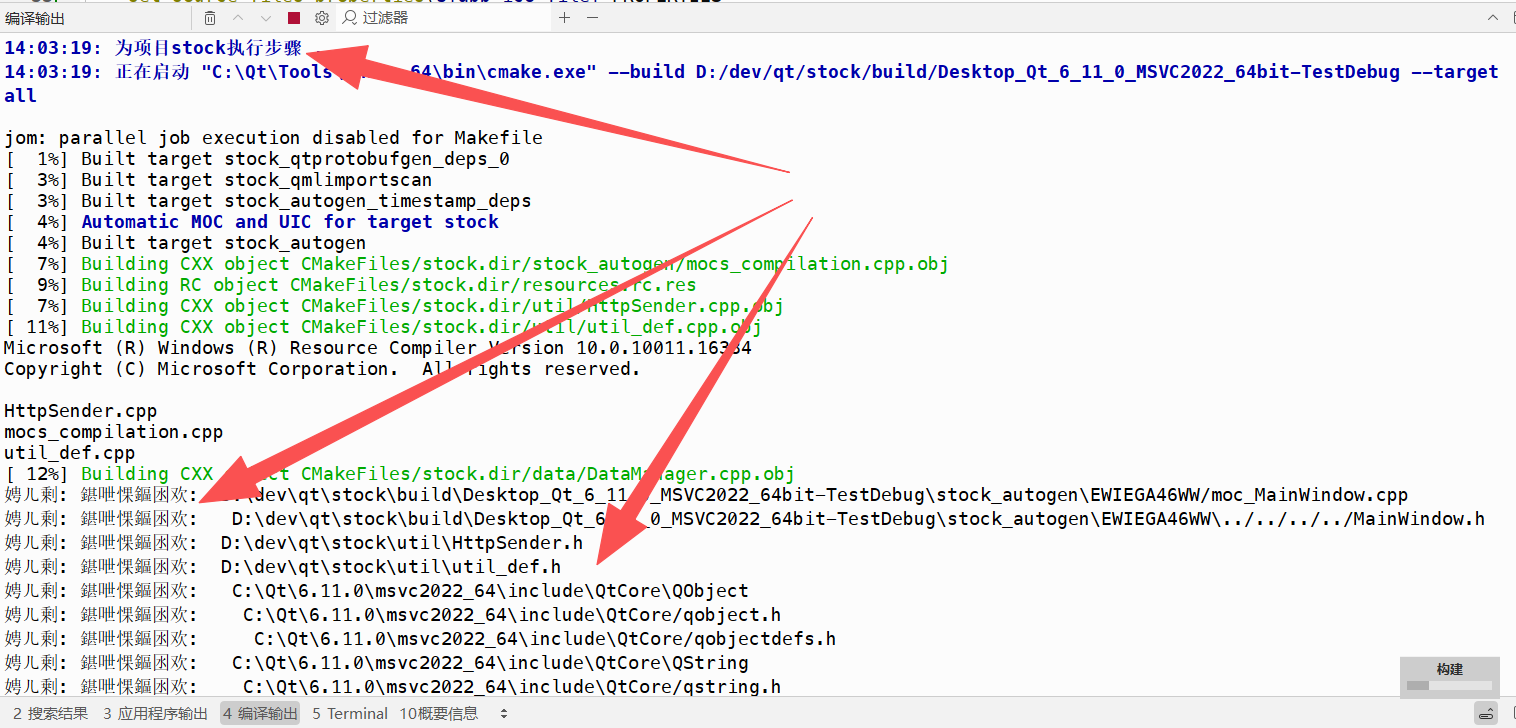
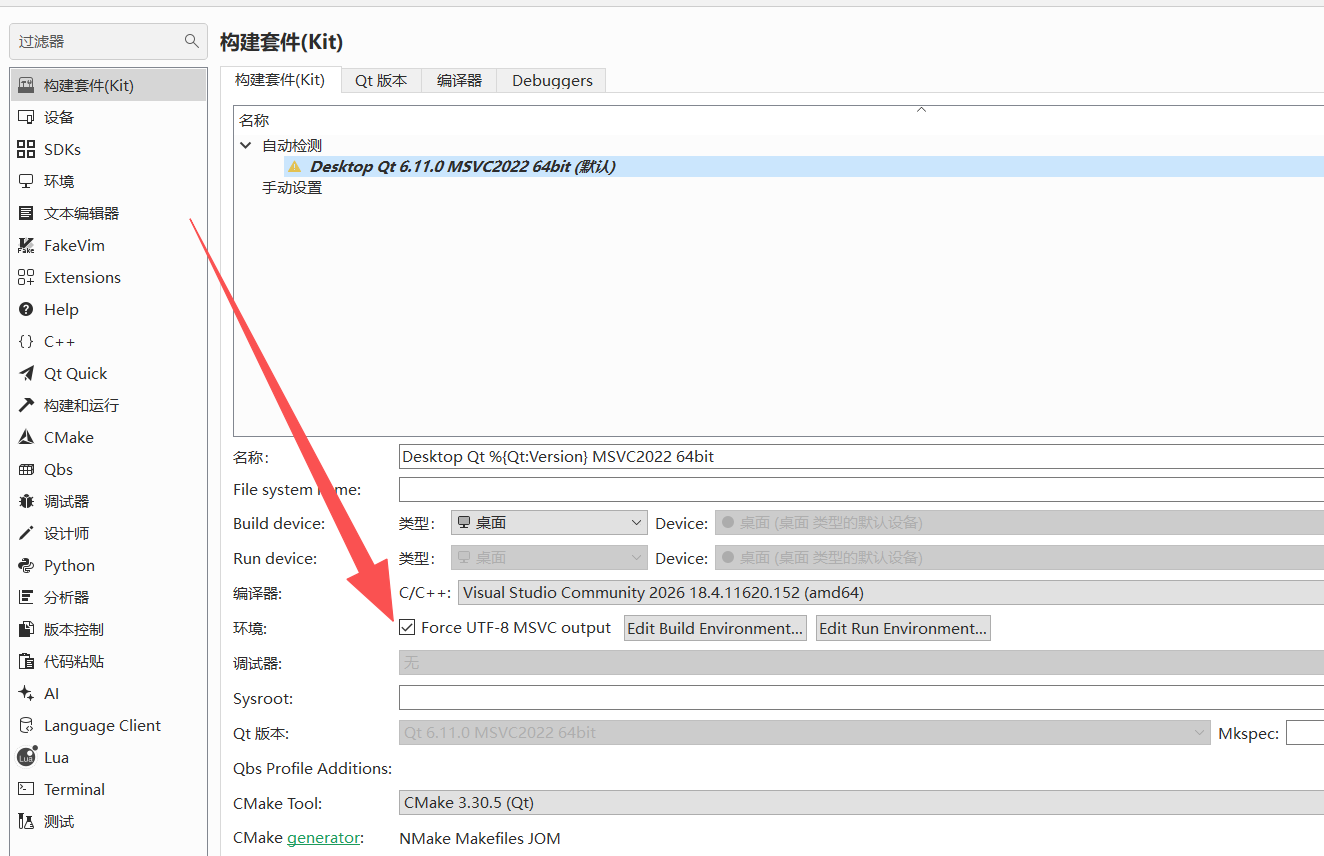
garbled characters are output in the compilation window(windows MSVC)

Scheduled Pinned Locked Moved Solved Qt Creator and other tools
3 Posts 2 Posters 162 Views
  • Oldest to Newest
  • Newest to Oldest
  • Most Votes
Reply
  • Reply as topic
Log in to reply
This topic has been deleted. Only users with topic management privileges can see it.
  • C Offline
    C Offline
    cuijg
    wrote last edited by
    #1

    f0413449-99c7-4cc3-b7d1-bd18cfe6eb2a-image.png
    560a0997-8992-42d6-b265-53115ce88527-image.png

    1 Reply Last reply
    0
    • cristian-adamC Offline
      cristian-adamC Offline
      cristian-adam
      wrote last edited by
      #2

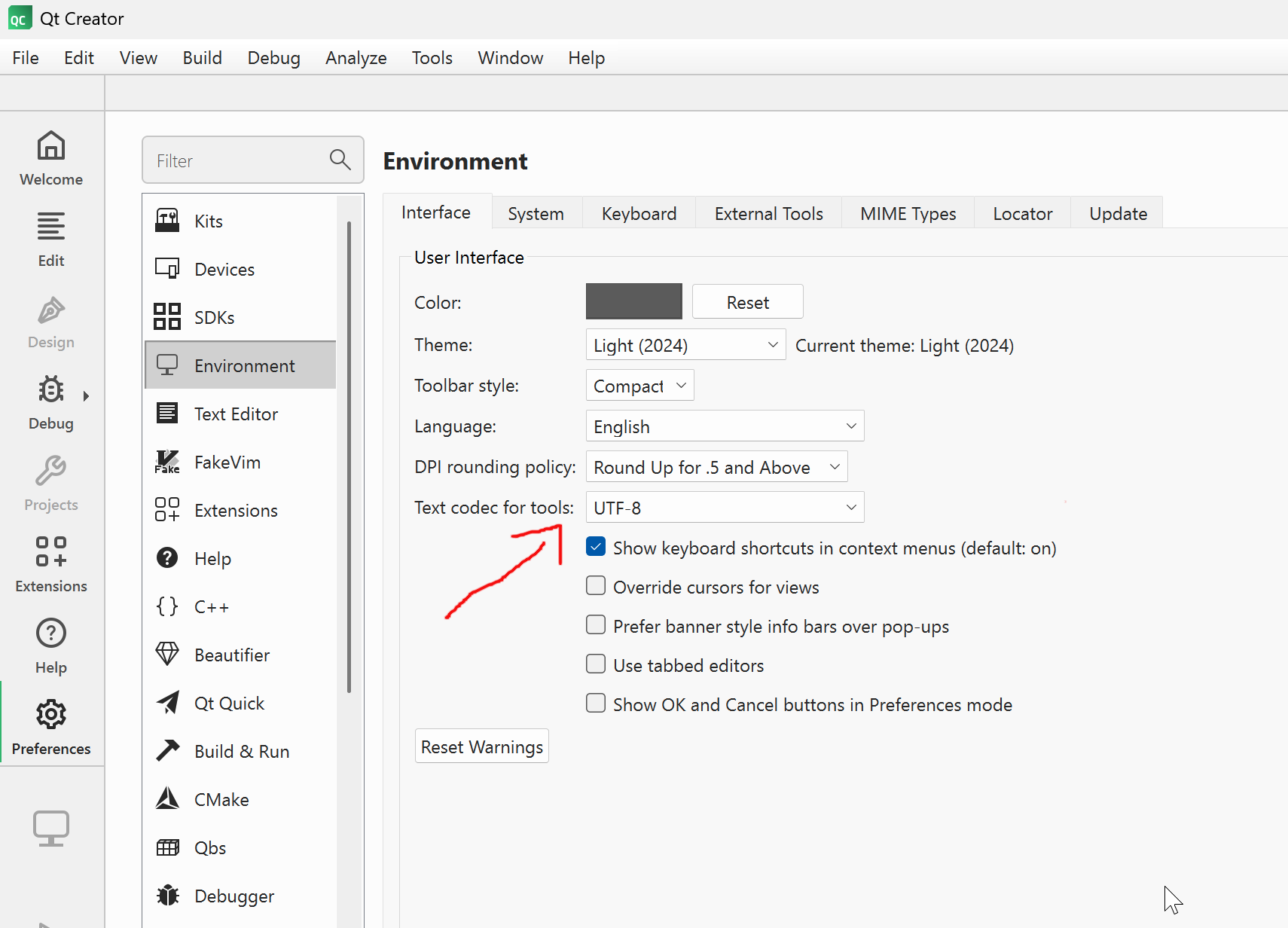
      Do you have UTF-8 for Settings > Environment > Interface ?

      qtcreator-settings-environment.png

      1 Reply Last reply
      1
      • C Offline
        C Offline
        cuijg
        wrote last edited by cuijg
        #3

        After I restarted my system, it started displaying Chinese.
        Why are there so many header files being output? How to disable?

        1 Reply Last reply
        0
        • C cuijg has marked this topic as solved

        • Login

        • Login or register to search.
        • First post
          Last post
        0
        • Categories
        • Recent
        • Tags
        • Popular
        • Users
        • Groups
        • Search
        • Get Qt Extensions
        • Unsolved