
How to fix table column width is resetting/overlapping when the table is scrolled
-
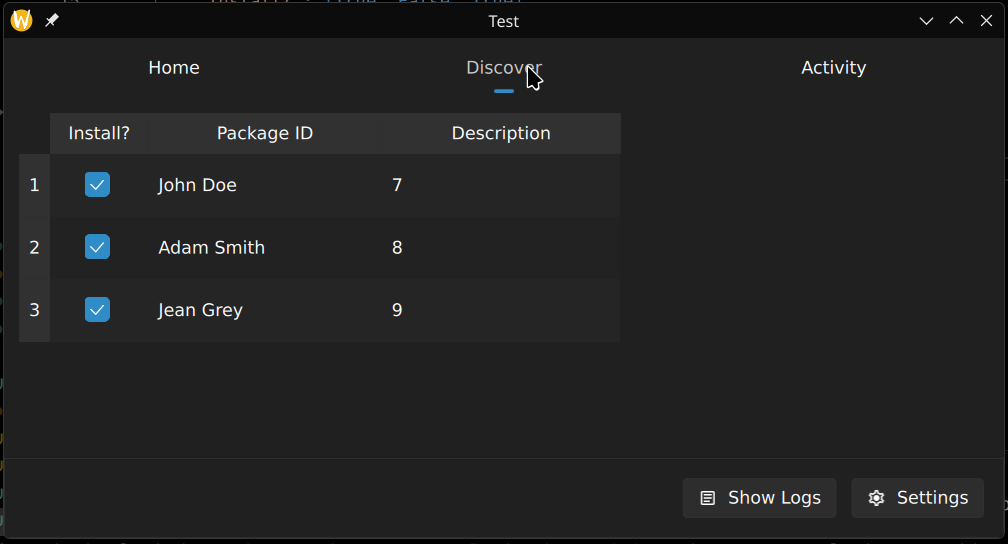
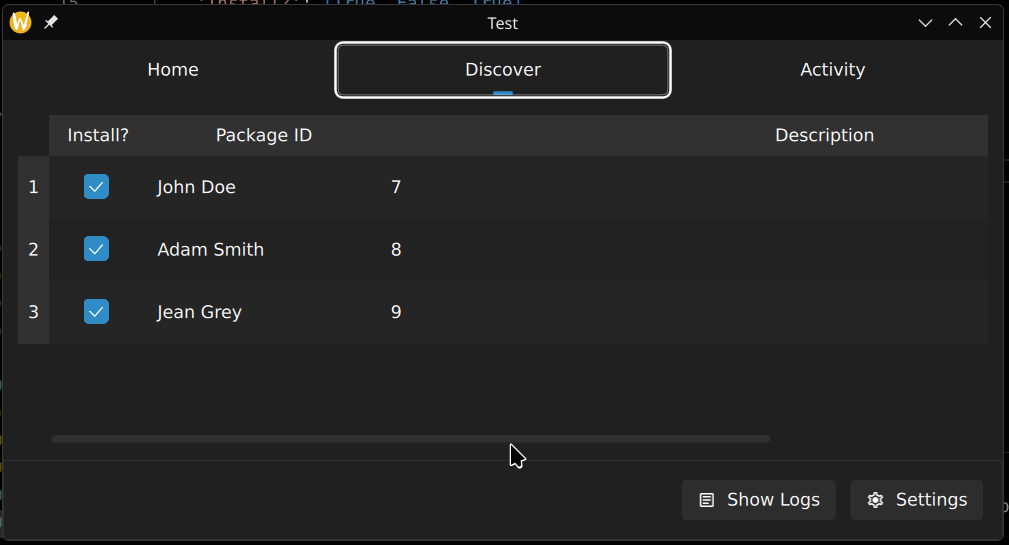
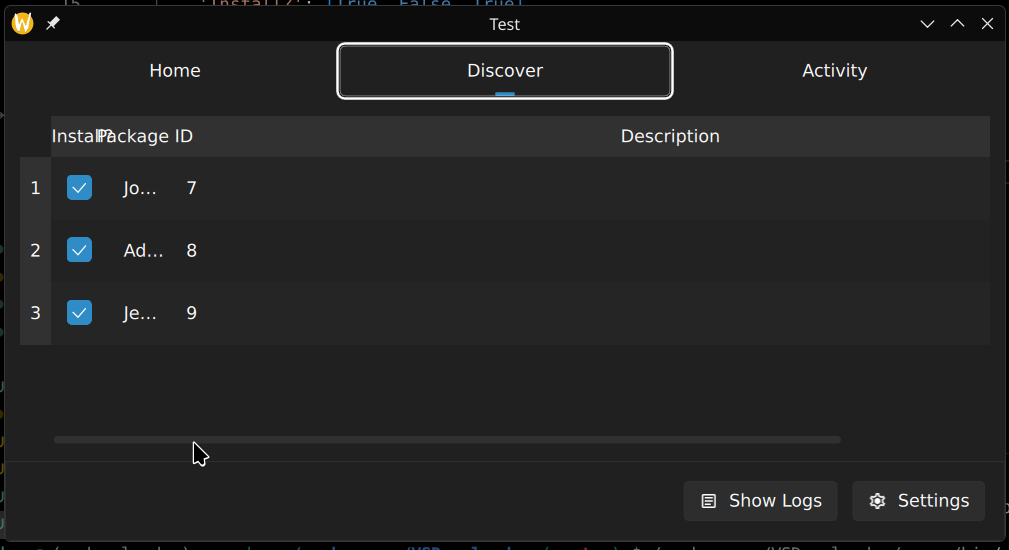
When I resize my table column width and scroll the table, the column that was out of view now overlaps weirdly and the width seems to reset somehow. See these 3 images below.
Original (not resized):
Resized the "description" column (any column will do):
After scrolled back and forth (horizontally) a few times:
This is part of my QML code that contains the table:
https://pastebin.com/s8QvqEyQ (on pastebin since it keeps getting flagged by akismet)
My table model is implemented in Python but I don't think it's the cause since there's nothing related to the UI there.
I already tried using
onWidthChanged: <tableViewId>.forceLayout()on both my table view and horizontal header view after searching from Google but it doesn't seem to fix it.I'm using PySide 6.10.2 on Fedora KDE Linux.