
QT creator and making it look like Borland C++ builder
-
On windows 11, working with ARM processors, PC board design, and c++ applications. Thinking (strongly) of changing to Linux.
Borland Rad studio C++ CE edition is free, but a pain to work with (and windows only). Investigating QT for a unified graphics solution from PCs through Android to MPU.
I have a PC interface that involves buttons, button bars, tabbed windows, and upon occasion, actual serial communications. I'm beginning to get the hang (different terminology) of QT CE, but I haven't found the tabbed windows (to create a page select series of tabs).
I don't see any widgets.........
They do exist, don't they?Harvey
-
Hi,
I am not sure to follow your question. Are you looking for QTabWidget ?
-
On windows 11, working with ARM processors, PC board design, and c++ applications. Thinking (strongly) of changing to Linux.
Borland Rad studio C++ CE edition is free, but a pain to work with (and windows only). Investigating QT for a unified graphics solution from PCs through Android to MPU.
I have a PC interface that involves buttons, button bars, tabbed windows, and upon occasion, actual serial communications. I'm beginning to get the hang (different terminology) of QT CE, but I haven't found the tabbed windows (to create a page select series of tabs).
I don't see any widgets.........
They do exist, don't they?Harvey
@madyn Create a new project as: File > New Project > Application (Qt) > Qt Widgets Application.
When the project is generated double click on the
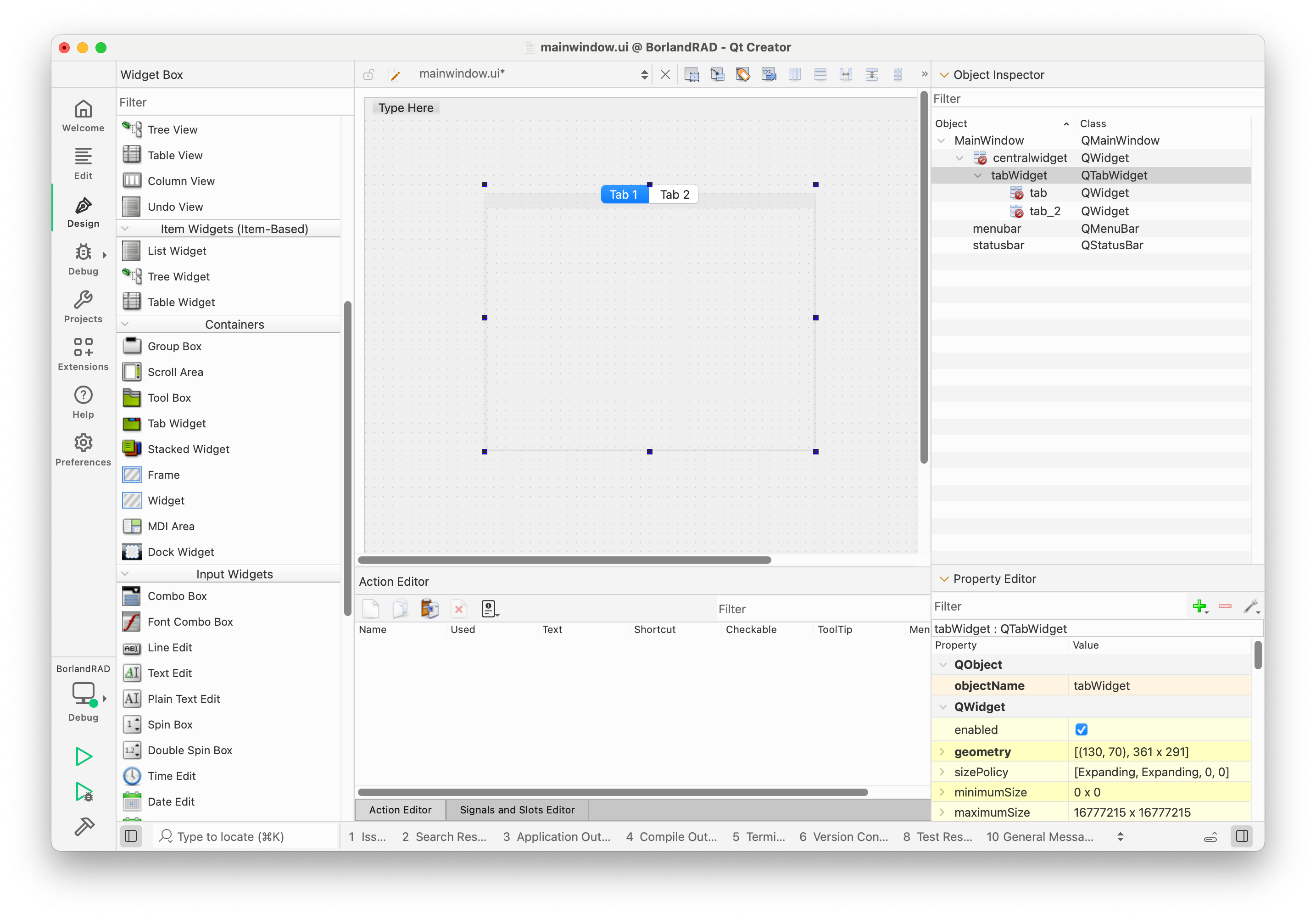
mainwindow.uifile in the Projects tree view.In the Widget Box ad Containers you have the Tab Widget.
This is how it looks on macOS:
-
Thank you, the last post was what I needed. I was trying to use QT designer, which either does not have that plugin or there is no plugin to be had. Seems limited to me at this point. My goal is to more or less replicate projects written in Borland Rad studio C++. I have the underlying objects working, I need to create a GUI with the same capabilities. Tabbed windows, value editors, button bars, and the like.
-
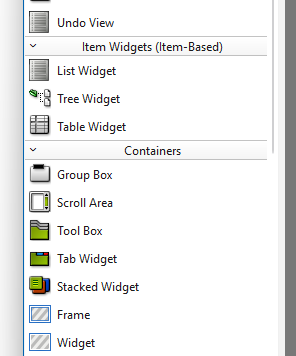
The QTabWidget is also available in the designer - it's a standard widget.
-
The QTabWidget is also available in the designer - it's a standard widget.
-
It's in the same place as in QtCreator.
-
It's in the same place as in QtCreator.
-
Ah Dont have widgets. Containers does not have a tab widget. QT does, however.
Design studio 4.8.1.What's the setting/module I've missed?
@madyn
Are you using Qt Design Studio or are you using Qt Designer (which is either standalone or embedded in Qt Creator)? They are not the same thing. Design Studio is not for widgets. I don't know which you are looking for to equate to "Borland Rad studio". -
@madyn
Are you using Qt Design Studio or are you using Qt Designer (which is either standalone or embedded in Qt Creator)? They are not the same thing. Design Studio is not for widgets. I don't know which you are looking for to equate to "Borland Rad studio".Your question provides the answer.
I was using QT design studio as a standalone. I think I shall remove it unless there's a use for it I do not see. I'll try through QT designer and see how that works.The Borland Rad Studio is what I have been using, and I was looking for an equivalence of design elements.
Thanks.
-
You can go directly with Qt Creator which embeds Designer already. That way you don't have to leave the IDE to continue development.


