
Introduction to Qt Quick - Setting Up The Project - Add Existing Directories does not work
-
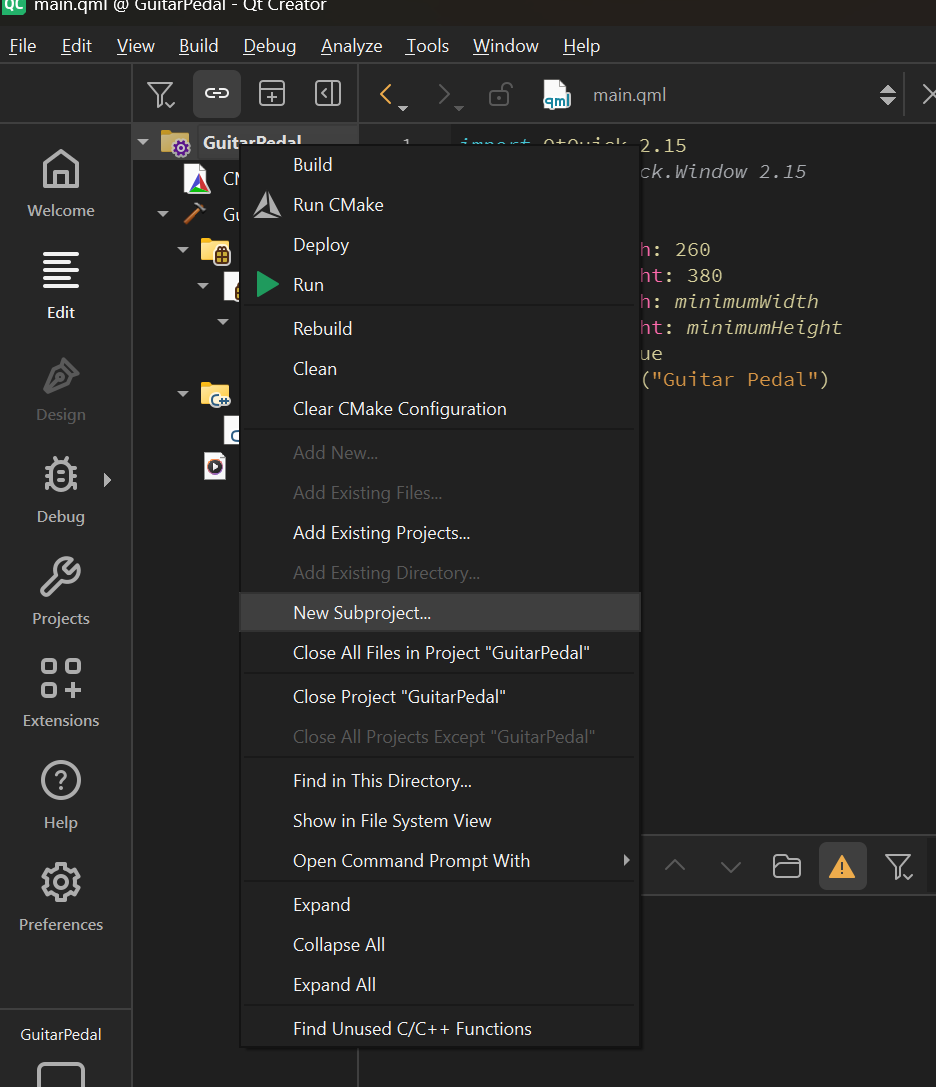
My company purchased the pro license and I downloaded the latest tools, using Qt Creator version 19.0.0 and going through the Introduction to Qt Quick academy class and in the section entitled Setting Up The Project there is a section on Add Existing Directories, after I copied the two required folders into my local directory where I am building the project and by using the top project name. This does not work the Add Existing Directories is greyed out and thus I can't proceed.
How do you fix this so that you can add existing directories to a project?
-
My company purchased the pro license and I downloaded the latest tools, using Qt Creator version 19.0.0 and going through the Introduction to Qt Quick academy class and in the section entitled Setting Up The Project there is a section on Add Existing Directories, after I copied the two required folders into my local directory where I am building the project and by using the top project name. This does not work the Add Existing Directories is greyed out and thus I can't proceed.
How do you fix this so that you can add existing directories to a project?
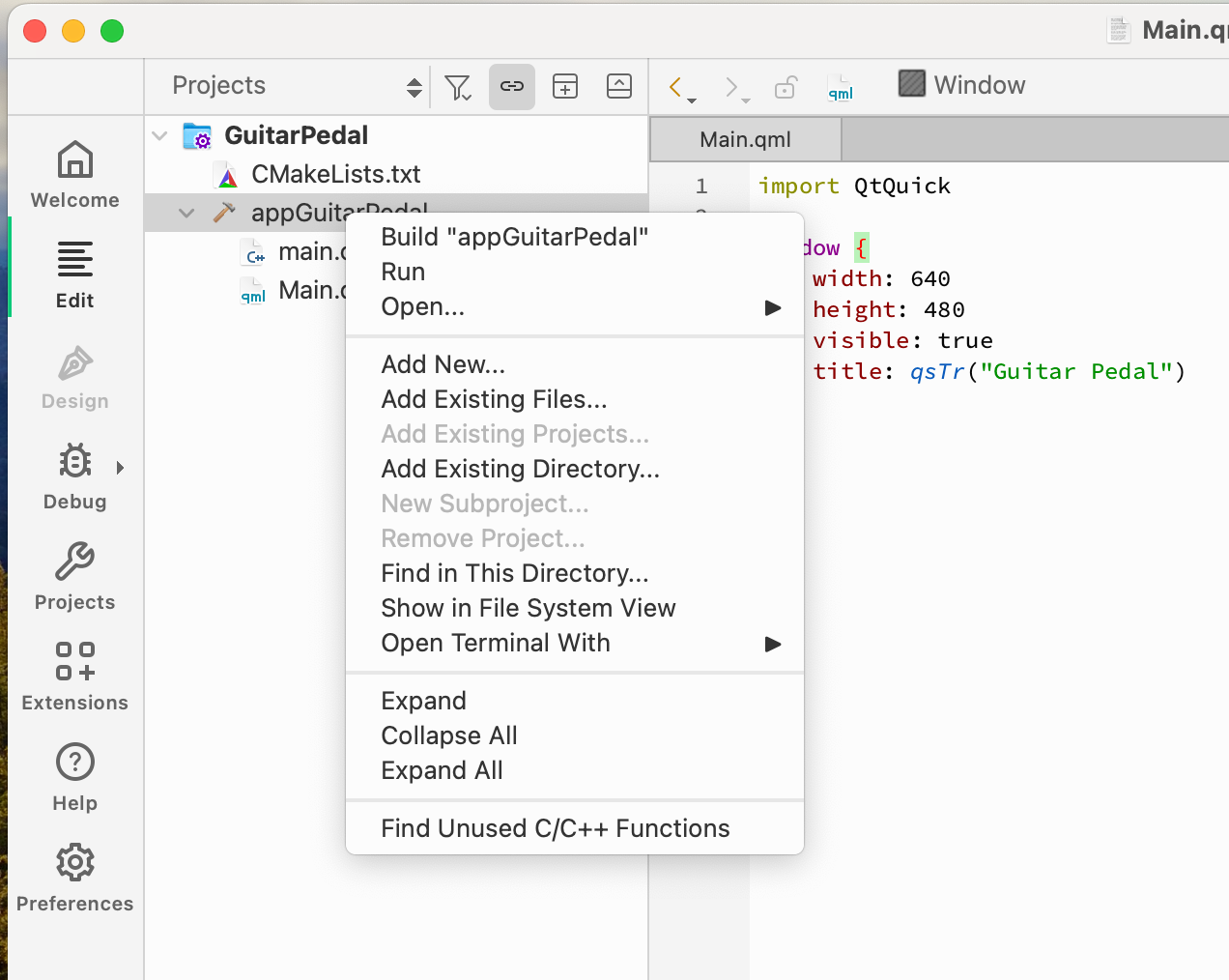
@Don-Lazov Add Existing Directory ... and Add Existing Files... work only if you right click on a Target (🔨):
-
@Don-Lazov Add Existing Directory ... and Add Existing Files... work only if you right click on a Target (🔨):
@cristian-adam said in Introduction to Qt Quick - Setting Up The Project - Add Existing Directories does not work:
@Don-Lazov Add Existing Directory ... and Add Existing Files... work only if you right click on a Target (🔨):
Thanks, I was selecting the main root but then as you pointed out I need to select the target. Thanks for the assist.
-
D Don Lazov has marked this topic as solved on
-
S SGaist has marked this topic as solved on
