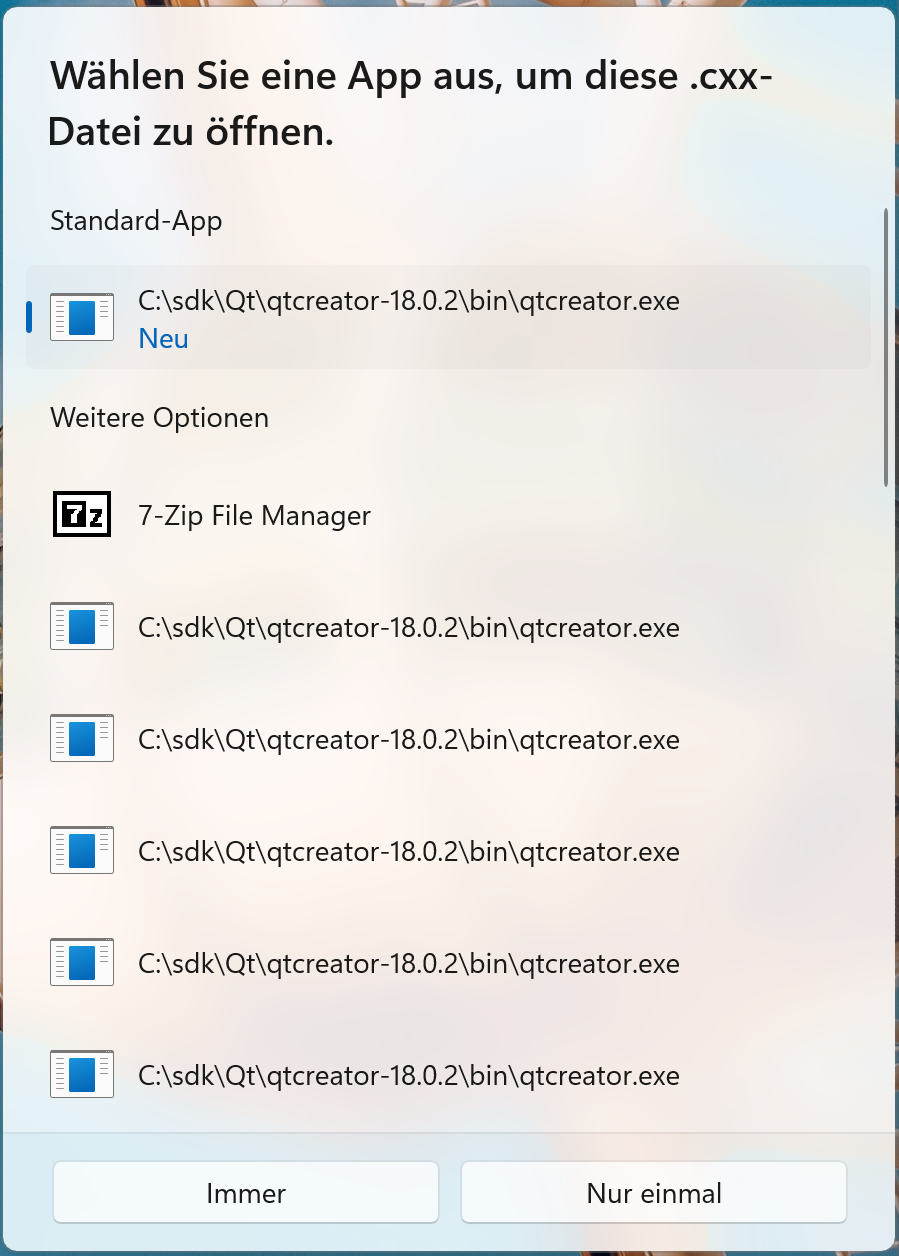
QtCreator installer/app poisons the Win11 registry
-
@Gerd-Brecht It does look bad.
I have the same setup:
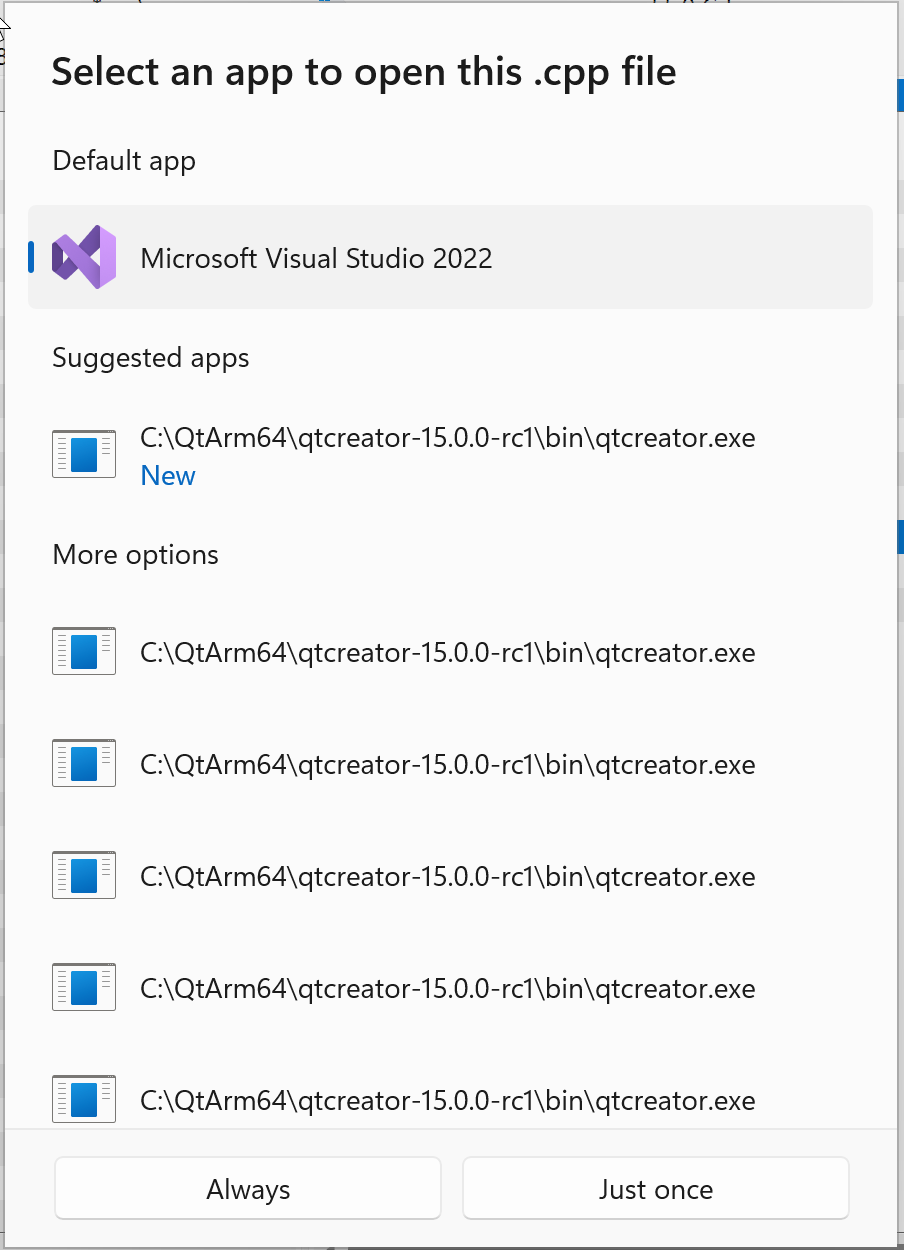
I've opened up https://qt-project.atlassian.net/browse/QTCREATORBUG-34177
-
@Gerd-Brecht It does look bad.
I have the same setup:
I've opened up https://qt-project.atlassian.net/browse/QTCREATORBUG-34177
@cristian-adam said in QtCreator installer/app poisons the Win11 registry:
@Gerd-Brecht It does look bad.
I have the same setup:
I've opened up https://qt-project.atlassian.net/browse/QTCREATORBUG-34177
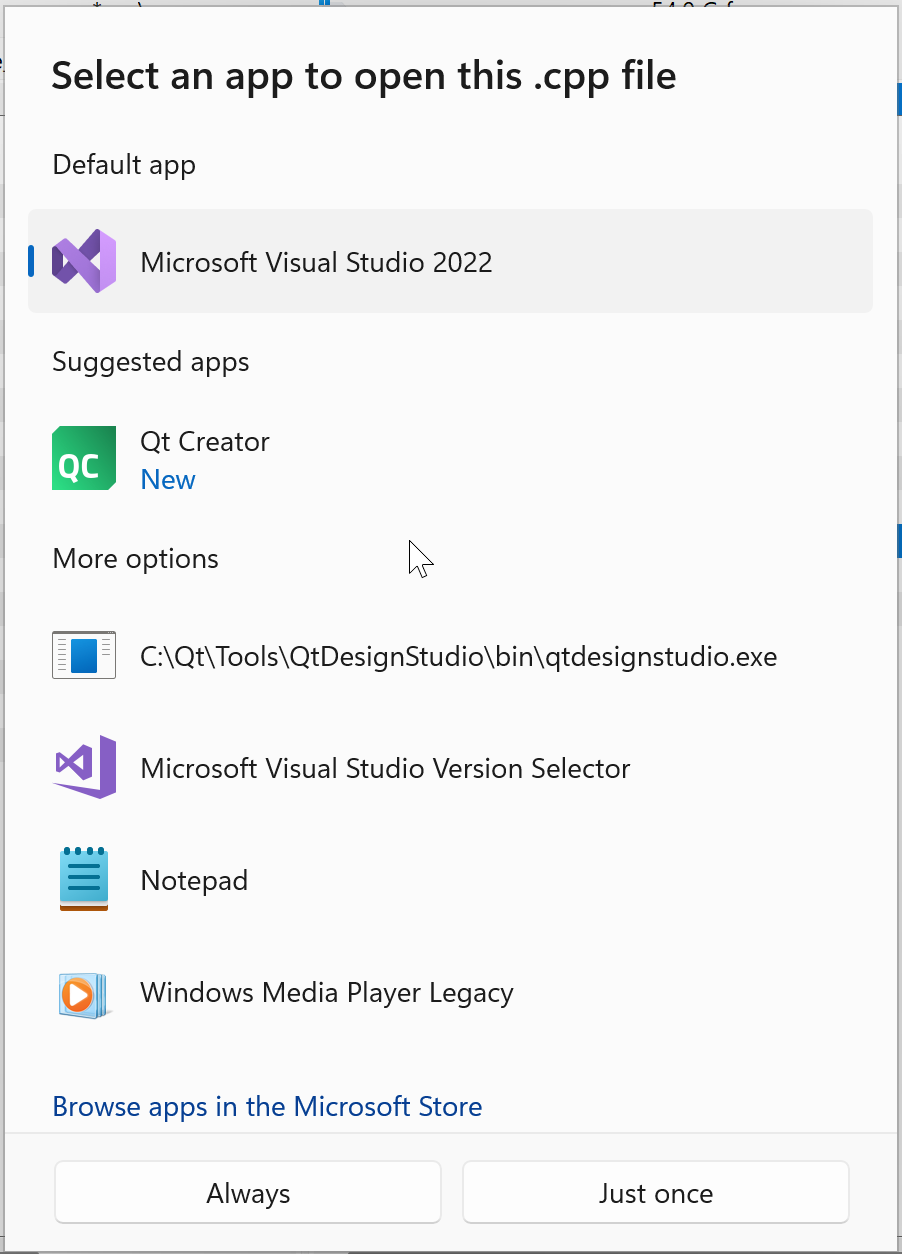
I fixed my dialog by installing the standalone version of Qt Creator.
Then everything was better:
-
As documented in the bug report above, the Qt Installer Framework only documents Register File Extension Example but there is no uninstallation.
In this regard the Qt SDK and Qt Creator installers also do not take care of removing the added registry keys.
I put together a .bat script that removes all Qt Creator added file associations:
@echo off goto :main :DeleteExtensionKeys reg delete "HKCU\Software\Classes\Applications\QtProject.QtCreator%~1" /f > nul 2>&1 reg delete "HKCU\Software\Classes\QtProject.QtCreator%~1" /f > nul 2>&1 reg delete "HKCU\Software\Classes\%~1\OpenWithProgIds" /v "QtProject.QtCreator%~1" /f > nul 2>&1 exit /b :main call :DeleteExtensionKeys .c call :DeleteExtensionKeys .c++ call :DeleteExtensionKeys .cc call :DeleteExtensionKeys .cpp call :DeleteExtensionKeys .cxx call :DeleteExtensionKeys .h call :DeleteExtensionKeys .h++ call :DeleteExtensionKeys .hh call :DeleteExtensionKeys .hpp call :DeleteExtensionKeys .hxx call :DeleteExtensionKeys .pri call :DeleteExtensionKeys .pro call :DeleteExtensionKeys .qbs call :DeleteExtensionKeys .qml call :DeleteExtensionKeys .qs call :DeleteExtensionKeys .ui echo. echo All Qt Creator file-association keys have been deleted. echo. pause -
As documented in the bug report above, the Qt Installer Framework only documents Register File Extension Example but there is no uninstallation.
In this regard the Qt SDK and Qt Creator installers also do not take care of removing the added registry keys.
I put together a .bat script that removes all Qt Creator added file associations:
@echo off goto :main :DeleteExtensionKeys reg delete "HKCU\Software\Classes\Applications\QtProject.QtCreator%~1" /f > nul 2>&1 reg delete "HKCU\Software\Classes\QtProject.QtCreator%~1" /f > nul 2>&1 reg delete "HKCU\Software\Classes\%~1\OpenWithProgIds" /v "QtProject.QtCreator%~1" /f > nul 2>&1 exit /b :main call :DeleteExtensionKeys .c call :DeleteExtensionKeys .c++ call :DeleteExtensionKeys .cc call :DeleteExtensionKeys .cpp call :DeleteExtensionKeys .cxx call :DeleteExtensionKeys .h call :DeleteExtensionKeys .h++ call :DeleteExtensionKeys .hh call :DeleteExtensionKeys .hpp call :DeleteExtensionKeys .hxx call :DeleteExtensionKeys .pri call :DeleteExtensionKeys .pro call :DeleteExtensionKeys .qbs call :DeleteExtensionKeys .qml call :DeleteExtensionKeys .qs call :DeleteExtensionKeys .ui echo. echo All Qt Creator file-association keys have been deleted. echo. pause@cristian-adam said in QtCreator installer/app poisons the Win11 registry:
As documented in the bug report above, the Qt Installer Framework only documents Register File Extension Example but there is no uninstallation.
In this regard the Qt SDK and Qt Creator installers also do not take care of removing the added registry keys.
That is the wrong conclusion, all installer operations implicitly define undo operations that are run automatically whenever the component is uninstalled (be it because the installer/uninstaller is used to remove the component, or because the component is updated, which is equivalent to uninstall+install). https://code.qt.io/cgit/installer-framework/installer-framework.git/tree/src/libs/installer/registerfiletypeoperation.cpp#n129
-
@cristian-adam
Do you prefer suggestions/conversations here or in the Jira? I don't want to pollute your Jira so maybe here is preferable?At this point what about a different tack? Does same happen with, say, Creator 17, or is this new at 18? If there is an older version where this does not happen, how much has changed in Installer code to examine?
-
@cristian-adam
Do you prefer suggestions/conversations here or in the Jira? I don't want to pollute your Jira so maybe here is preferable?At this point what about a different tack? Does same happen with, say, Creator 17, or is this new at 18? If there is an older version where this does not happen, how much has changed in Installer code to examine?
@JonB I like JIRA due to the fact that management is using that for tracking progress. I don't think the closed forum entries is tracked as closed bugs.
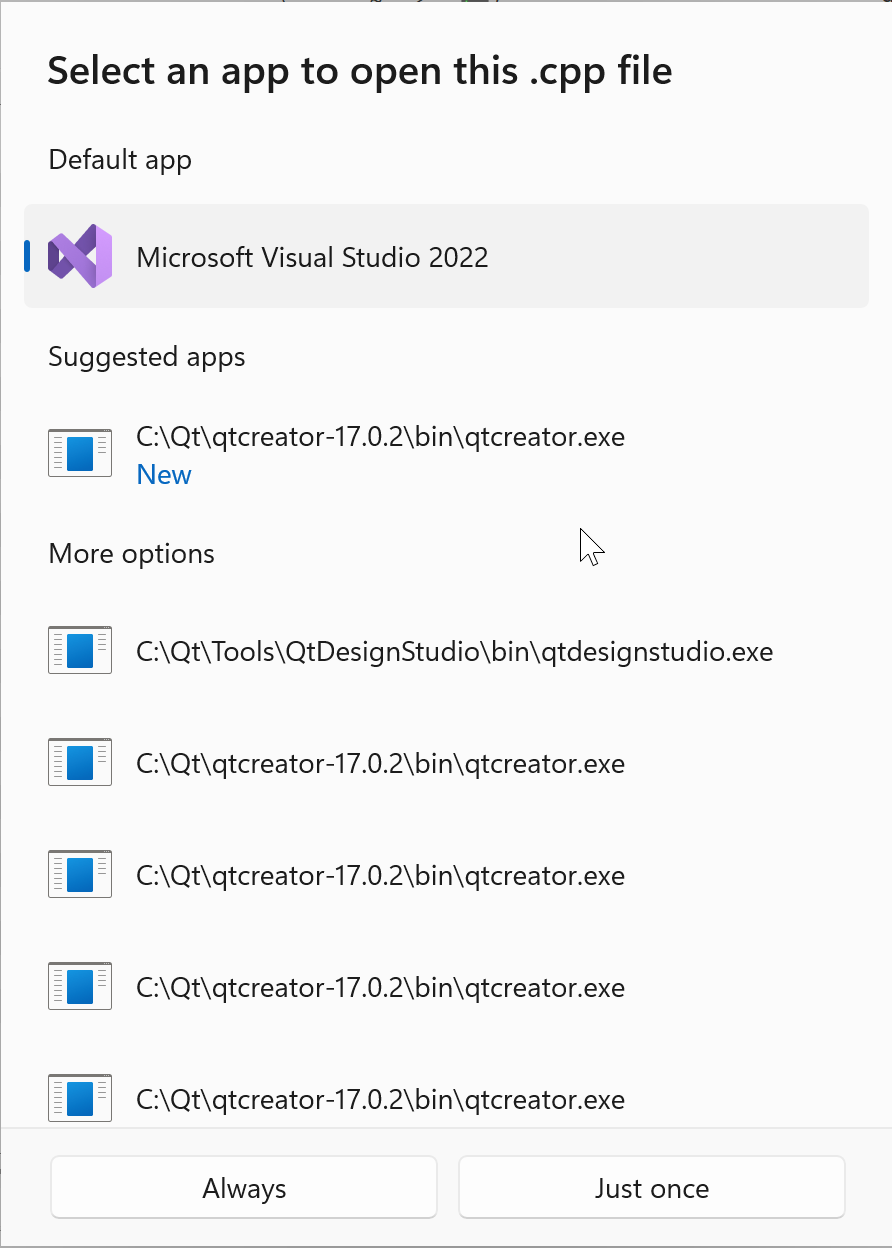
It happens with Qt Creator 17 too. It's a bug in the Qt Installer Framework, since as @ziller mentioned the installer should apply the undo operations for the do operations 😅
-
@JonB I like JIRA due to the fact that management is using that for tracking progress. I don't think the closed forum entries is tracked as closed bugs.
It happens with Qt Creator 17 too. It's a bug in the Qt Installer Framework, since as @ziller mentioned the installer should apply the undo operations for the do operations 😅
@cristian-adam said in QtCreator installer/app poisons the Win11 registry:
It happens with Qt Creator 17 too. It's a bug in the Qt Installer Framework, since as @ziller mentioned the installer should apply the undo operations for the do operations
Just a quick reply here, then maybe I'll revert to Jira. Yes, Windows installers put in uninstall commands into registry. So are you saying those are somehow not being executed from the re-install? You might track them down and execute them explicitly, IIRC, to check they do what they should.
-
@cristian-adam said in QtCreator installer/app poisons the Win11 registry:
It happens with Qt Creator 17 too. It's a bug in the Qt Installer Framework, since as @ziller mentioned the installer should apply the undo operations for the do operations
Just a quick reply here, then maybe I'll revert to Jira. Yes, Windows installers put in uninstall commands into registry. So are you saying those are somehow not being executed from the re-install? You might track them down and execute them explicitly, IIRC, to check they do what they should.
@JonB said in QtCreator installer/app poisons the Win11 registry:
@cristian-adam said in QtCreator installer/app poisons the Win11 registry:
It happens with Qt Creator 17 too. It's a bug in the Qt Installer Framework, since as @ziller mentioned the installer should apply the undo operations for the do operations
Just a quick reply here, then maybe I'll revert to Jira. Yes, Windows installers put in uninstall commands into registry. So are you saying those are somehow not being executed from the re-install? You might track them down and execute them explicitly, IIRC, to check they do what they should.
A re-install is fine, you will get updated values. The uninstall is the issue, it doesn't remove all the added registry keys.
And for somebody trying out Qt Creator, then uninstalling it ... then the keys remain, the user tries to open a
.cppfile in Windows Explorer and being confronted with this nice dialog. -
@JonB said in QtCreator installer/app poisons the Win11 registry:
@cristian-adam said in QtCreator installer/app poisons the Win11 registry:
It happens with Qt Creator 17 too. It's a bug in the Qt Installer Framework, since as @ziller mentioned the installer should apply the undo operations for the do operations
Just a quick reply here, then maybe I'll revert to Jira. Yes, Windows installers put in uninstall commands into registry. So are you saying those are somehow not being executed from the re-install? You might track them down and execute them explicitly, IIRC, to check they do what they should.
A re-install is fine, you will get updated values. The uninstall is the issue, it doesn't remove all the added registry keys.
And for somebody trying out Qt Creator, then uninstalling it ... then the keys remain, the user tries to open a
.cppfile in Windows Explorer and being confronted with this nice dialog.@cristian-adam
Is it the case then: the uninstall either does nothing or does not work, the reinstall does not really uninstall/remove but just happens to overwrite retained values with something else so it ends up working OK?I know I can't be that much use as I don't do Qt under Windows. But would you like me to go find where the Uninstall script is stored in registry so you can try it out standalone, or do you already know this?
-
@cristian-adam
Is it the case then: the uninstall either does nothing or does not work, the reinstall does not really uninstall/remove but just happens to overwrite retained values with something else so it ends up working OK?I know I can't be that much use as I don't do Qt under Windows. But would you like me to go find where the Uninstall script is stored in registry so you can try it out standalone, or do you already know this?
@JonB said in QtCreator installer/app poisons the Win11 registry:
@cristian-adam
Is it the case then: the uninstall either does nothing or does not work, the reinstall does not really uninstall/remove but just happens to overwrite retained values with something else so it ends up working OK?I know I can't be that much use as I don't do Qt under Windows. But would you like me to go find where the Uninstall script is stored in registry so you can try it out standalone, or do you already know this?
See above at the manual removal script.
I think the Qt Installer should be able to reproduce and fix the QTIFW-3944 issue. I see @ziller is still assigned, hmm.