
Qt creator no qDebug() output in debug mode - Qt 6.10.2
-
I have a fresh installation of Qt creator on windows 11 but unfortunately, even on a new project, when running debug mode f5 (not release!), i'm not getting any output in the application output.
When I make a normal run in debug mode (ctrl + R), the output is shown.
My code in main.cpp:
#include "mainwindow.h"

#include <QApplication>
#include <QLocale>
#include <QTranslator>
#include <QDebug>

int main(int argc, char *argv[])
{
    QApplication a(argc, argv);
    qDebug() << "hey";
    MainWindow w;
    w.show();
    return a.exec();
}
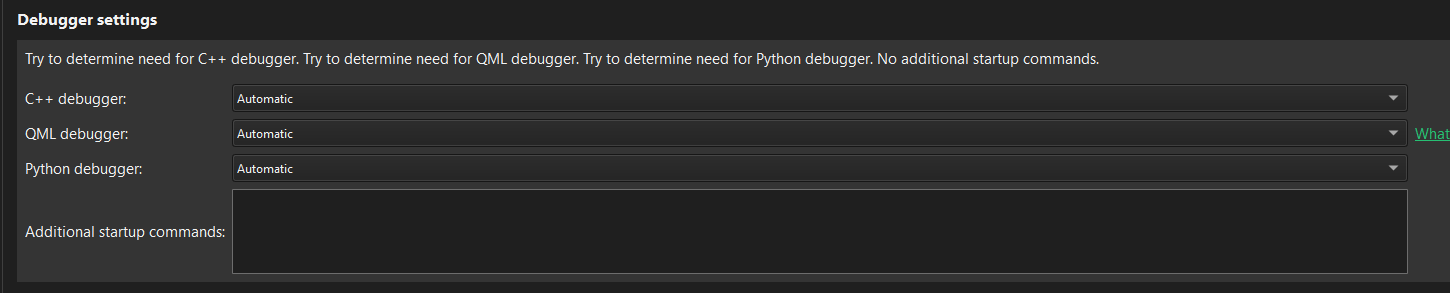
Projects > run settings:
Edit > preferences > kits:
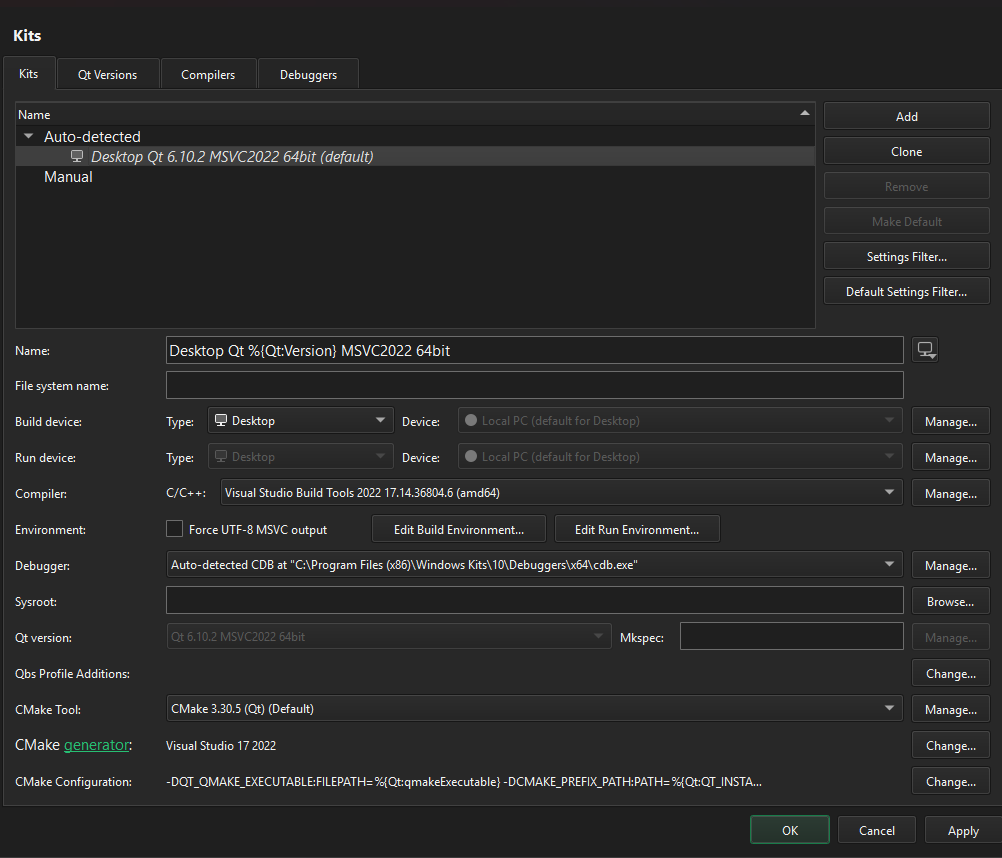
I had the issue before but never got solved, although now I found some new things like ctrl+r does work but that's not running the debugger.
My application output:
09:02:06: Debugging C:\projects\Qt\build\Desktop_Qt_6_10_2_MSVC2022_64bit-Debug\debug\tool.exe "-qmljsdebugger=port:60111,block,services:DebugMessages,QmlDebugger,V8Debugger,QmlInspector,DebugTranslation" ...

Exception at 0x7ff9e7ffa80a, code: 0xe06d7363: C++ exception, flags=0x81 (first chance) in DWrite

Exception at 0x7ff9e7ffa80a, code: 0xe06d7363: C++ exception, flags=0x81 (first chance) in DWrite

Exception at 0x7ff9e7ffa80a, code: 0xe06d7363: C++ exception, flags=0x81 (first chance) in DWrite
This exception does not occur in ctrl+R mode, only in F5 mode.
Using visual studio build tools 2022 I have installed;
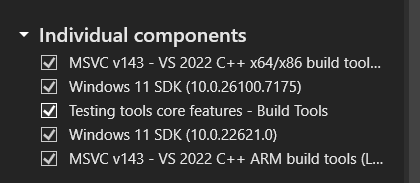
Also I installed Desktop development with C++Does anyone have a clue that can help me move forward?
-
Qt creator version: 18.0.2
-
@MHMart_asc: Looks like QTCREATORBUG-33741.
So for
LLDBthere is a bugfix in 19.0, but forcdbit seems there is currently no fix available.Regards
-
stupid question but, is your cmake configuration on debug as well? I would assume so, but double checking won't hurt
-
stupid question but, is your cmake configuration on debug as well? I would assume so, but double checking won't hurt
@J.Hilk said in Qt creator no qDebug() output in debug mode - Qt 6.10.2:
stupid question but, is your cmake configuration on debug as well? I would assume so, but double checking won't hurt
Probably the solution will be even more stupid considering I am the one with the issue :)
Can you tell me how to check that?
@JonB said in Qt creator no qDebug() output in debug mode - Qt 6.10.2:
@MHMart_asc , @aha_1980
I am not a Windows/MSVC user. But if this (presently?) does not work for MSVC/cdb does installing and running DebugView allow you to see debug output?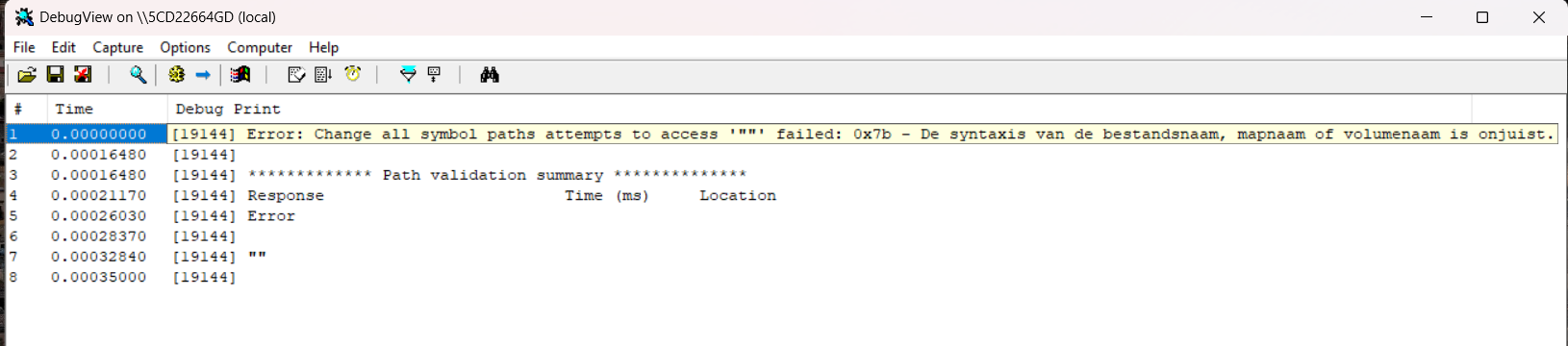
[19144] Error: Change all symbol paths attempts to access '""' failed: 0x7b - De syntaxis van de bestandsnaam, mapnaam of volumenaam is onjuist. [19144] [19144] ************* Path validation summary ************** [19144] Response Time (ms) Location [19144] Error [19144] [19144] "" [19144] [3228] Suspending -
@J.Hilk said in Qt creator no qDebug() output in debug mode - Qt 6.10.2:
stupid question but, is your cmake configuration on debug as well? I would assume so, but double checking won't hurt
Probably the solution will be even more stupid considering I am the one with the issue :)
Can you tell me how to check that?
@JonB said in Qt creator no qDebug() output in debug mode - Qt 6.10.2:
@MHMart_asc , @aha_1980
I am not a Windows/MSVC user. But if this (presently?) does not work for MSVC/cdb does installing and running DebugView allow you to see debug output?[19144] Error: Change all symbol paths attempts to access '""' failed: 0x7b - De syntaxis van de bestandsnaam, mapnaam of volumenaam is onjuist. [19144] [19144] ************* Path validation summary ************** [19144] Response Time (ms) Location [19144] Error [19144] [19144] "" [19144] [3228] Suspending@MHMart_asc
So your screenshot shows all output sent to debug on your system. I don't know whether the PIDs shown are for your Qt program or not, only you do. Whether this will work for them or not depends on how theqDebug()output is sent and whatever the nature of the reported "bug" is.If you really need
qDebug()output and cannot wait while some bug gets fixed, install a qInstallMessageHandler() and redirect its output from there to whatever suits, e.g. for the DebugView it would be Windows OutputDebugString(). -
@J.Hilk said in Qt creator no qDebug() output in debug mode - Qt 6.10.2:
stupid question but, is your cmake configuration on debug as well? I would assume so, but double checking won't hurt
Probably the solution will be even more stupid considering I am the one with the issue :)
Can you tell me how to check that?
@JonB said in Qt creator no qDebug() output in debug mode - Qt 6.10.2:
@MHMart_asc , @aha_1980
I am not a Windows/MSVC user. But if this (presently?) does not work for MSVC/cdb does installing and running DebugView allow you to see debug output?[19144] Error: Change all symbol paths attempts to access '""' failed: 0x7b - De syntaxis van de bestandsnaam, mapnaam of volumenaam is onjuist. [19144] [19144] ************* Path validation summary ************** [19144] Response Time (ms) Location [19144] Error [19144] [19144] "" [19144] [3228] Suspending@MHMart_asc said in Qt creator no qDebug() output in debug mode - Qt 6.10.2:
Can you tell me how to check that?
go to your project tab and check the CMAKE_BUILD_TYPE variable
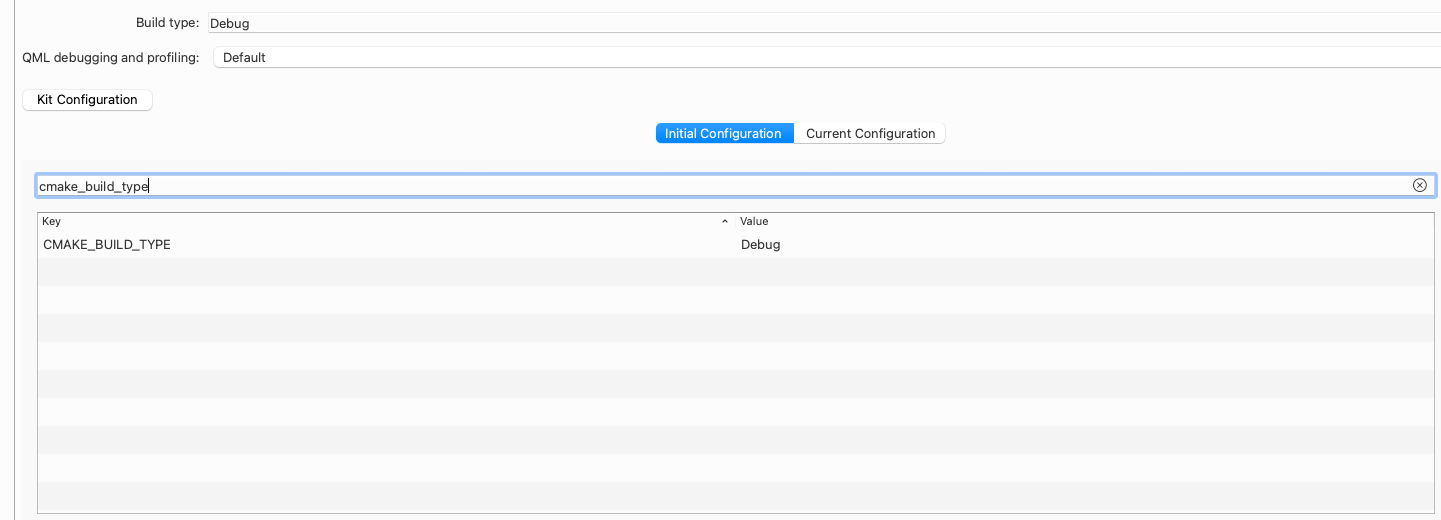
initial config and current
-
@MHMart_asc: Looks like QTCREATORBUG-33741.
So for
LLDBthere is a bugfix in 19.0, but forcdbit seems there is currently no fix available.Regards
@aha_1980 said in Qt creator no qDebug() output in debug mode - Qt 6.10.2:
@MHMart_asc: Looks like QTCREATORBUG-33741.
So for
LLDBthere is a bugfix in 19.0, but forcdbit seems there is currently no fix available.At QTCREATORBUG-33741 we have:
cdb:
-
when launching without terminal, the qDebug output is not shown in the "Application Output" pane
-
when "Run in terminal" is enabled, the qDebug output is shown in the terminal
lldb:
-
when launching without terminal, the qDebug output is not shown in the "Application Output" pane
-
when "Run in terminal" is enabled, the qDebug output is not shown in the terminal, either
With Qt Creator 18.0.2 and
cdball that @MHMart_asc needs to do is set the checkbox Run in terminal for the project.For Qt Creator 19 I've made sure that
lldbwould work when Run in terminal is set. -
-
@aha_1980 said in Qt creator no qDebug() output in debug mode - Qt 6.10.2:
@MHMart_asc: Looks like QTCREATORBUG-33741.
So for
LLDBthere is a bugfix in 19.0, but forcdbit seems there is currently no fix available.At QTCREATORBUG-33741 we have:
cdb:
-
when launching without terminal, the qDebug output is not shown in the "Application Output" pane
-
when "Run in terminal" is enabled, the qDebug output is shown in the terminal
lldb:
-
when launching without terminal, the qDebug output is not shown in the "Application Output" pane
-
when "Run in terminal" is enabled, the qDebug output is not shown in the terminal, either
With Qt Creator 18.0.2 and
cdball that @MHMart_asc needs to do is set the checkbox Run in terminal for the project.For Qt Creator 19 I've made sure that
lldbwould work when Run in terminal is set.@cristian-adam said in Qt creator no qDebug() output in debug mode - Qt 6.10.2:
With Qt Creator 18.0.2 and cdb all that @MHMart_asc needs to do is set the checkbox Run in terminal for the project.
That causes the following error:
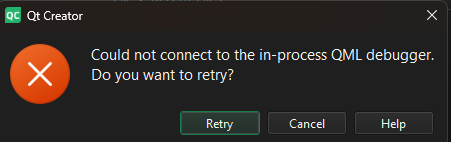
-
-
@cristian-adam said in Qt creator no qDebug() output in debug mode - Qt 6.10.2:
With Qt Creator 18.0.2 and cdb all that @MHMart_asc needs to do is set the checkbox Run in terminal for the project.
That causes the following error:
@MHMart_asc You could try disabling the QML Debugger.
-
@MHMart_asc You could try disabling the QML Debugger.
@cristian-adam I do now get an output in the terminal, So at least that's that. thank you.
Exception at 0x7ff9e7ffa80a, code: 0xe06d7363: C++ exception, flags=0x81 (first chance) in DWrite

Exception at 0x7ff9e7ffa80a, code: 0xe06d7363: C++ exception, flags=0x81 (first chance) in DWrite

Exception at 0x7ff9e7ffa80a, code: 0xe06d7363: C++ exception, flags=0x81 (first chance) in DWrite

Exception at 0x7ff9e7ffa80a, code: 0xe06d7363: C++ exception, flags=0x81 (first chance) in DWrite
Still I get these exceptions in the application output. Is that relevant?
-
@cristian-adam I do now get an output in the terminal, So at least that's that. thank you.
Exception at 0x7ff9e7ffa80a, code: 0xe06d7363: C++ exception, flags=0x81 (first chance) in DWrite

Exception at 0x7ff9e7ffa80a, code: 0xe06d7363: C++ exception, flags=0x81 (first chance) in DWrite

Exception at 0x7ff9e7ffa80a, code: 0xe06d7363: C++ exception, flags=0x81 (first chance) in DWrite

Exception at 0x7ff9e7ffa80a, code: 0xe06d7363: C++ exception, flags=0x81 (first chance) in DWrite
Still I get these exceptions in the application output. Is that relevant?
@MHMart_asc No, always ignore "first chance exceptions" when debugging under Windows.


