
QML Debugger not starting, hence, Live preview not working on Ubuntu 25.10
-
I have recently installed QT on my PC with Ubuntu 25.10, using QT online installer: qt-online-installer-linux-x64-4.10.0.run
I ran QT installer using sudo and installed QT in /opt/Qt/
I installed Qt 6.8.3 Desktop toolkit using custom installation and also added some components such as Qt Graphs, Qt multimedia for usage to use LTS version.I wrote basic code from one of Qt Quick tutorials, and tried live preview in QtCreator, and Found out that live preview is not working, and maybe the issue is something not working in the process of starting live preview.
I get application window pop-up and displaying the QML file, but the live preview is not working. Changes done in the .qml file is not reflected live into the application GUI.
Application output when I clicked live preview:13:50:58: Starting /opt/Qt/6.8.3/gcc_64/bin/qml /home/anshu/Desktop/Playground/Qt/Test/Test.qml -qmljsdebugger=file:/tmp/QtCreator-acKwSf/qtc-socket.rWJlCd,block,services:QmlPreview,DebugTranslation... QML Debugger: Connecting to socket /tmp/QtCreator-acKwSf/qtc-socket.rWJlCd...This is a basic screenshot of what happens when I click live preview:
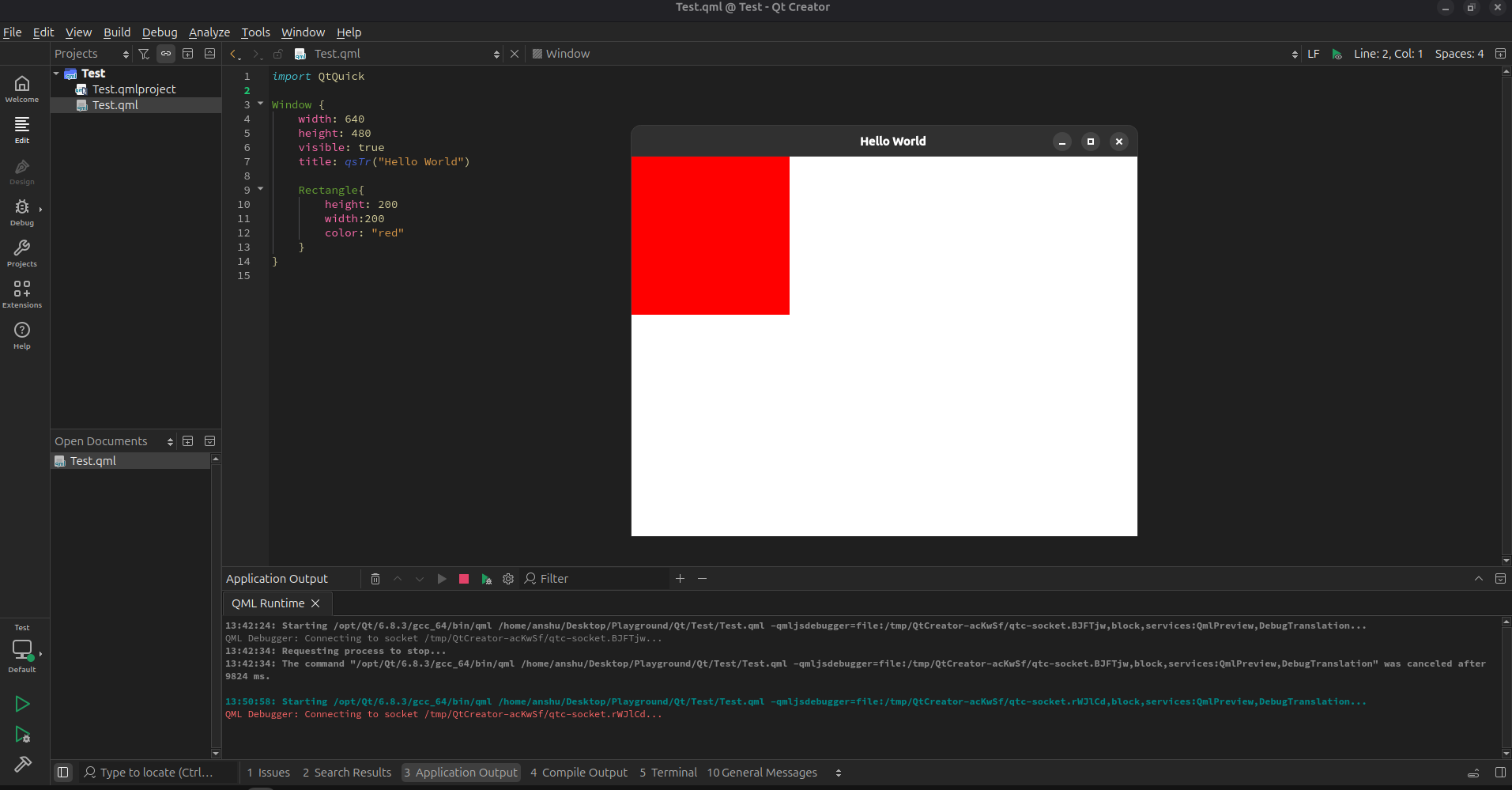
I tried to see for file named qtc-scoket in QtCreator-acKw5f directory, but there is no suck file or anything in that directory.
The application output hungs with the message of Connecting to socket.....
Then, when I close the live preview window GUI, I get:13:50:58: Starting /opt/Qt/6.8.3/gcc_64/bin/qml /home/anshu/Desktop/Playground/Qt/Test/Test.qml -qmljsdebugger=file:/tmp/QtCreator-acKwSf/qtc-socket.rWJlCd,block,services:QmlPreview,DebugTranslation... QML Debugger: Connecting to socket /tmp/QtCreator-acKwSf/qtc-socket.rWJlCd... 13:56:10: The command "/opt/Qt/6.8.3/gcc_64/bin/qml /home/anshu/Desktop/Playground/Qt/Test/Test.qml -qmljsdebugger=file:/tmp/QtCreator-acKwSf/qtc-socket.rWJlCd,block,services:QmlPreview,DebugTranslation" could not be started. Either the invoked program is missing, or you may have insufficient permissions to invoke the program.Application runs, when clicked on run button, but live-preview seems stuck.
If possible to fix it, do guide me to get live preview up and running, else point me where did I go wrong, and how can I setup Qt correctly ?