
Missing Kit Details QtCreator 18.0.2
-
I am trying to resurrect an old Qt project. I ran the qmake2cmake utility to generate a CMakeLists.txt file, which seemed correct. Here it is:
set(CMAKE_C_COMPILER gcc)
cmake_minimum_required(VERSION 3.16)
project(MateMGA VERSION 1.20.0 LANGUAGES CXX)

set(CMAKE_INCLUDE_CURRENT_DIR ON)
set(CMAKE_AUTOUIC ON)

find_package(QT NAMES Qt6 REQUIRED COMPONENTS Core)
find_package(Qt${QT_VERSION_MAJOR} REQUIRED COMPONENTS Charts Gui Network Widgets)

qt_standard_project_setup()

qt_add_executable(MateMGA WIN32 MACOSX_BUNDLE
    JobRequest.h
    JobResult.cpp JobResult.h
    MATEMGA_NumRec.cpp MATEMGA_NumRec.h
    Message.h
    MessageUtils.h
    job.cpp job.h
    main.cpp
    matemgamain.cpp matemgamain.h matemgamain.ui
    mgaSocketThread.cpp mgaSocketThread.h
)
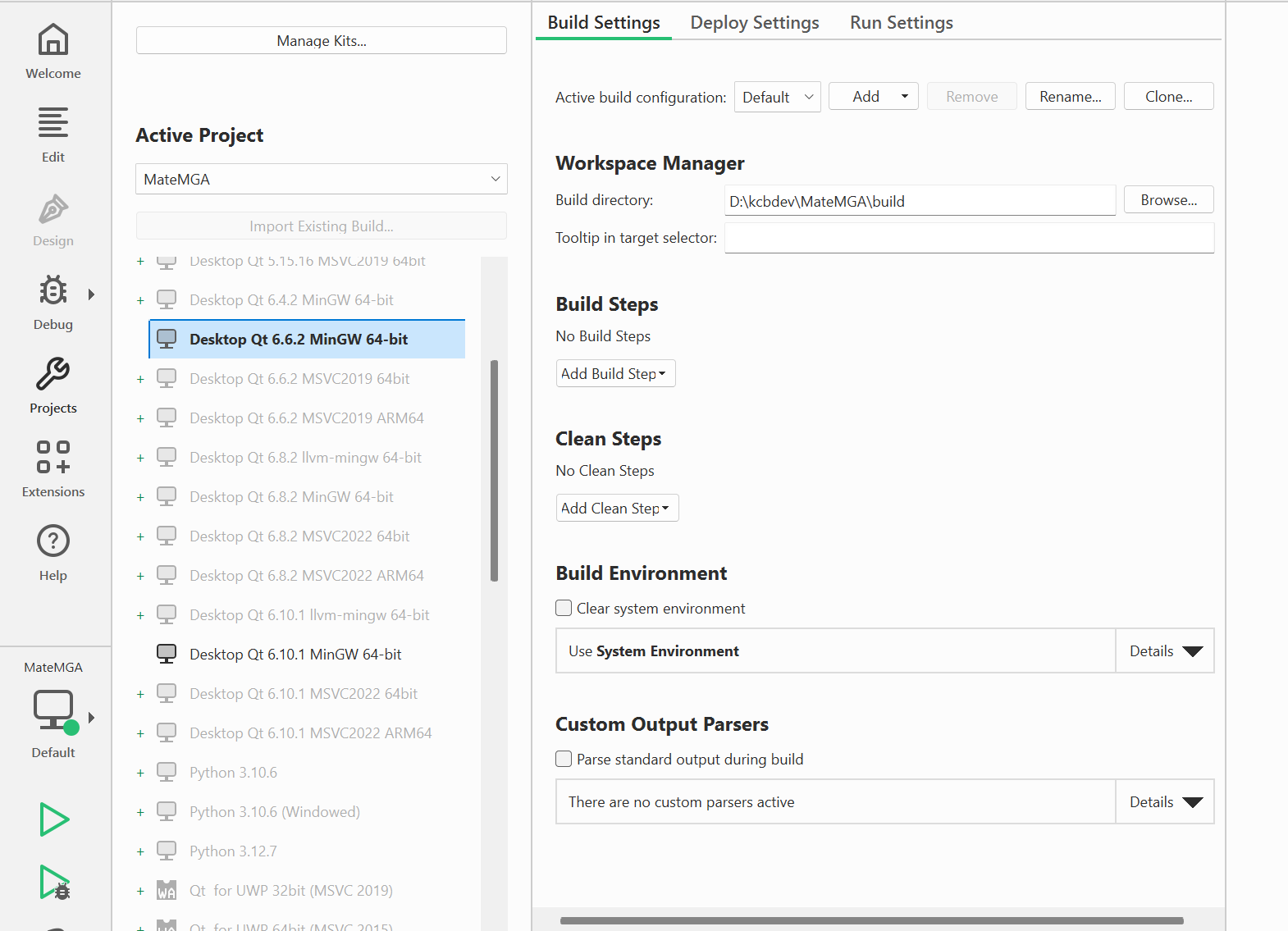
When I go into the 'Projects' to find a build kit, all my kits are greyed out, but Dbl-click does make it bold in the left pane. But many details are missing.
Here is screen shot:
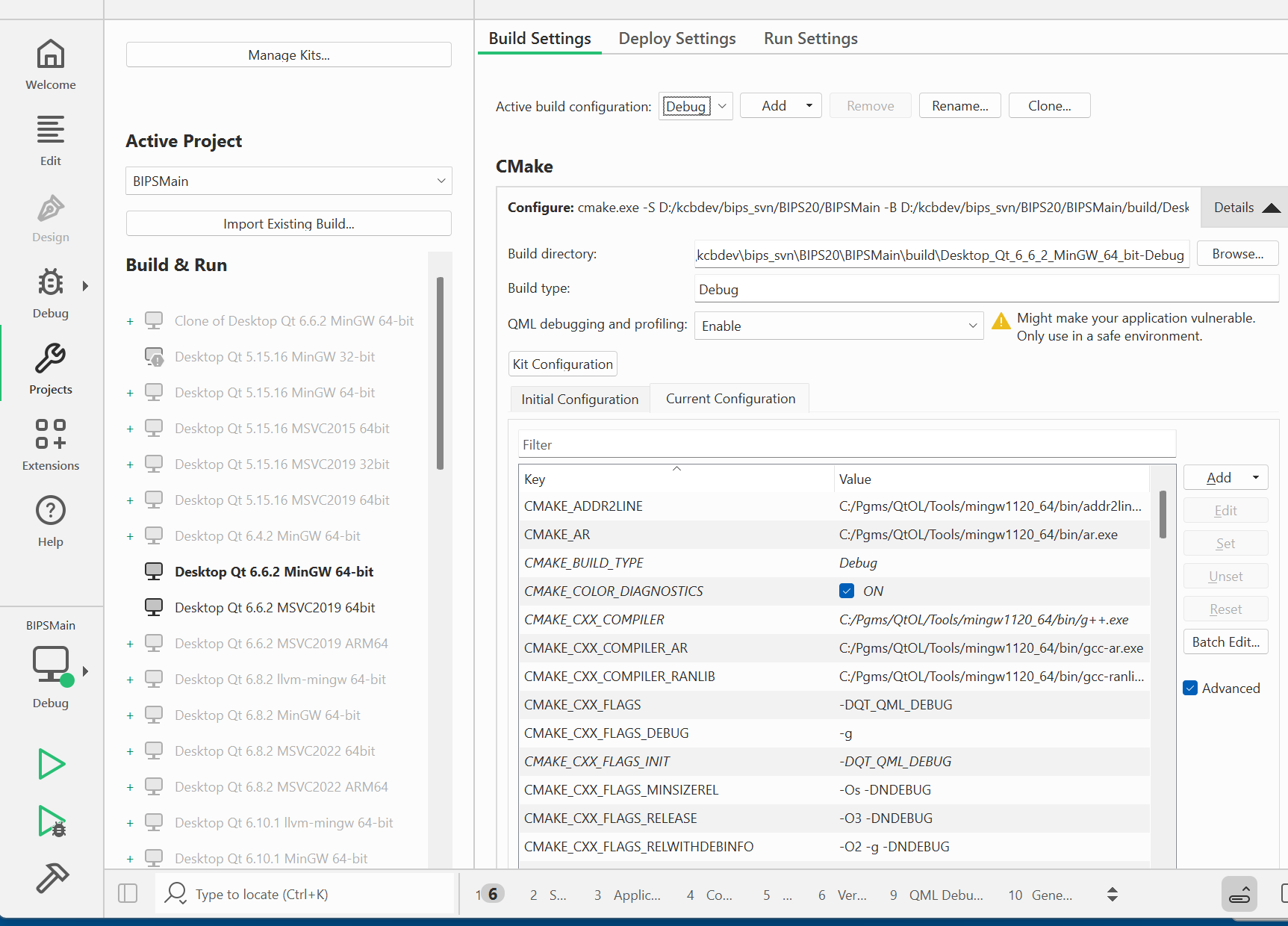
I have many other projects that get a fully complete settings screen:
What did I do wrong setting up the old project? When I started I found a .qtcreator folder, which i deleted and a .user file that I also deleted, hoping that would start things a-fresh. Where did my build settings go and how do I get them back?
(Yes, for a while I do want to use the older version of Qt, note I do have something pretty recent down the list, but in the resurrected project they are all incomplete). -
 C Christian Ehrlicher moved this topic from Installation and Deployment
-
Thanks I did as you suggest, but initially got the same result. What finally worked, and I missed before is to use the File/Open File or Project. I must have used File/Open Workspace before, thinking that since it was an old project full of source file that would do the trick. Using File/Open File or Project and picking the CMakeLists.txt file clearly ran a bunch more steps to get things going.
-
I would remove
set(CMAKE_C_COMPILER gcc)and start over with a clean build dir (and also remove CMakeLists.txt.user in source dir if it exists). The rest looks fine.
What does the cmake configure output says after the change? -
Thanks I did as you suggest, but initially got the same result. What finally worked, and I missed before is to use the File/Open File or Project. I must have used File/Open Workspace before, thinking that since it was an old project full of source file that would do the trick. Using File/Open File or Project and picking the CMakeLists.txt file clearly ran a bunch more steps to get things going.
-
N nekkceb has marked this topic as solved