
Skip to content
  • Categories
  • Recent
  • Tags
  • Popular
  • Users
  • Groups
  • Search
  • Get Qt Extensions
  • Unsolved
Collapse
Brand Logo
  1. Home
  2. Qt Development
  3. Qt Creator and other tools
  4. Qt Creator doesn't respect set code style

Qt Creator doesn't respect set code style

Scheduled Pinned Locked Moved Unsolved Qt Creator and other tools
1 Posts 1 Posters 26 Views
  • Oldest to Newest
  • Newest to Oldest
  • Most Votes
Reply
  • Reply as topic
Log in to reply
This topic has been deleted. Only users with topic management privileges can see it.
  • B Offline
    B Offline
    basilefff
    wrote last edited by
    #1

    When I set global code style for QML I selected QmlFormat as the formatter.
    But when go to the project, it shows the preview as if built-in formatter was used, even though the global style is set.
    When I auto format in the project it seemingly uses the built-in format.
    Is this a bug, or am I doing something wrong?
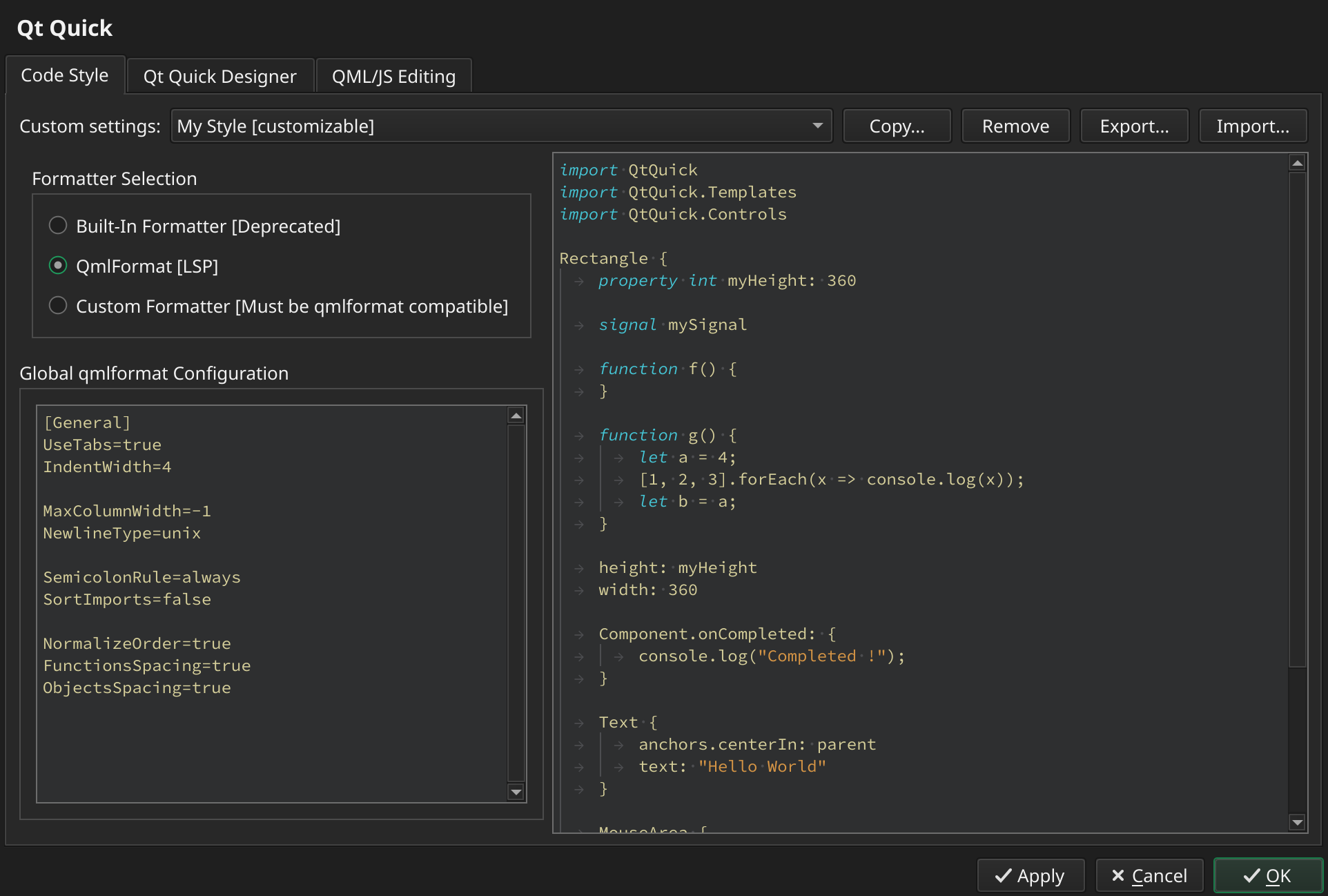
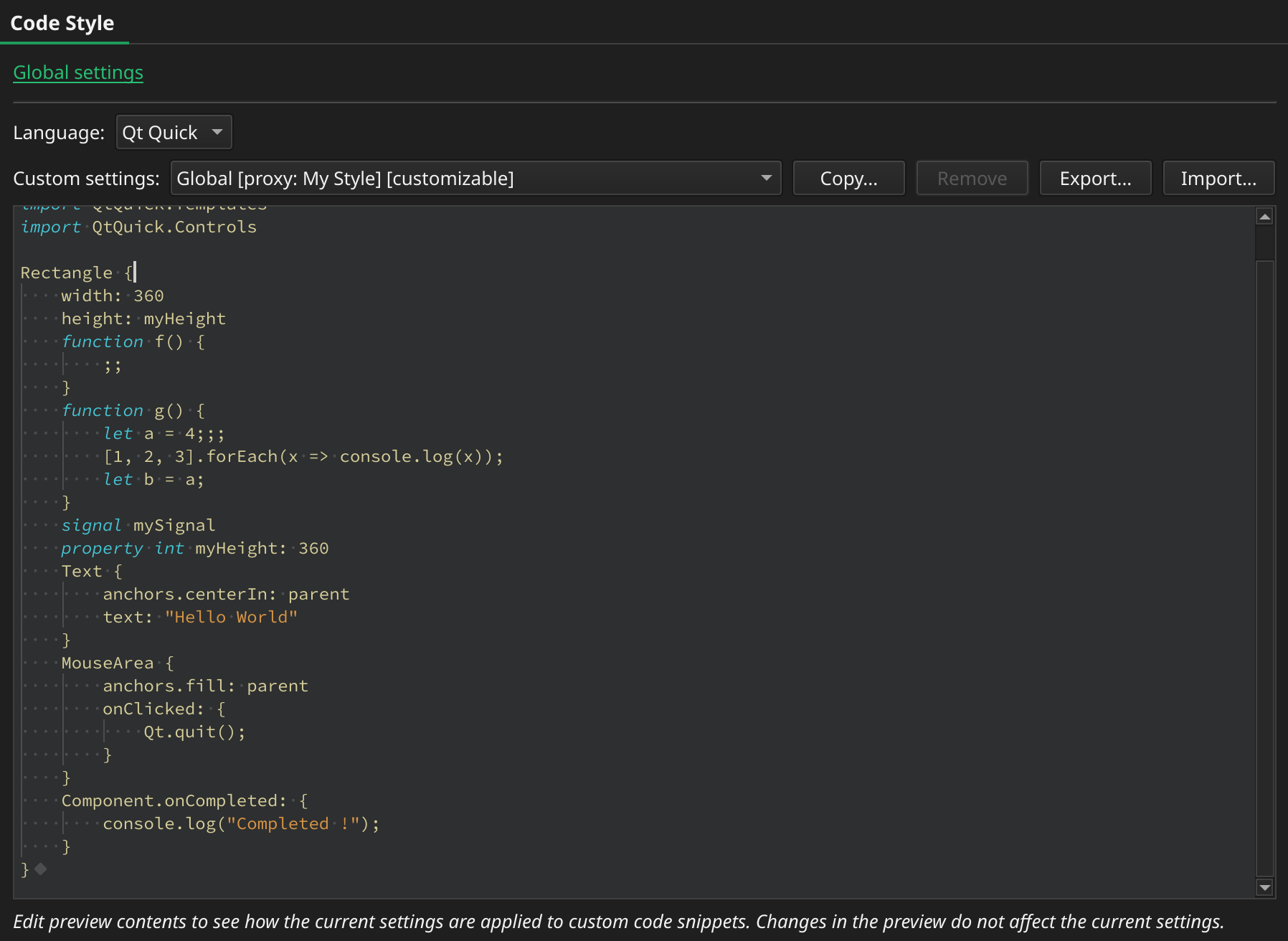
    20f4441a-3091-438f-bead-687261ea4e2f-image.png

    d64042bd-0d4f-40ae-855d-f0107ece2bcc-image.png

    #qtcreator #bug

    Qt version:
    Built on Dec 9 2025 12:35:42 based on Qt 6.10.1 (GCC 10.3.1 20210422 (Red Hat 10.3.1-1), x86_64)
    From revision 34b03dae43

    1 Reply Last reply
    0

    • Login

    • Login or register to search.
    • First post
      Last post
    0
    • Categories
    • Recent
    • Tags
    • Popular
    • Users
    • Groups
    • Search
    • Get Qt Extensions
    • Unsolved