Skip to content
  • Categories
  • Recent
  • Tags
  • Popular
  • Users
  • Groups
  • Search
  • Get Qt Extensions
  • Unsolved
Collapse
Brand Logo
  1. Home
  2. Qt Development
  3. Installation and Deployment
  4. Qt Design Studio Not Available in Maintenance Tool

Qt Design Studio Not Available in Maintenance Tool

Scheduled Pinned Locked Moved Solved Installation and Deployment
5 Posts 2 Posters 104 Views 2 Watching
  • Oldest to Newest
  • Newest to Oldest
  • Most Votes
Reply
  • Reply as topic
Log in to reply
This topic has been deleted. Only users with topic management privileges can see it.
  • J.HilkJ Offline
    J.HilkJ Offline
    J.Hilk
    Moderators
    wrote last edited by
    #1

    Hello everyone,

    I'm currently trying to expand our small development team and delegate some of my work to people who are more creative than me and who ultimately have the final say in design-related matters. My goal is to offload parts of the GUI design directly to our marketing/PM team.

    An obvious candidate for this is FIGMA & Qt Design Studio. So I wanted to check it out and see how difficult it would be to integrate into our workflow and what hurdles I might face when using our own custom components.

    However, I’m currently facing the following problem:

    The Qt homepage simply redirects me to the Qt Installer/Maintenance Tool. But when I launch the tool, I don’t see any option to install Qt Design Studio.

    I assume this might be because my account is linked to a commercial license, and that license does not include Qt Design Studio. That would make the most sense to me.

    Can someone confirm whether they are able to download Qt Design Studio via the Maintenance Tool?

    Or tell me where I can actually find the tool, if I'm on the wrong path?

    Thanks in advance!


    Be aware of the Qt Code of Conduct, when posting : https://forum.qt.io/topic/113070/qt-code-of-conduct


    Q: What's that?
    A: It's blue light.
    Q: What does it do?
    A: It turns blue.

    1 Reply Last reply
    0
    • T Offline
      T Offline
      Tim.Jenssen
      wrote last edited by
      #2

      Due to very low usage and poor performance, we removed the Intel build from the installer to reduce build and test effort.

      Qt Design Studio is available on Apple Silicon Macs, so my guess is that you’re running the installer on an Intel Mac. This change was not communicated clearly.

      J.HilkJ 1 Reply Last reply
      4
      • T Tim.Jenssen

        Due to very low usage and poor performance, we removed the Intel build from the installer to reduce build and test effort.

        Qt Design Studio is available on Apple Silicon Macs, so my guess is that you’re running the installer on an Intel Mac. This change was not communicated clearly.

        J.HilkJ Offline
        J.HilkJ Offline
        J.Hilk
        Moderators
        wrote last edited by
        #3

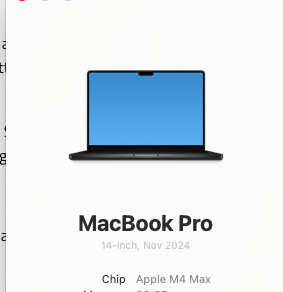
        @Tim.Jenssen not really no
        2ef76afd-c26e-4772-8e6a-96c4cd2c067d-image.png

        I've been on arm for a while now, caused all kinds of issues with windows in the VM, so I'm pretty sure :D


        Be aware of the Qt Code of Conduct, when posting : https://forum.qt.io/topic/113070/qt-code-of-conduct


        Q: What's that?
        A: It's blue light.
        Q: What does it do?
        A: It turns blue.

        1 Reply Last reply
        0
        • T Offline
          T Offline
          Tim.Jenssen
          wrote last edited by Tim.Jenssen
          #4

          not sure what the license -> filter installer components problem is, but you should be able to download the offline version from your Qt Account https://account.qt.io/s/downloads
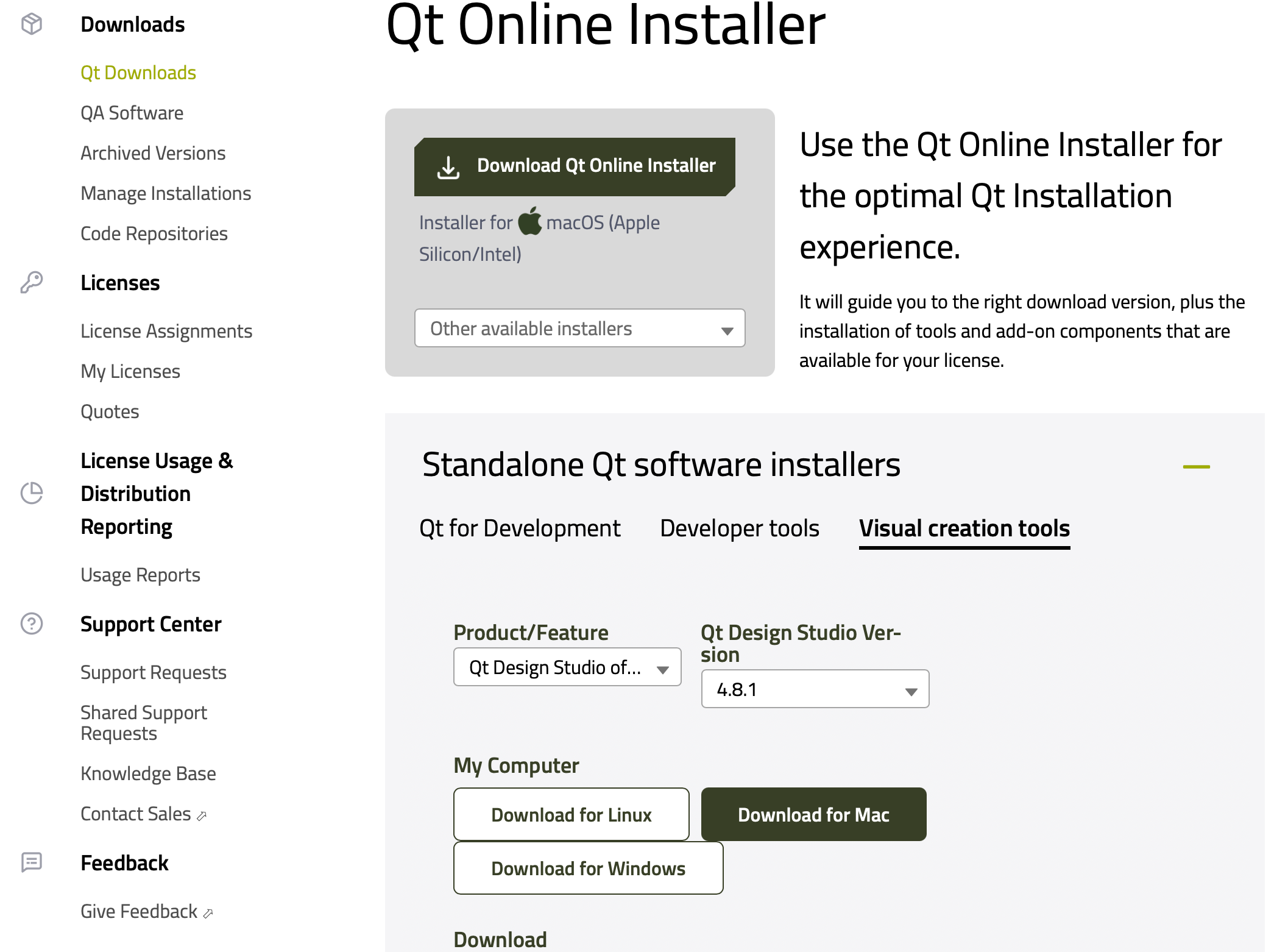
          image.png

          1 Reply Last reply
          1
          • J.HilkJ Offline
            J.HilkJ Offline
            J.Hilk
            Moderators
            wrote last edited by
            #5

            Ok, fair enough the installer is slightly different I'll try it!


            ooh thats a section here!
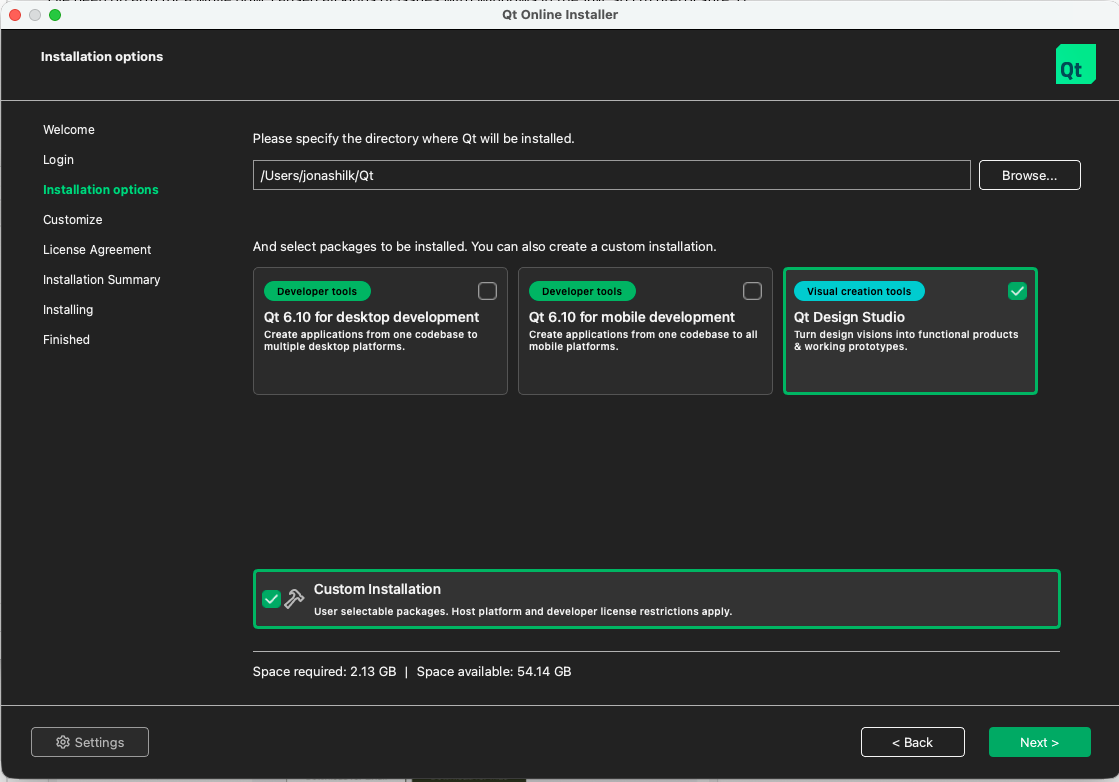
            image.png

            and if you miss that in your initial selection/installation you don't get the option anymore?
            Interesting


            Be aware of the Qt Code of Conduct, when posting : https://forum.qt.io/topic/113070/qt-code-of-conduct


            Q: What's that?
            A: It's blue light.
            Q: What does it do?
            A: It turns blue.

            1 Reply Last reply
            0
            • J.HilkJ J.Hilk has marked this topic as solved

            • Login

            • Login or register to search.
            • First post
              Last post
            0
            • Categories
            • Recent
            • Tags
            • Popular
            • Users
            • Groups
            • Search
            • Get Qt Extensions
            • Unsolved