
Qt Creator Git Log output format
-
I have started using Creator's interface to Git (where I am normally very comfortable on the command line!).
When I run any of the menu's Log commands the output looks fine and same as from
git logexcept for multiline log messages. When you type in such for commits they stay multiline and are shown multiline ingit log's output. But for some reason Creator seems to join them all to make one long line in its output instead. I certainly find this poorer than leaving them multiline: if you have entered a nice long multiline description for a commit it's fine like that, instead of being shown one really long line which scrolls way over to the right.Does anyone know whether this is a "deliberate" decision for some reason in Creator? Does anyone feel as I do that this is undesirable?
-
I have started using Creator's interface to Git (where I am normally very comfortable on the command line!).
When I run any of the menu's Log commands the output looks fine and same as from
git logexcept for multiline log messages. When you type in such for commits they stay multiline and are shown multiline ingit log's output. But for some reason Creator seems to join them all to make one long line in its output instead. I certainly find this poorer than leaving them multiline: if you have entered a nice long multiline description for a commit it's fine like that, instead of being shown one really long line which scrolls way over to the right.Does anyone know whether this is a "deliberate" decision for some reason in Creator? Does anyone feel as I do that this is undesirable?
-
@J.Hilk Don't know whether what you wrote is "real" or not?
@aha_1980 Here are screenshots:
git login a terminal. Nice, readable output:
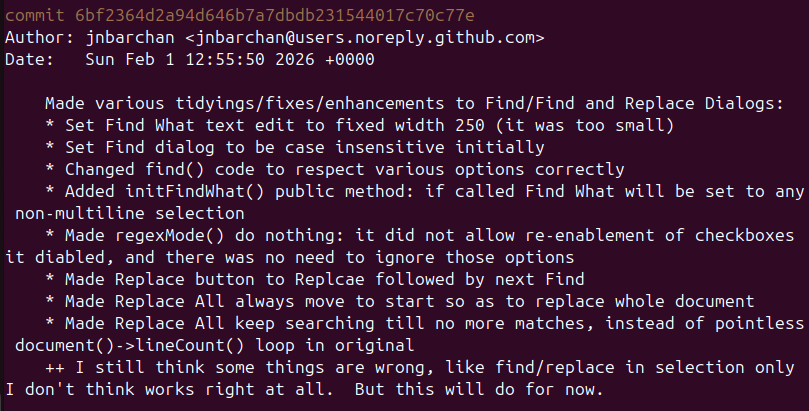
- Same item from Creator > Git > Log. Joined into single line, ridiculously long, scrolls way off to right of window:

Note that the lines other than than the comment --- like Author or Date --- appear as own lines. But the comment seem to all be joined into a single line. Why? Which would you rather read?!
-
@J.Hilk Don't know whether what you wrote is "real" or not?
@aha_1980 Here are screenshots:
git login a terminal. Nice, readable output:
- Same item from Creator > Git > Log. Joined into single line, ridiculously long, scrolls way off to right of window:
Note that the lines other than than the comment --- like Author or Date --- appear as own lines. But the comment seem to all be joined into a single line. Why? Which would you rather read?!
@JonB it is real, its guidelines from the linux kernel git, and became the defeacto standard. some git commands don't work properly , if you don't flow it, like:
git log --oneline
git shortlog
git format-patchYou're missing the blank line
-
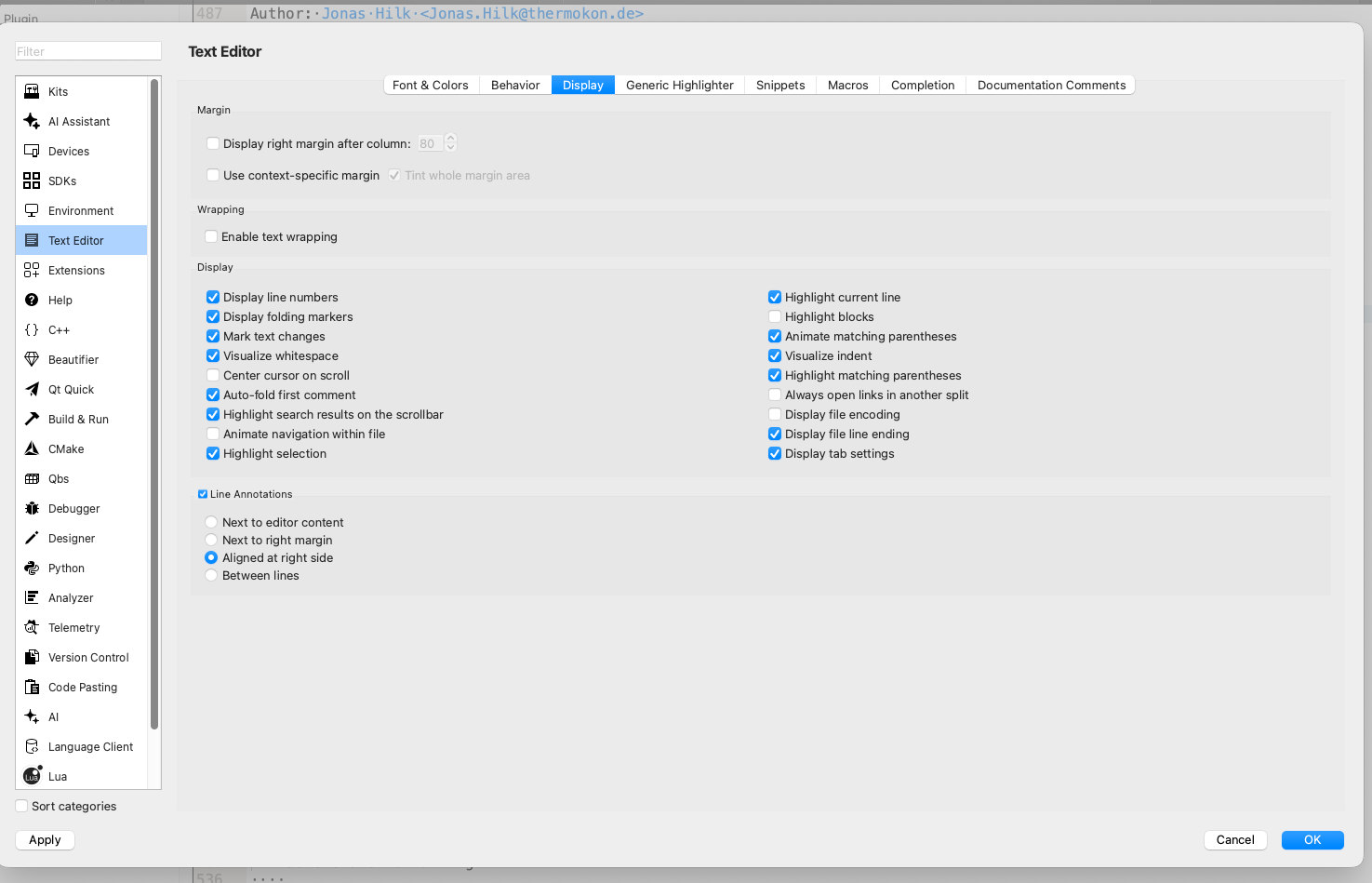
try enabling text wrapping:
-
Thanks guys, let's go slowly:
@J.Hilk said in Qt Creator Git Log output format:
try enabling text wrapping:
Umm. That indeed causes the "long line" to wrap over multilines instead of scrolling over to right. But it's still one long line, lost all the line breaks for layout. And that is at the expense of altering line wrap behaviour globally just to satisfy this Git Log output. Meaning that all my source code wraps, which I would not dream of doing (drowning kittens screeching?). And it says nothing about why Creator is choosing to join into one long line in the first place.
So are you two saying that if I want to type in a multiline comment for git I should always put a blank line after the first line of multiline? I can start doing that. Will that cause Creator not to join into a single line? Fair enough, though I still don't see why my present log output being multiline and shown fine in terminal should be presented joined in Creator?
-
@JonB As @J.Hilk already said, the problem is
git log --oneline(That's a simplification, Creator uses a more complicated pattern, but in principle it requests the subject line from git). And git does not simply give the first line, but rather the whole message until the first empty line.So there's really not much we can do here without breaking the "conventions".
Regards
Qt has to stay free or it will die.
-
@JonB As @J.Hilk already said, the problem is
git log --oneline(That's a simplification, Creator uses a more complicated pattern, but in principle it requests the subject line from git). And git does not simply give the first line, but rather the whole message until the first empty line.So there's really not much we can do here without breaking the "conventions".
Regards
@aha_1980
Ah now I seegit log --onelinedoes this. So maybe Creator is not doing its own line-joining, it is coming from some git command. Fair enough. I will change my behaviour to put in a blank line after the first in future.Just before I go hunt to look it up: is there a (simple) way to edit my existing git log comment for this? It will need to throw me into an editor on the multiline comment so I can preserve it while inserting one blank line, so command-line only won't suit?
-
@JonB If the commits are still local, you can run an
Interactive rebase(either in the Shell or from within Creator) and selectr(reword) for each commit. Git then presents you all commit messages one after another for editing.You could even create a script that does all this automatic :)
But as rebase changes the commit hashes, that is nothing you can do on commits in a public branch.
Qt has to stay free or it will die.
-
@JonB If the commits are still local, you can run an
Interactive rebase(either in the Shell or from within Creator) and selectr(reword) for each commit. Git then presents you all commit messages one after another for editing.You could even create a script that does all this automatic :)
But as rebase changes the commit hashes, that is nothing you can do on commits in a public branch.
-
 J JonB has marked this topic as solved on

