

Qt Designer: QGroupBox not showing its entire title
-
)Hello
I designed a buttonBox in a GroupBox. The title isn't showed entirely in the box as seen on the imagage:

The code for this image is:
test.uiI can enlarge the QVerticalLayout and the QGroupBox as I want, nothing changes.
I use QT Designer 6.10.1 on Manjaro Linux.What am I doing wrong?
Thank you.
-
I don't have a problem as soon as I apply a proper layout on the mainwindow
-
See https://doc.qt.io/qt-6/designer-layouts.html on how to work with layouts in designer mode.
-
Excuse me, but I don't understand. I now applied vertical Layout on the GroupBox and the title is broken at the end as soon as I switch its alignement onto flat. The size of the title isn't adjusting to the new font used. I can adjust the size of the GroupBox, but the title size stays unchanged ( Die Box mit dem Titel ändert seine Größe nicht.)
-
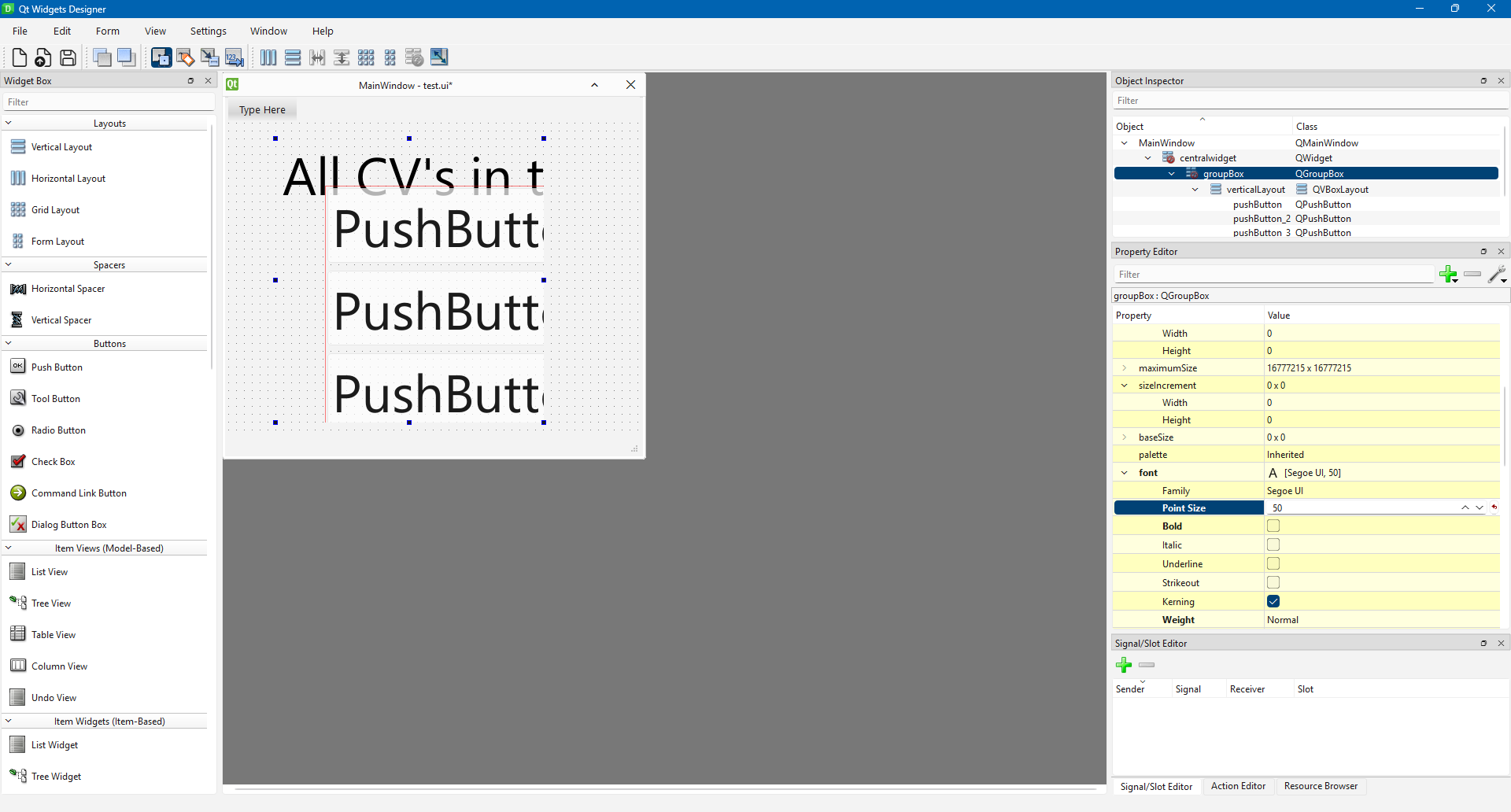
Without a layout on the mainwindow:
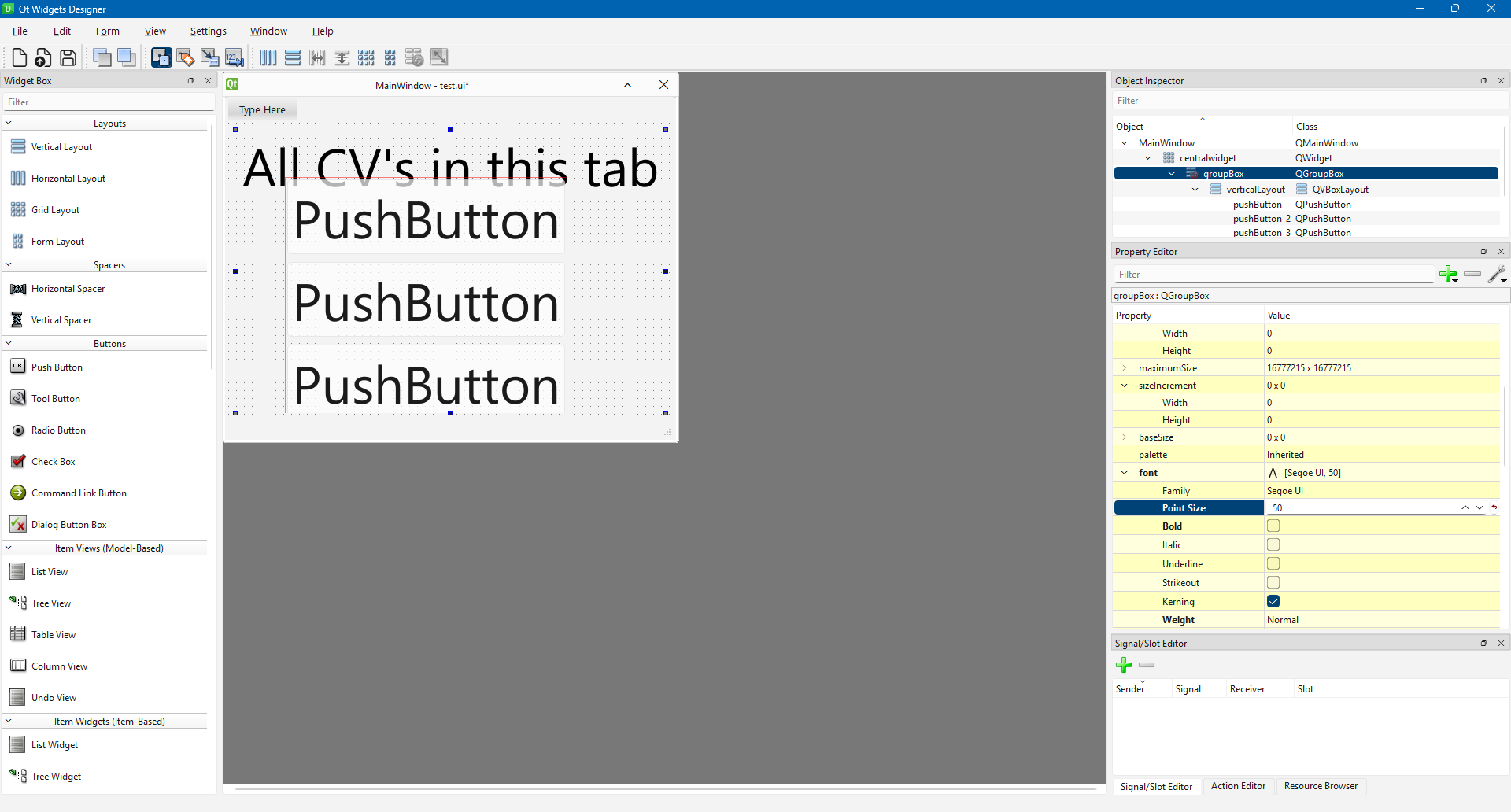
With layout on mainwindow:
-
Excuse me, but I don't understand. I now applied vertical Layout on the GroupBox and the title is broken at the end as soon as I switch its alignement onto flat. The size of the title isn't adjusting to the new font used. I can adjust the size of the GroupBox, but the title size stays unchanged ( Die Box mit dem Titel ändert seine Größe nicht.)
@kitebuggy
I saw your code last night and that it was missing a layout on the central widget of the main window but wasn't sure whether that would produce the behaviour you see.So that you know: look at @Christian-Ehrlicher's two screenshots. The first one is your original code. Look at the Object Explorer pane at the right: notice that centralWidget has a "red no-entry sign" on it. Whenever you see that in Designer it indicates you are missing a layout on that widget. See how in the second screenshot that has disappeared. So look out for that when designing.
(Having said this: I'm not quite sure what is going on with your
QGroupBoxwidget: that still shows a "red no-entry" even though you have added an explicitQVBoxLayouton it. I tend not to add explicit layout objects unless I really need them, you can also set a layout on a widget by right-clicking on it and selecting Layout > (once it has at least one child widget, it's disabled before that) and I do that whenever possible. i am still not sure whether that way or adding an explicit layout as a child result in the same code/behaviour....)

