
SwipeView artefacts on resizing
-
Hello, I am trying to use SwipeView for navigation in my application. I like the transition animation between pages but the problem is that when I resize application window, I can see not only current page but also part of surrounding pages. I thought that is it due to rather complex setup I have, so I have simplified the use case and the problem is still there. This is very simple application, that contains SwipeView with 6 pages, each with different color.
import QtQuick
import QtQuick.Controls
import QtQuick.Layouts

Window {
    width: 640
    height: 480
    visible: true
    title: qsTr("Hello World")

    property int pageIndex: 0
    RowLayout {
        anchors.fill: parent
        Rectangle {
            color: "lightgray"
            Layout.fillHeight: true
            Layout.preferredWidth: 150
            Text {
                anchors.centerIn: parent
                text: "Click to switch page"
            }
            MouseArea {
                anchors.fill: parent
                onClicked: {
                    pageIndex = (pageIndex + 1) % 5
                }
                cursorShape: Qt.PointingHandCursor
            }
        }
        Item {
            id: mainItem
            Layout.fillWidth: true
            Layout.fillHeight: true
            SwipeView {
                id: swipeView
                anchors.fill: parent

                clip: true
                interactive: false
                orientation: Qt.Vertical

                currentIndex: pageIndex
                Repeater {
                    id: contentRepeater
                    model: 6
                    Loader {
                        id: contentLoader
                        width: SwipeView.view.width
                        height: SwipeView.view.height
                        active: SwipeView.isCurrentItem || SwipeView.isNextItem || SwipeView.isPreviousItem
                        sourceComponent: Rectangle { color: index % 3 ? (index % 3 == 1 ? "green" : "red")  : "yellow"; anchors.fill: parent }
                    }
                }
            }
        }
    }
}
When application starts and current page is the first one (yellow), everything works as expected. However when I switch to second page (green) and resize the window, I can see colors from both surrounding pages (yellow and red in this case). I took this screenshot while I was resizing the window:
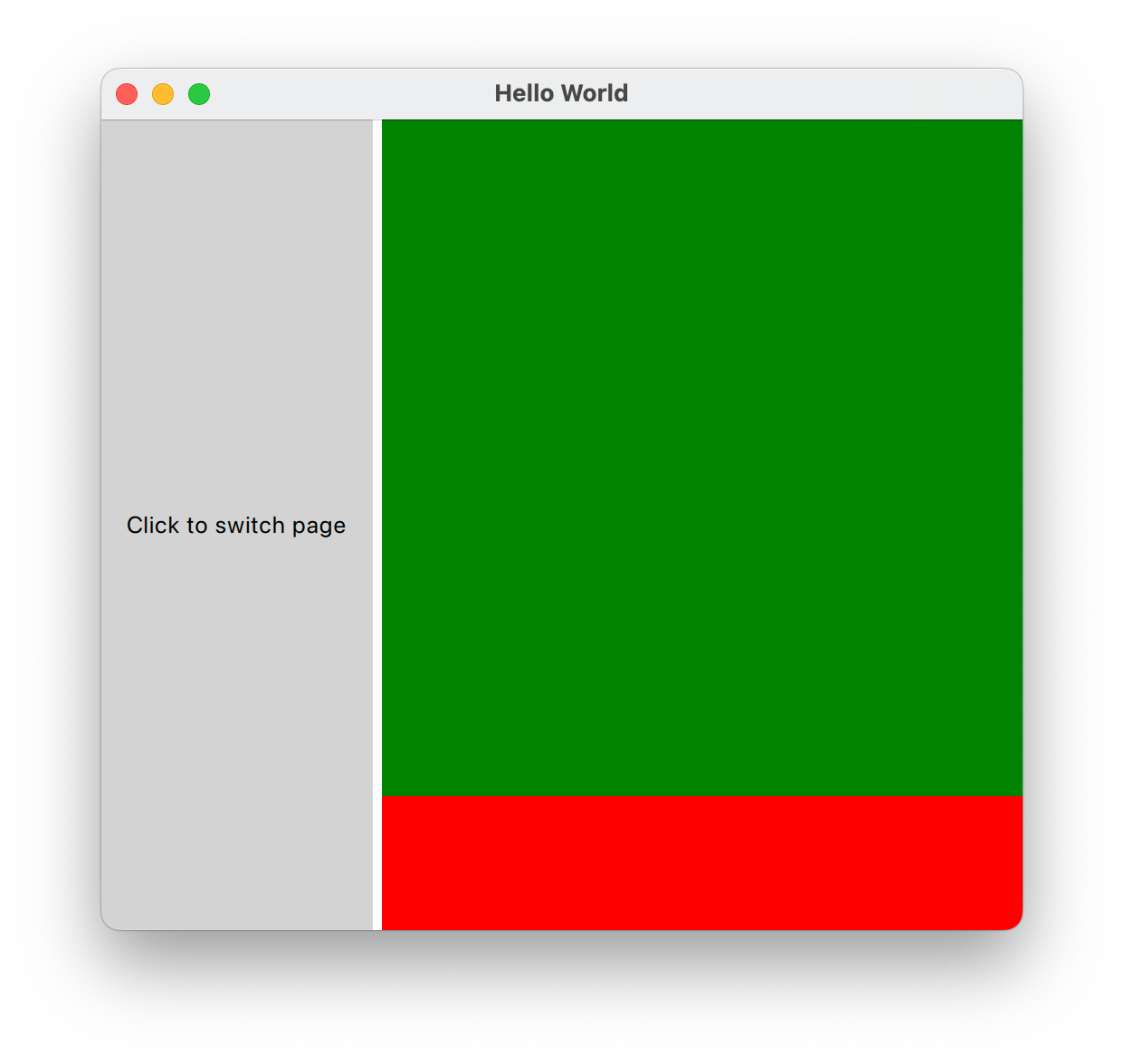
You can see there is red page visible while I expect only green to be visible.
Is this a wrong usage of the SwipeView? Are there any functional alternatives?Thanks!