
Run on remote device doesn't apply LD_LIBRARY_PATH
-
I have a QtQuick application that runs on a Linux target provided I specify the Qt library path, like so:
LD_LIBRARY_PATH="/opt/Qt/lib" /path/to/appI cannot get it to run from Qt Creator. The application is copied to the target successfully, but the environment variable doesn't seem to take effect. This is really odd, because if I set the "Alternate executable on device" to
env, I see the Run Environment variables are set!Why would
envsee theLD_LIBRARY_PATHI specify, but the application seemingly does not. My evidence is that it fails to launch with "error while loading shared libraries: libQt6Qml.so.6: cannot open shared object file: No such file or directory", which is the same error I get if I try to run it directly without specifyingLD_LIBRARY_PATH.Here are my (not very interesting) Run Settings:
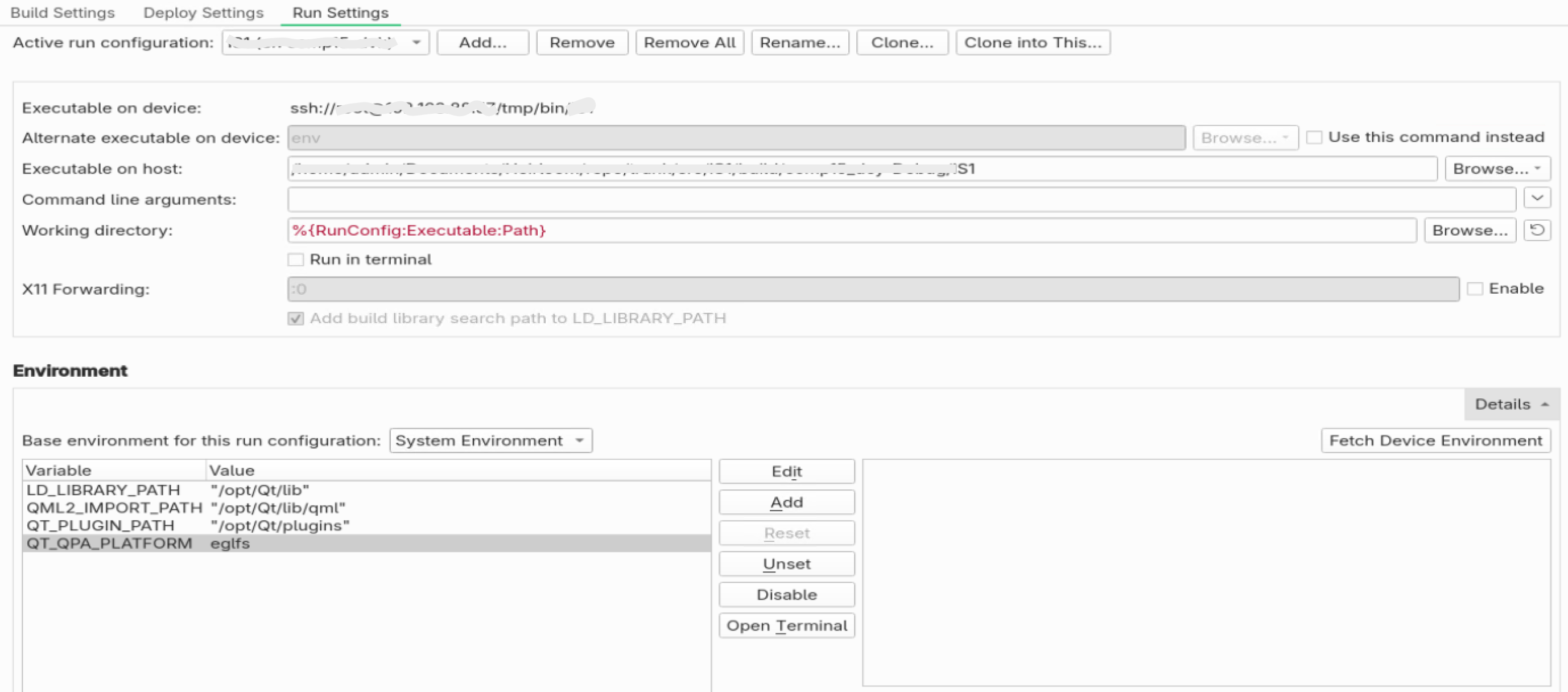 .
. -
The environment is set locally, not on the remote machine.
envis also run locally. That’s why the localenvsees LD_LIBRARY_PATH and the remote application doesn’t.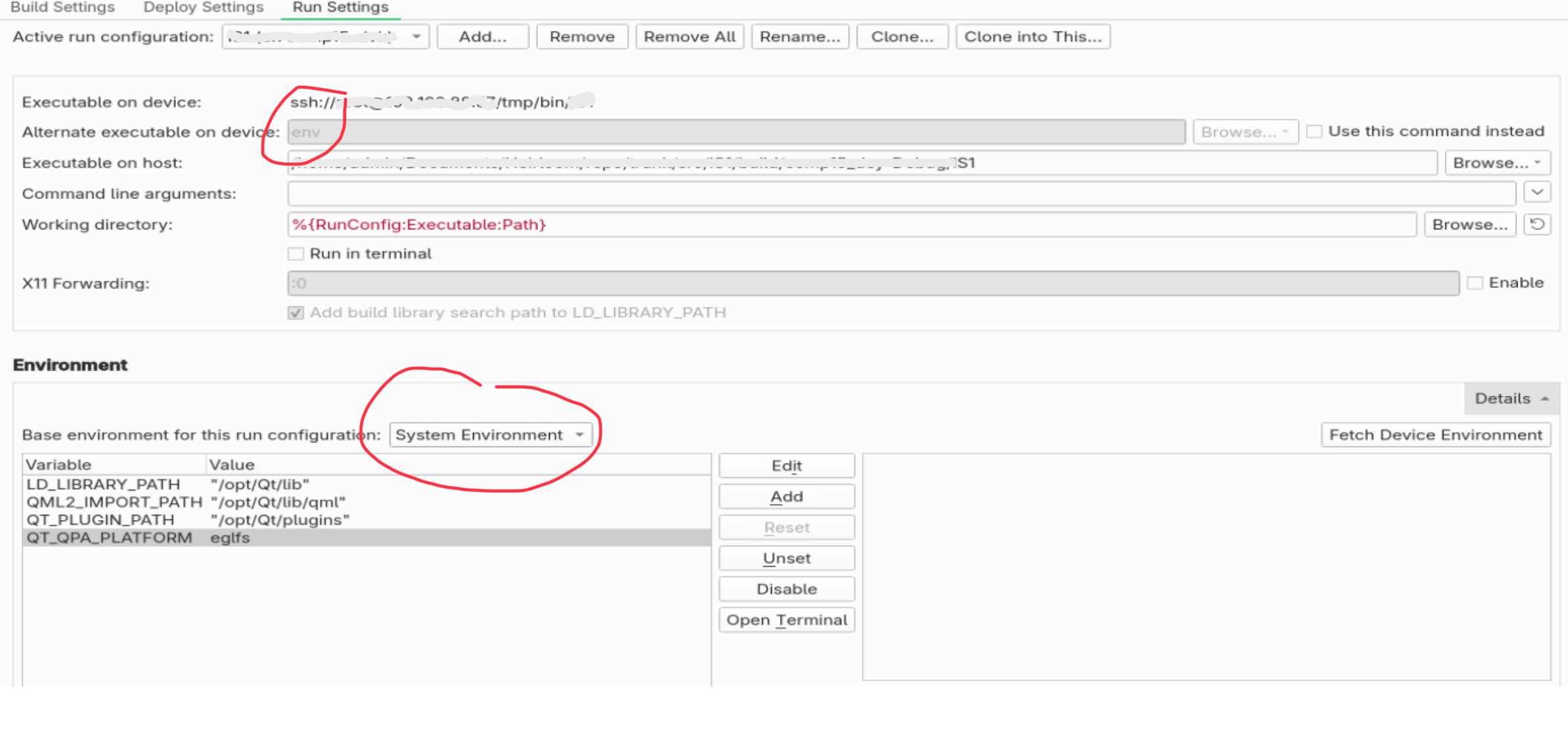
-
The environment is set locally, not on the remote machine.
envis also run locally. That’s why the localenvsees LD_LIBRARY_PATH and the remote application doesn’t.@Axel-Spoerl oh no way, that makes a lot of sense. It was actually my first theory, but more tests (eg. other "alternate executables") led me to believe otherwise.
So is there a way? Or are none of the environment settings relevant to run-on-remote-device configurations?
-
@liteyear I have no remote configuration here at the moment. But IIRC, you can select it in the combo box just above the env variables.
I would, however, try not to depend on LD_LIBRARY_PATH. I kitten dies, when you use it.
I'd rather compile the application with a run path in CMake, pointing to the right libraries.
I use LD_LIBRARY_PATH just for local experiments, when I want to load e.g. a development version of a public library. -
Alas the only other thing in that combo box is "Clean Environment" and it doesn't make any difference. Not even to the list of variables printed by
env.Yes, I'm deep in kitten killing territory. I'm targeting a remote device because I'm cross-compiling - it's literally my development device. So being able to fiddle with environment variables and kill a few kittens is a normal part of the process. Same as you might use
QT_QPA_PLATFORM=eglfs build/myAppor other flags temporarily when developing locally.In other words, if I can't set environment variables on the target (like I can for local run environments), then the "run on remote device" feature is not useful. Better (and way quicker, incidentally) to
scpthe built binary to the target and run it there manually. But that would be a pity - surely the "Environment" configuration is supposed to allow this?
