Skip to content
  • Categories
  • Recent
  • Tags
  • Popular
  • Users
  • Groups
  • Search
  • Get Qt Extensions
  • Unsolved
Collapse
Brand Logo
  1. Home
  2. Qt Development
  3. Qt Creator and other tools
  4. Local LLM-assisted text completion for Qt Creator

Local LLM-assisted text completion for Qt Creator

Scheduled Pinned Locked Moved Qt Creator and other tools
10 Posts 3 Posters 2.0k Views 1 Watching
  • Oldest to Newest
  • Newest to Oldest
  • Most Votes
Reply
  • Reply as topic
Log in to reply
This topic has been deleted. Only users with topic management privileges can see it.
  • cristian-adamC Offline
    cristian-adamC Offline
    cristian-adam
    wrote on last edited by cristian-adam
    #1

    I ported the ggml-org/llama.vim: Vim plugin for LLM-assisted code/text completion vim script to a Qt Creator plugin at cristianadam/llama.qtcreator: Local LLM-assisted text completion for Qt Creator.

    This is just like the Copilot plugin, but running locally using llama-server with a FIM (fill in the middle) model.
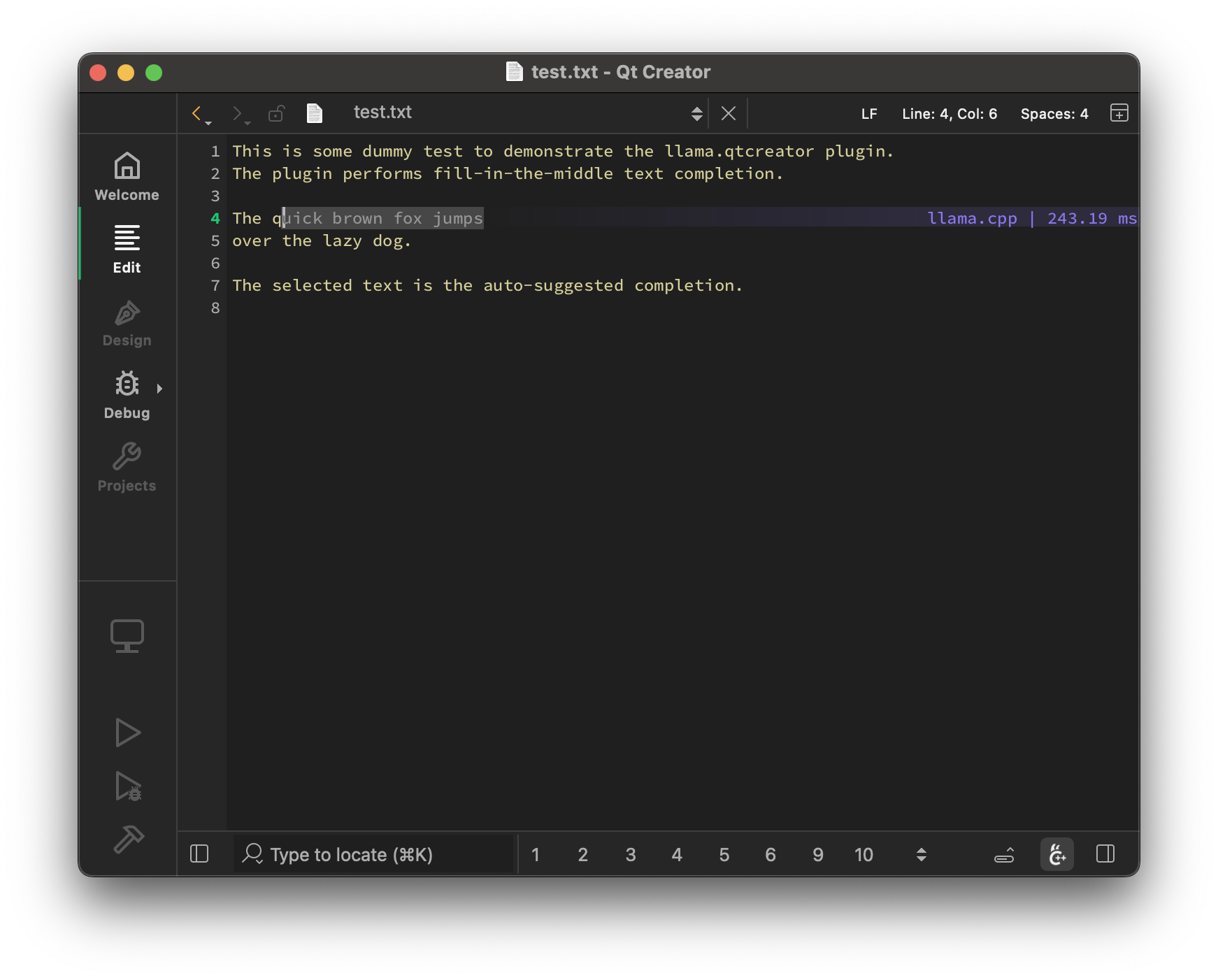
    llama.qtcreator test.txt

    1 Reply Last reply
    3
    • cristian-adamC cristian-adam marked this topic as a regular topic on
    • cristian-adamC Offline
      cristian-adamC Offline
      cristian-adam
      wrote on last edited by
      #2

      I've documented the experience at https://cristianadam.eu/20250817/from-llama-dot-vim-to-qt-creator-using-ai/

      So if somebody wants to port any plugin from https://vimawesome.com/ they could do it using ... AI! πŸ˜…

      1 Reply Last reply
      2
      • cristian-adamC cristian-adam referenced this topic on
      • cristian-adamC Offline
        cristian-adamC Offline
        cristian-adam
        wrote on last edited by
        #3

        First peak at the Chat functionality in #llama.qtcreator.

        I used it to talk to gpt-oss 20b to create me a qt c++ chat widgets application that chats with a llama.cpp server using its json api.

        See how it went at ... https://youtu.be/qWrzcx6QhOA

        1 Reply Last reply
        1
        • cristian-adamC Offline
          cristian-adamC Offline
          cristian-adam
          wrote on last edited by
          #4

          πš•πš•πšŠπš–πšŠ.πššπšπšŒπš›πšŽπšŠπšπš˜πš› has now drag & drop support.

          This means you can upload source files to the model! πŸŽ‰

          Or you can upload a. image to a multi-modal model and ask for a mockup application for example.

          Here is one example with π™³πšŽπšŸπšœπšπš›πšŠπš•-πš‚πš–πšŠπš•πš•-𝟸𝟻𝟢𝟽

          https://youtu.be/bkrqAM8sStc

          1 Reply Last reply
          2
          • cristian-adamC Offline
            cristian-adamC Offline
            cristian-adam
            wrote on last edited by cristian-adam
            #5

            I've released πš•πš•πšŠπš–πšŠ.πššπšπšŒπš›πšŽπšŠπšπš˜πš› v2.0.0 πŸŽ‰

            You can chat with a local AI from Qt Creator now!

            You can install it by adding https://github.com/cristianadam/qtcreator-extension-registry/archive/refs/heads/main.tar.gz to Extensions > Repository URLs

            alt text

            I've wrote about the experience at https://cristianadam.eu/20251005/from-react-to-qt-widgets-using-ai/

            1 Reply Last reply
            2
            • R Offline
              R Offline
              Redman
              wrote on last edited by Redman
              #6

              Great addition to QtCreator.

              Unfortunately, for me the prompt does not generate anything. I downloaded the windows-x64 library and installed it via Extensions.
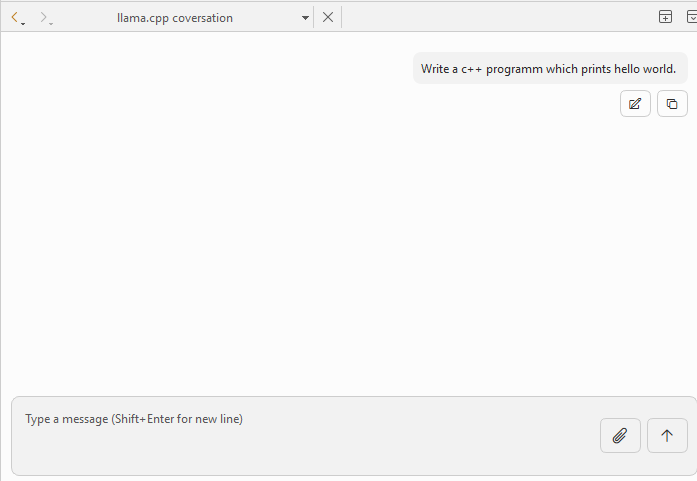
              image.png

              Edit:
              After adding the Extension via Url there is no option to use it. "Tools" has no option to start the conversation.

              cristian-adamC 1 Reply Last reply
              0
              • R Redman

                Great addition to QtCreator.

                Unfortunately, for me the prompt does not generate anything. I downloaded the windows-x64 library and installed it via Extensions.

                image.png

                Edit:
                After adding the Extension via Url there is no option to use it. "Tools" has no option to start the conversation.

                cristian-adamC Offline
                cristian-adamC Offline
                cristian-adam
                wrote on last edited by
                #7

                @Redman do you have llama-server running in background? This is just a client.

                On Windows is as easy as:

                $ winget install llama.cpp
                $ llama-server -hf ggml-org/gpt-oss-20b-GGUF -c 0 -fa on
                

                This assumes that your computer has at least 16 GB of VRAM.

                If you have less, you could try with:

                $ llama-server -hf ggml-org/Qwen2.5-Coder-3B-Instruct-Q8_0-GGUF -c 0
                

                I've seen this working on a computer with a NVidia Graphics Card having 6GB of VRAM.

                1 Reply Last reply
                1
                • cristian-adamC Offline
                  cristian-adamC Offline
                  cristian-adam
                  wrote on last edited by
                  #8

                  πŸ“Ί πš•πš•πšŠπš–πšŠ.πššπšπšŒπš›πšŽπšŠπšπš˜πš› installation for Qt Creator 18 on Windows.

                  This video showcases how you can use gpt-oss 20b with Qt Creator 18 and llama.qtcreator.

                  This was done on Windows 11 running on a Bosgame M5 "Strix Halo" AMD Ryzen 395+ PC.

                  First the llama.cpp extension in installed from Qt Creator's extension store, then llama.cpp via winget.

                  1 Reply Last reply
                  2
                  • cristian-adamC Offline
                    cristian-adamC Offline
                    cristian-adam
                    wrote on last edited by
                    #9

                    With the v3.0.0 release release of πš•πš•πšŠπš–πšŠ.πššπšπšŒπš›πšŽπšŠπšπš˜πš› you can let the LLM do some tool calling.

                    You can see a screencast πŸ–₯️ here. The screencast was done on a MacBook M3 with llama-server running gpt-oss 20b and the following prompt: "write a c++ program that prints the current moon phase. use emojis. use cmake. open, build and run in Qt Creator."

                    SGaistS 1 Reply Last reply
                    2
                    • cristian-adamC cristian-adam

                      With the v3.0.0 release release of πš•πš•πšŠπš–πšŠ.πššπšπšŒπš›πšŽπšŠπšπš˜πš› you can let the LLM do some tool calling.

                      You can see a screencast πŸ–₯️ here. The screencast was done on a MacBook M3 with llama-server running gpt-oss 20b and the following prompt: "write a c++ program that prints the current moon phase. use emojis. use cmake. open, build and run in Qt Creator."

                      SGaistS Offline
                      SGaistS Offline
                      SGaist
                      Lifetime Qt Champion
                      wrote on last edited by
                      #10

                      @cristian-adam you forgot to say please ;-)

                      Interested in AI ? www.idiap.ch
                      Please read the Qt Code of Conduct - https://forum.qt.io/topic/113070/qt-code-of-conduct

                      1 Reply Last reply
                      2
                      • cristian-adamC cristian-adam referenced this topic

                      • Login

                      • Login or register to search.
                      • First post
                        Last post
                      0
                      • Categories
                      • Recent
                      • Tags
                      • Popular
                      • Users
                      • Groups
                      • Search
                      • Get Qt Extensions
                      • Unsolved