Skip to content
  • Categories
  • Recent
  • Tags
  • Popular
  • Users
  • Groups
  • Search
  • Get Qt Extensions
  • Unsolved
Collapse
Brand Logo
  1. Home
  2. Qt Development
  3. Qt Creator and other tools
  4. qc20.0 cannot open the file in console output
Qt 6.11 is out! See what's new in the release blog

qc20.0 cannot open the file in console output

Scheduled Pinned Locked Moved Unsolved Qt Creator and other tools
11 Posts 4 Posters 660 Views 1 Watching
  • Oldest to Newest
  • Newest to Oldest
  • Most Votes
Reply
  • Reply as topic
Log in to reply
This topic has been deleted. Only users with topic management privileges can see it.
  • Q Offline
    Q Offline
    QtTester
    wrote on last edited by
    #1

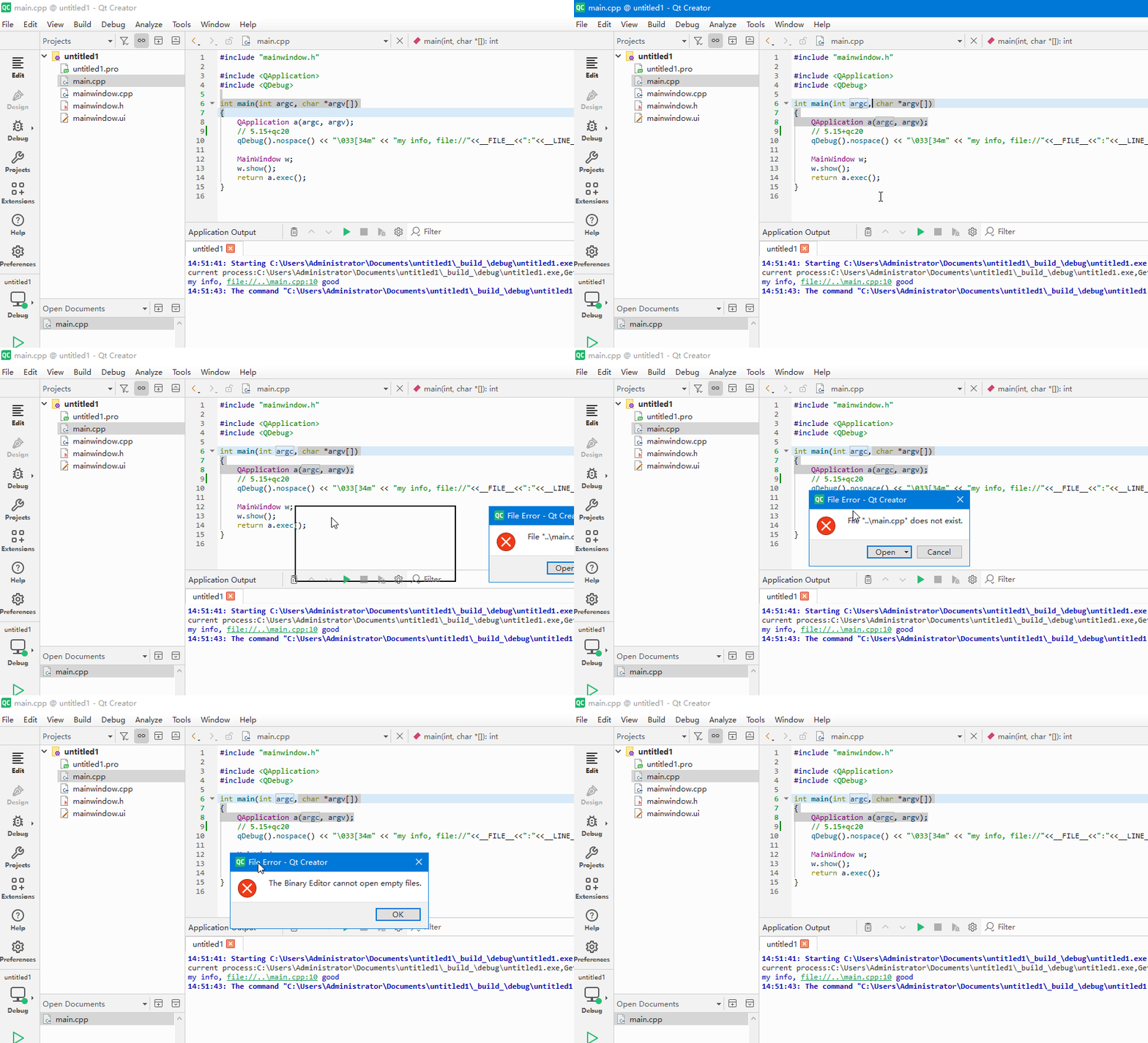
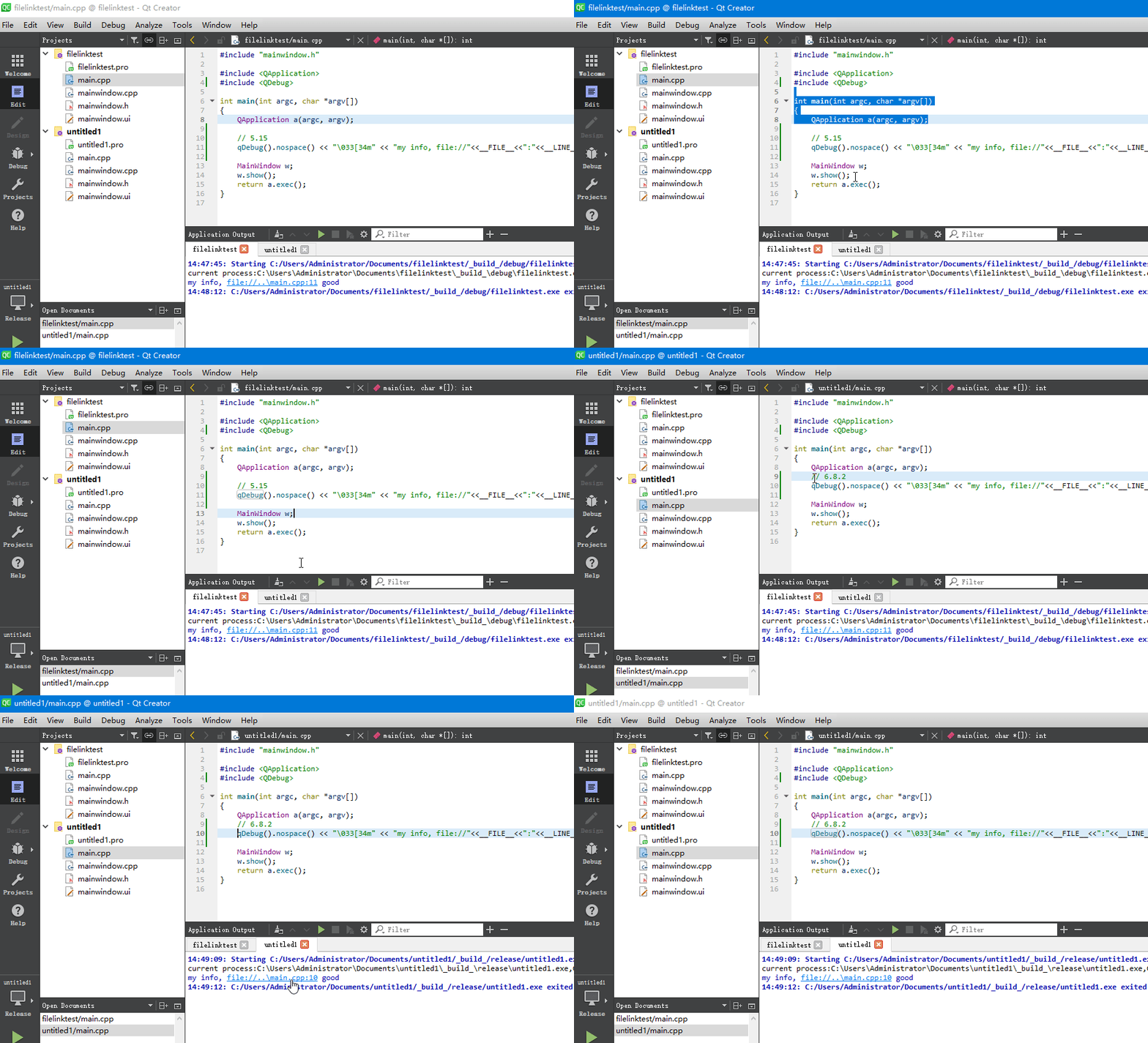
    here 5.15+qc8.0 and 6.8+qc8.0:
    test code:
    qDebug().nospace() << "\033[34m" << "my info, file://"<<FILE<<":"<<LINE<<" good\033[0m";
    录制_2026_08_10_14_50_29_20.gif

    but same code fail in qc20.0+5.15:
    录制_2026_08_10_14_52_49_652.gif

    1 Reply Last reply
    0
    • Q Offline
      Q Offline
      QtTester
      wrote on last edited by
      #2

      no one has this problem?

      1 Reply Last reply
      0
      • hskoglundH Online
        hskoglundH Online
        hskoglund
        wrote on last edited by
        #3

        Hi, I think the FILE macro is not the best way to find your main.cpp file since it usually skips giving you the full path to the file. For the MSVC compiler you can try the /FC compile switch

        Q 1 Reply Last reply
        0
        • hskoglundH hskoglund

          Hi, I think the FILE macro is not the best way to find your main.cpp file since it usually skips giving you the full path to the file. For the MSVC compiler you can try the /FC compile switch

          Q Offline
          Q Offline
          QtTester
          wrote last edited by
          #4

          @hskoglund but qc18 is ok, qc20 cannot open the same FILE MACRO

          1 Reply Last reply
          0
          • Q Offline
            Q Offline
            QtTester
            wrote last edited by QtTester
            #5

            in https://learn.microsoft.com/en-us/cpp/build/reference/fc-full-path-of-source-code-file-in-diagnostics?view=msvc-170
            it says:
            In Visual Studio 2017 and earlier versions, /FC outputs full paths in lower case. Starting in Visual Studio 2019, /FC uses the same casing as the file system for full paths.

            it's because the upper case?

            1 Reply Last reply
            0
            • hskoglundH Online
              hskoglundH Online
              hskoglund
              wrote last edited by
              #6

              I don'y think so (Windows filenames are the same in lower and upper case).

              1 Reply Last reply
              0
              • Q Offline
                Q Offline
                QtTester
                wrote last edited by
                #7

                so it's definitely qtcreator20 does not support vs2022

                1 Reply Last reply
                0
                • hskoglundH Online
                  hskoglundH Online
                  hskoglund
                  wrote last edited by
                  #8

                  I think Qt Creator 20 works just fine with VS2022, the behavior you're seeing with the FILE macro is a bit of lottery (50/50 chance of success). To even out the odds:
                  try open just 1 app in Qt Creator (not 2) and bulld in release mode (not a mix of debug and release).

                  1 Reply Last reply
                  0
                  • JonBJ Offline
                    JonBJ Offline
                    JonB
                    wrote last edited by
                    #9

                    @QtTester
                    After you have tried @hskoglund's suggestions.

                    Forget for now about __FILE__, it's not relevant in itself. By the time you click on a string in the Output window the fact that it came from a macro in C++ has no effect. You say there is a change in behaviour. You say file://..\main.cpp used to work. For now just output a literal string for whatever the absolute path of a file is. See whether that works. If it does not the problem is in clicking any link. If that works, figure out what relative path (if any) works. If that has changed then maybe QtC 20 is sitting in a different directory from before. Whatever you will know where the difference comes from.

                    1 Reply Last reply
                    0
                    • S Offline
                      S Offline
                      SimonSchroeder
                      wrote last edited by
                      #10

                      I agree that ..\main.cpp looks a little suspicious. The question is, what is your directory structure? Where is your compiled executable located? And what is the working directory when executing the program? The two have to be the same for this to work.

                      JonBJ 1 Reply Last reply
                      0
                      • S SimonSchroeder

                        I agree that ..\main.cpp looks a little suspicious. The question is, what is your directory structure? Where is your compiled executable located? And what is the working directory when executing the program? The two have to be the same for this to work.

                        JonBJ Offline
                        JonBJ Offline
                        JonB
                        wrote last edited by
                        #11

                        @SimonSchroeder
                        The question is why the change in behaviour:

                        but qc18 is ok, qc20 cannot open the same FILE MACRO

                        Your statements are true, but why does behaviour apparently differ from Creator 18 to 20?
                        1 Reply Last reply
                        0

                        • Login

                        • Login or register to search.
                        • First post
                          Last post
                        0
                        • Categories
                        • Recent
                        • Tags
                        • Popular
                        • Users
                        • Groups
                        • Search
                        • Get Qt Extensions
                        • Unsolved