Skip to content
  • Categories
  • Recent
  • Tags
  • Popular
  • Users
  • Groups
  • Search
  • Get Qt Extensions
  • Unsolved
Collapse
Brand Logo
  1. Home
  2. Qt Development
  3. Qt Creator and other tools
  4. AI Assistant Preferences Reset upon Qt Creator 19.0.0 restart
Qt 6.11 is out! See what's new in the release blog

AI Assistant Preferences Reset upon Qt Creator 19.0.0 restart

Scheduled Pinned Locked Moved Unsolved Qt Creator and other tools
4 Posts 3 Posters 123 Views
  • Oldest to Newest
  • Newest to Oldest
  • Most Votes
Reply
  • Reply as topic
Log in to reply
This topic has been deleted. Only users with topic management privileges can see it.
  • Dean_WittmannD Offline
    Dean_WittmannD Offline
    Dean_Wittmann
    wrote last edited by Dean_Wittmann
    #1

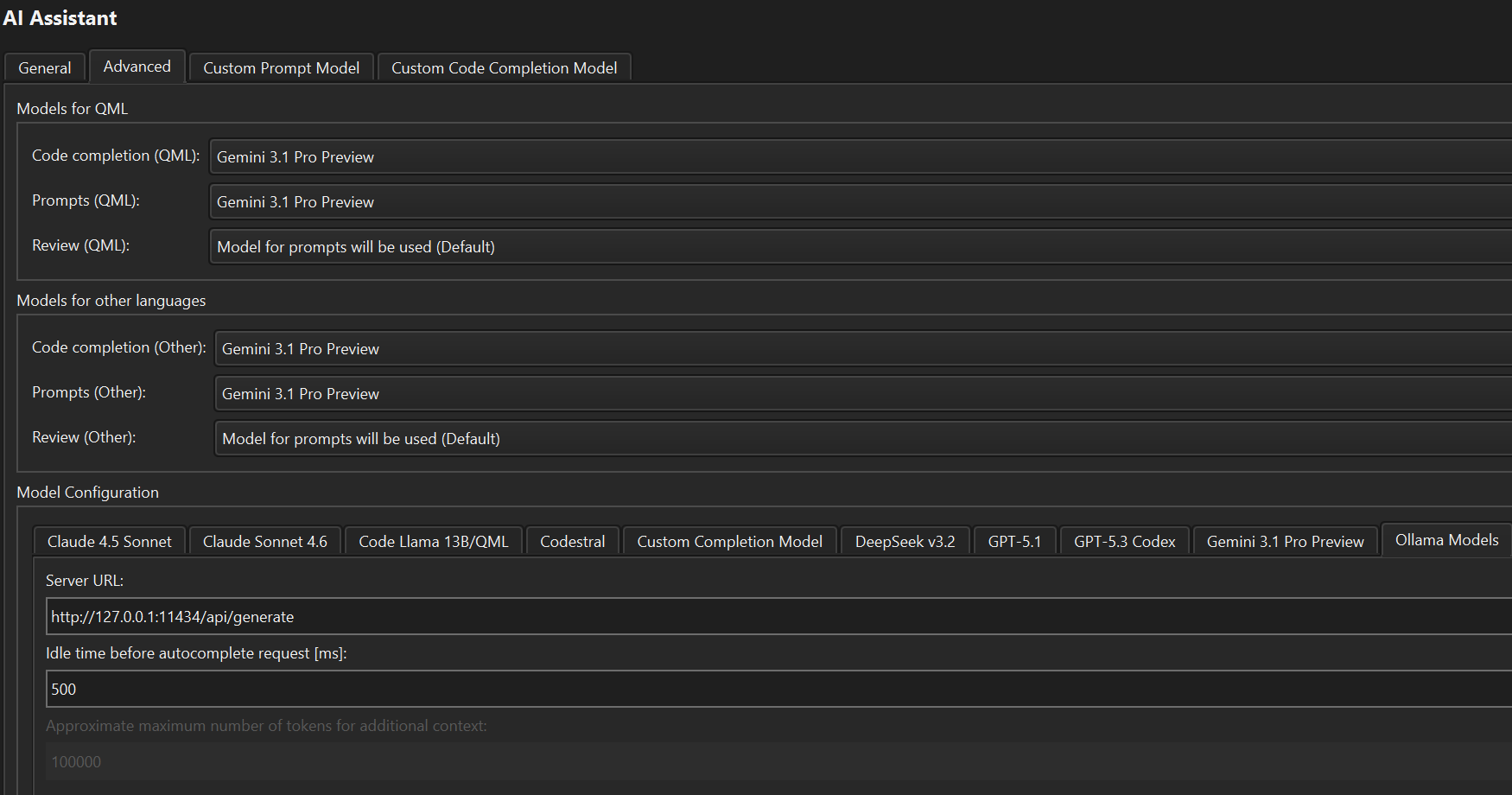
    I've got a commercial license and have installed the AI Assistant Extension. I'm using Qt Creator 19.0.0 (the latest). Here are my preference settings in AI Assistant:
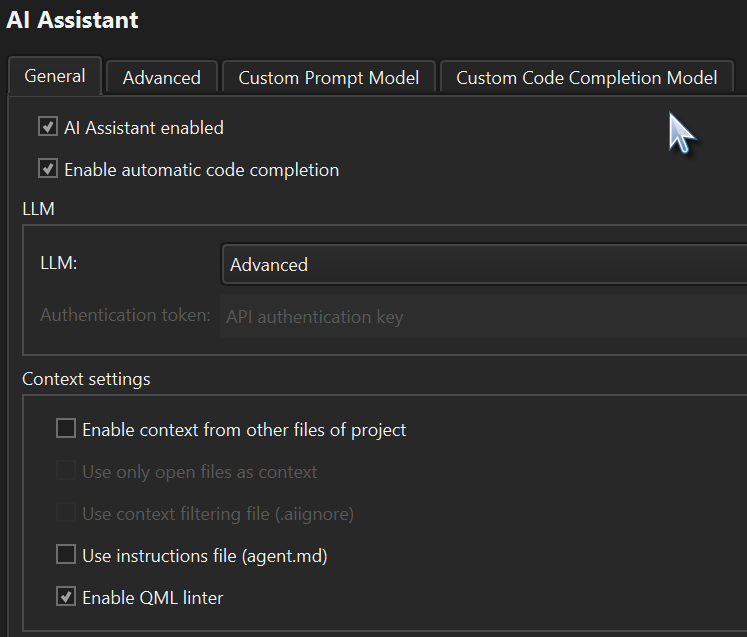
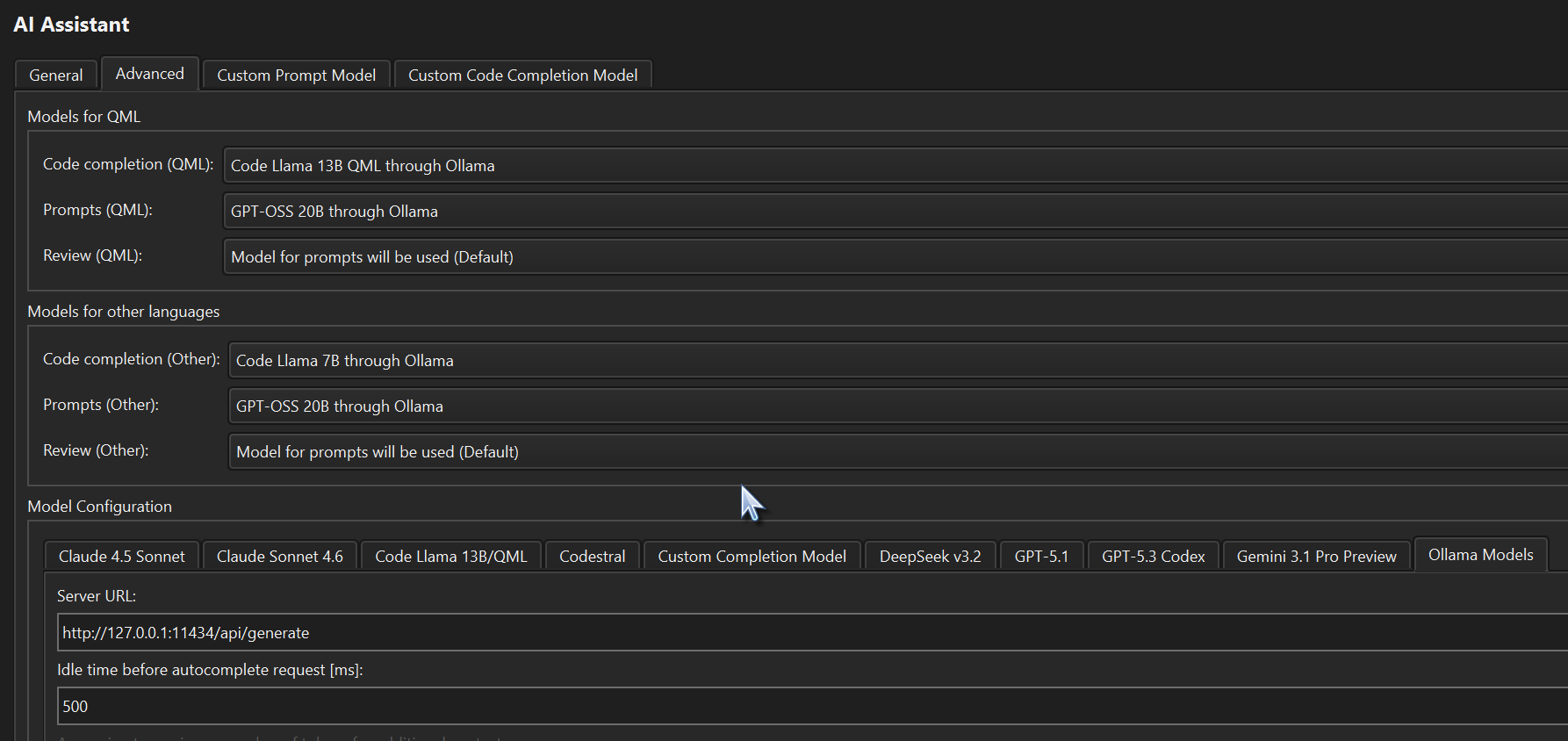
    cd7b02d9-7c67-4e54-93af-62becb5be6c1-image.png

    bc024bfa-e986-4e5f-8b0e-cbd225d6f827-image.png

    Everything works fine when I use it in this session. Ollama is setup correctly, etc.

    Here is the QtCreator.ini AIAssistant section that is saved before closing Qt Creator:
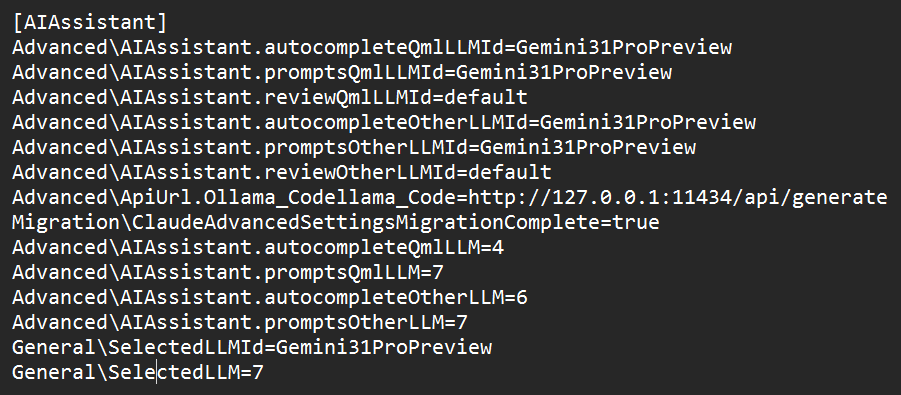
    a727837d-955a-4edc-ad30-970dd1538801-image.png

    And, here is the QtCreator.ini AIAssistant section that it reverts to after reopening Qt Creator:
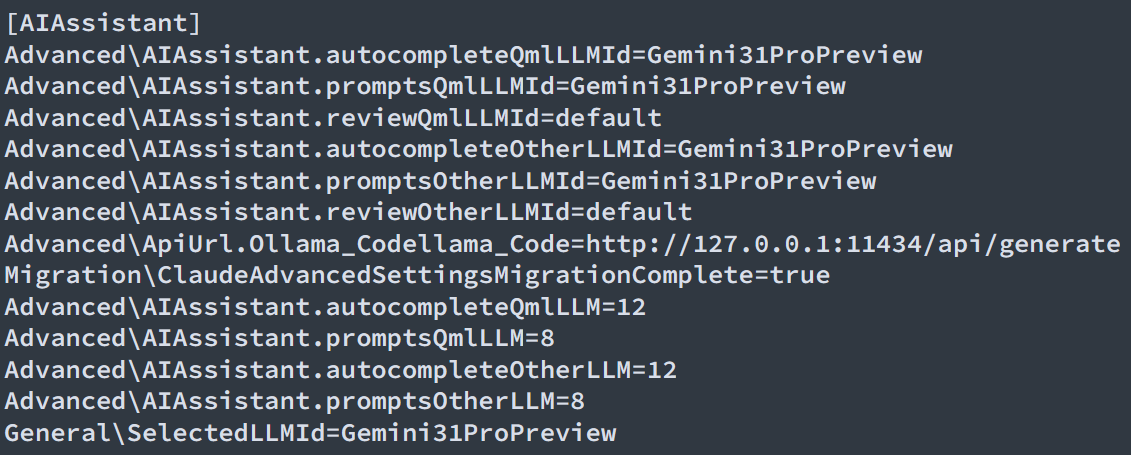
    da4f3856-602d-4eaa-9fac-9bd3986df727-image.png

    Resulting in these default preference settings:
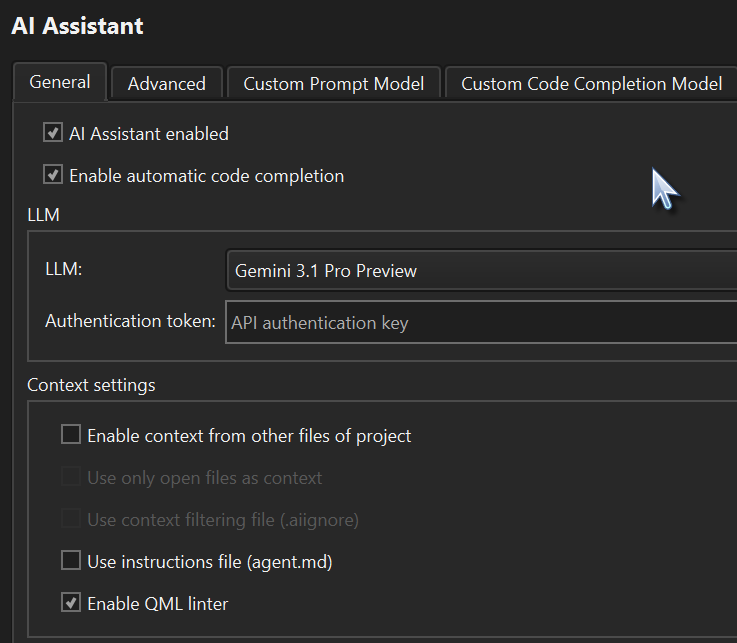
    4bc4a902-99b8-46ff-bbfb-e73e555f683c-image.png

    be692cde-0c93-4c61-b65f-c9ebe71f62fb-image.png

    I've tried various suggestions to fix it including, checking if my license server can get the license before the AI Assistant checks for it; changing the General\SelectedLLMId=Advanced; removing the General\SelectedLLM=7; changing the General\SelectedLLM=-1. By the way, Advanced is index 7 in the General \ LLM dropdown combobox. I want to use AI Assistant but only if I don't have to reset the preference settings each time I start Qt Creator.

    Anybody, please help.

    1 Reply Last reply
    0
    • Dean_WittmannD Offline
      Dean_WittmannD Offline
      Dean_Wittmann
      wrote last edited by
      #2

      I also tried Qt Creator 20.0.0 Beta 1 and it's doing the same thing, even if I don't use Advanced and just use General and using Claude Sonnet 4.6. It resets to Gemini 3.1 Pro Preview no matter what when closing and re-opening Qt Creator 19.0.0+.

      jsulmJ 1 Reply Last reply
      0
      • Dean_WittmannD Dean_Wittmann

        I also tried Qt Creator 20.0.0 Beta 1 and it's doing the same thing, even if I don't use Advanced and just use General and using Claude Sonnet 4.6. It resets to Gemini 3.1 Pro Preview no matter what when closing and re-opening Qt Creator 19.0.0+.

        jsulmJ Offline
        jsulmJ Offline
        jsulm
        Lifetime Qt Champion
        wrote last edited by
        #3

        @Dean_Wittmann May be worth reporting as bug

        https://forum.qt.io/topic/113070/qt-code-of-conduct

        1 Reply Last reply
        1
        • cristian-adamC Online
          cristian-adamC Online
          cristian-adam
          wrote last edited by
          #4

          You can use the open source alternative plugins for Qt Creator:

          • QodeAssist
          • llama.qtcreator

          The last one I maintain, and is part of the Qt Creator Extension store.

          1 Reply Last reply
          0

          • Login

          • Login or register to search.
          • First post
            Last post
          0
          • Categories
          • Recent
          • Tags
          • Popular
          • Users
          • Groups
          • Search
          • Get Qt Extensions
          • Unsolved