Qt Canvas Painter blog post series
-
@Kaj-Gronholm There are many cases where GPL is problematic but LGPL would work. While I understand the commercial imperative, it is depressing that nothing new is being contributed to the core Qt (I appreciate there are bug fixes). It doesn't feel like a "difficult decision" but instead what is now normal. It is also frustrating that the commercial license is too expensive for me to justify to management (together with the clause preventing switching part-way through development). I still had hope that small features or performance-focused improvements might still find a home under the LGPL, but that does not look likely now.
@beeka I'm confident the licensing feedback will be monitored and adjusted if needed. Also, I'm sure there are ways to avoid the part-way through development issue. If in doubt, please get your management in touch with our sales representatives.
-
The third post of the trilogy is out now: https://www.qt.io/blog/accelerated-2d-canvas-benchmarks
TL;DR: Canvas Painter can be up to 10 times faster than QPainter with the OpenGL backend. Please read the blog post for details and comment here with your own results!
-
While I understand the commercial imperative, it is depressing that nothing new is being contributed to the core Qt (I appreciate
there are bug fixes). It doesn't feel like a "difficult decision" but instead what is now normal.I can understand the frustration, but it's simply not true that everything 'new' in Qt is released only under Qt Commercial + GPL3 licenses. Actually the other three new modules in Qt 6.11 - Qt TaskTree, Qt OpenAPI and Qt Labs StyleKit - are made available under Qt Commercial + LGPLv3! And there are also new features in a lot of established Qt modules ...
This obviously doesn't help you though if you are interested primarily on Qt CanvasPainter.
-
This is really cool, and something I've been waiting for to be able to transition our software from OpenGL to QRhi.
However, in my first attempts to use it, I can't seem to do what I want to do: use QCanvasPainter to draw OVER other content I've already drawn within a QRhi render pass. It seems to insist on clearing the contents. I want to draw grids, masking marks, and text over 2D composited images I've already drawn.
Is this possible?
-
This is really cool, and something I've been waiting for to be able to transition our software from OpenGL to QRhi.
However, in my first attempts to use it, I can't seem to do what I want to do: use QCanvasPainter to draw OVER other content I've already drawn within a QRhi render pass. It seems to insist on clearing the contents. I want to draw grids, masking marks, and text over 2D composited images I've already drawn.
Is this possible?
@Dyami-Caliri said in Qt Canvas Painter blog post series:
This is really cool, and something I've been waiting for to be able to transition our software from OpenGL to QRhi.
However, in my first attempts to use it, I can't seem to do what I want to do: use QCanvasPainter to draw OVER other content I've already drawn within a QRhi render pass. It seems to insist on clearing the contents. I want to draw grids, masking marks, and text over 2D composited images I've already drawn.
Is this possible?
Yes. See https://doc-snapshots.qt.io/qt6-dev/qcanvasrhipaintdriver.html#endPaint (esp. the second snippet with the DoNotRecordRenderPass flag)
This can be seen in action in the hellorhi2 manual test that renders a triangle with QRhi and then some QCanvasPainter-based rendering within the same pass within a QRhiWidget: https://code.qt.io/cgit/qt/qtcanvaspainter.git/tree/tests/manual/hellorhi2/hellorhi2.cpp?h=6.11#n97
(there is no public example for this kind of low-level usage currently, perhaps it is something we should consider, since this is definitely a valid and important use case for QCanvasPainter) -
@Dyami-Caliri said in Qt Canvas Painter blog post series:
This is really cool, and something I've been waiting for to be able to transition our software from OpenGL to QRhi.
However, in my first attempts to use it, I can't seem to do what I want to do: use QCanvasPainter to draw OVER other content I've already drawn within a QRhi render pass. It seems to insist on clearing the contents. I want to draw grids, masking marks, and text over 2D composited images I've already drawn.
Is this possible?
Yes. See https://doc-snapshots.qt.io/qt6-dev/qcanvasrhipaintdriver.html#endPaint (esp. the second snippet with the DoNotRecordRenderPass flag)
This can be seen in action in the hellorhi2 manual test that renders a triangle with QRhi and then some QCanvasPainter-based rendering within the same pass within a QRhiWidget: https://code.qt.io/cgit/qt/qtcanvaspainter.git/tree/tests/manual/hellorhi2/hellorhi2.cpp?h=6.11#n97
(there is no public example for this kind of low-level usage currently, perhaps it is something we should consider, since this is definitely a valid and important use case for QCanvasPainter)@agocs That's brilliant. Thank you. I'm sorry I didn't read the documentation more thoroughly.
-
I'm making great progress with using this in our application. The antialiasing is really excellent.
One thing I've noticed is that QCanvasImage does not seem to have a devicePixelRatio. So, if I create one from a QImage that is a retina @2x resource, I have to then know when I paint to pass in the calculated width and height. Is my understanding correct, or am I missing something again?
-
I'm making great progress with using this in our application. The antialiasing is really excellent.
One thing I've noticed is that QCanvasImage does not seem to have a devicePixelRatio. So, if I create one from a QImage that is a retina @2x resource, I have to then know when I paint to pass in the calculated width and height. Is my understanding correct, or am I missing something again?
@Dyami-Caliri Thanks!
You are correct, QCanvasImage currently works on actual pixels and doesn't take into account devicePixelRatio or "@nx" images. So it matches with "lower-level" APIs behavior mentioned here https://doc.qt.io/qt-6/highdpi.html#drawing
Please tell what would be the expected behavior in your opinion? What would QCanvasImage width&height return, how would different drawImage() methods behave, should there be additional API etc. Thanks!
-
@Kaj-Gronholm Thank you for clarifying.
It seems to me that the rest of the QCanvasPainter does take devicePixelRatio into account. If you call the QCanvasRhiPaintDriver::beginPaint method that takes logicalSize and dpr parameters, the painter will automatically scale points and line widths, so that the drawing looks the same across different dpr screens. I have confirmed this with testing.
The main difference in behavior I would expect is for QCanvasPainter::drawImage(const QCanvasImage &image, float x, float y) to draw the image based on the logical dimensions (dimensions / image_dpr). So, if I've created a QCanvasImage from a QImage with dpr=2, these should be equivalent:
painter->drawImage(retinaImg, x, y);
painter->drawImage(retinaImg, x, y, retinaImg.width() / 2, retinaImg.height() / 2);Or, put another way, if I had a @1px image and painted it with
painter->drawImage(img, x, y),
and then replaced it with a @2px or @3px image, I would expect it to take the same amount of logical space on the screen. -
@Kaj-Gronholm Thank you for clarifying.
It seems to me that the rest of the QCanvasPainter does take devicePixelRatio into account. If you call the QCanvasRhiPaintDriver::beginPaint method that takes logicalSize and dpr parameters, the painter will automatically scale points and line widths, so that the drawing looks the same across different dpr screens. I have confirmed this with testing.
The main difference in behavior I would expect is for QCanvasPainter::drawImage(const QCanvasImage &image, float x, float y) to draw the image based on the logical dimensions (dimensions / image_dpr). So, if I've created a QCanvasImage from a QImage with dpr=2, these should be equivalent:
painter->drawImage(retinaImg, x, y);
painter->drawImage(retinaImg, x, y, retinaImg.width() / 2, retinaImg.height() / 2);Or, put another way, if I had a @1px image and painted it with
painter->drawImage(img, x, y),
and then replaced it with a @2px or @3px image, I would expect it to take the same amount of logical space on the screen.@Dyami-Caliri Thanks for the explanation. I created now a ticket to check how we should handle this with the Canvas Painter https://qt-project.atlassian.net/browse/QTBUG-145183
-
@Dyami-Caliri The High DPI support for images is now in, see the above ticket and https://codereview.qt-project.org/c/qt/qtcanvaspainter/+/743457 . Please inform if it works the way you would expect, thanks!
@GrecKo & @JKSH: The Quick Canvas replacement aka Canvas2D has progressed well and it will be in Qt 6.12! API docs are available here https://doc-snapshots.qt.io/qt6-dev/qtcanvas2d-qmlmodule.html
-
@Dyami-Caliri The High DPI support for images is now in, see the above ticket and https://codereview.qt-project.org/c/qt/qtcanvaspainter/+/743457 . Please inform if it works the way you would expect, thanks!
@GrecKo & @JKSH: The Quick Canvas replacement aka Canvas2D has progressed well and it will be in Qt 6.12! API docs are available here https://doc-snapshots.qt.io/qt6-dev/qtcanvas2d-qmlmodule.html
@Kaj-Gronholm said in Qt Canvas Painter blog post series:
The Quick Canvas replacement aka Canvas2D has progressed well and it will be in Qt 6.12! API docs are available here https://doc-snapshots.qt.io/qt6-dev/qtcanvas2d-qmlmodule.html
Looks great! I've created https://qt-project.atlassian.net/browse/QTBUG-147686 to make the new
Canvas2Dmore discoverable. -
@JKSH: Thanks! We will try to improve the documentation still before the Qt 6.12 release and add some Canvas2D vs. Canvas comparisons!
-
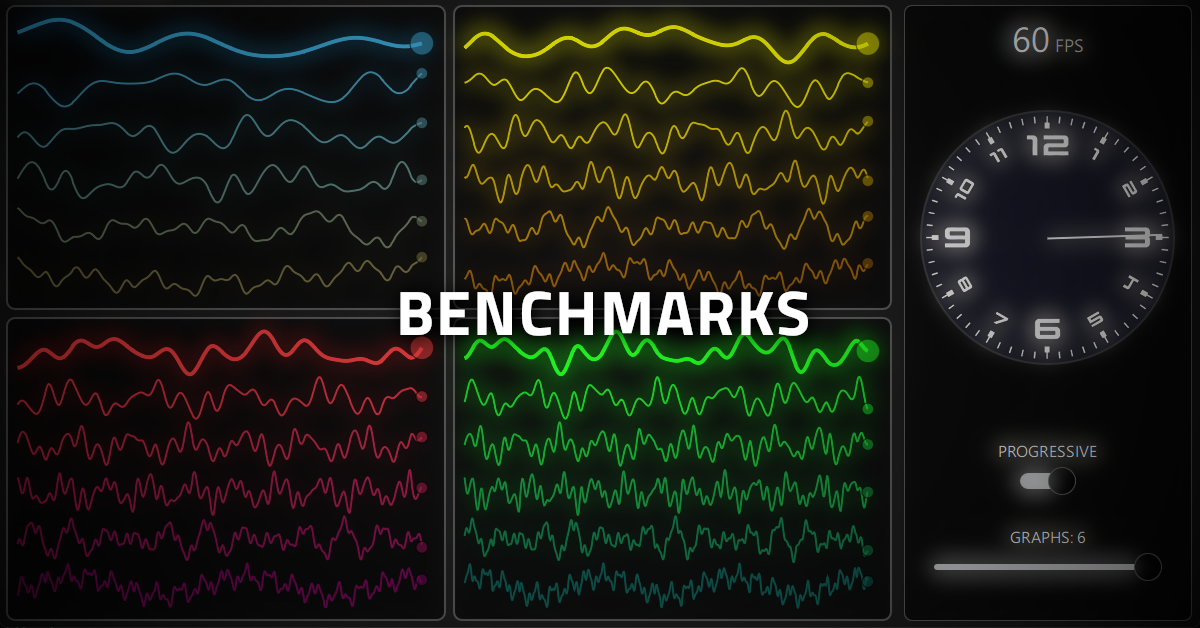
New Qt Canvas Painter related blog post: https://www.qt.io/blog/qt-canvas-painter-accelerated-performance-using-paths
This one is about the QCanvasPath class. Explains how to use it, the differences to QPainterPath, the GPU-side caching approach, and how paths can be used for progressive rendering. An imperative painting API can be very fast when optimized for GPU usage from the ground up.
-
This post is deleted!
-
As Qt 6.12 is close to being released (6.12.0 RC was released yesterday!), it's time to continue the Qt Canvas Painter blog series! Qt 6.12 will contain the new Canvas2D aka faster alternative for Quick Canvas. The benchmark in the blog post shows about 40X performance improvement on my laptop, but please test yourself and report findings for example here, as we want to know others' experiences 🙂
Blog post: https://www.qt.io/blog/canvas2d-new-qml-canvas-element-using-qt-canvas-painter
Video: https://youtu.be/cXJJDYyDTO0 -
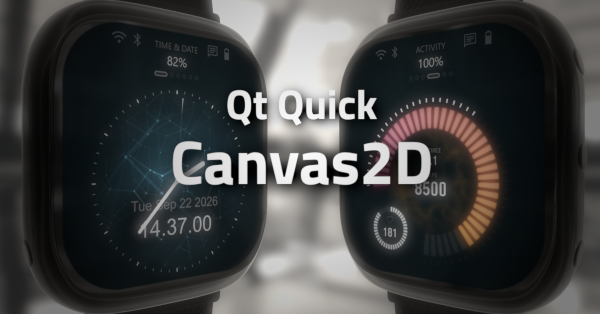
..and here is Qt Canvas2D blog post #2: https://www.qt.io/blog/canvas2d-watchui-demo
TL;DR The post explains how each view of the WatchUI demo was implemented using Qt Quick 2D & 3D, Canvas2D and QQEM shader effects (no C++). It hopefully gives some ideas how real UIs could utilize Canvas2D.