
Qt Designer suddenly and irreversibly wrong scaling
-
Hello,
I use both the designer inside of the Qt Creator and as an external window. Now, I have the following problem. I somehow managed to permanently alter the scaling of the Qt Designer (when executed as a separate window) by switching a setting in the Qt Creator menu.
In the Qt Creator, I went to Tools->Options->Environment and clicked on "Enable high DPI scaling". It said that a restart is necessary. I clicked on it again, as I was just clicking around to see what changes (at this time I didn't know, what the setting did). When restarting Qt Creator, it worked normally, as I disabled the setting again. However, when opening a .ui file in a separate Qt Designer window (right clicking->open with->Qt Designer), the window is irreversibly stuck in the high DPI setting. The scaling is also off for the ui opened inside Qt Designer and even when quick running it with Ctrl+r.
I already tried to switch the High DPI option on or off, but that doesn't change the scaling of the Qt Designer anymore. I also tried googling for this problem, but most results talk about problems in GUIs made with the designer, not the GUI of the designer itself. Is there maybe a different settings file of Qt designer that is somehow not properly synched with the one of Qt Creator?
My Qt version is 5.12.8
I actually need the designer as a separate window, as I need to have multiple .ui files open to copy elements from one to the other. If I am mistaken and this also somehow works with the designer inside Qt Creator, then that would also be very helpful.
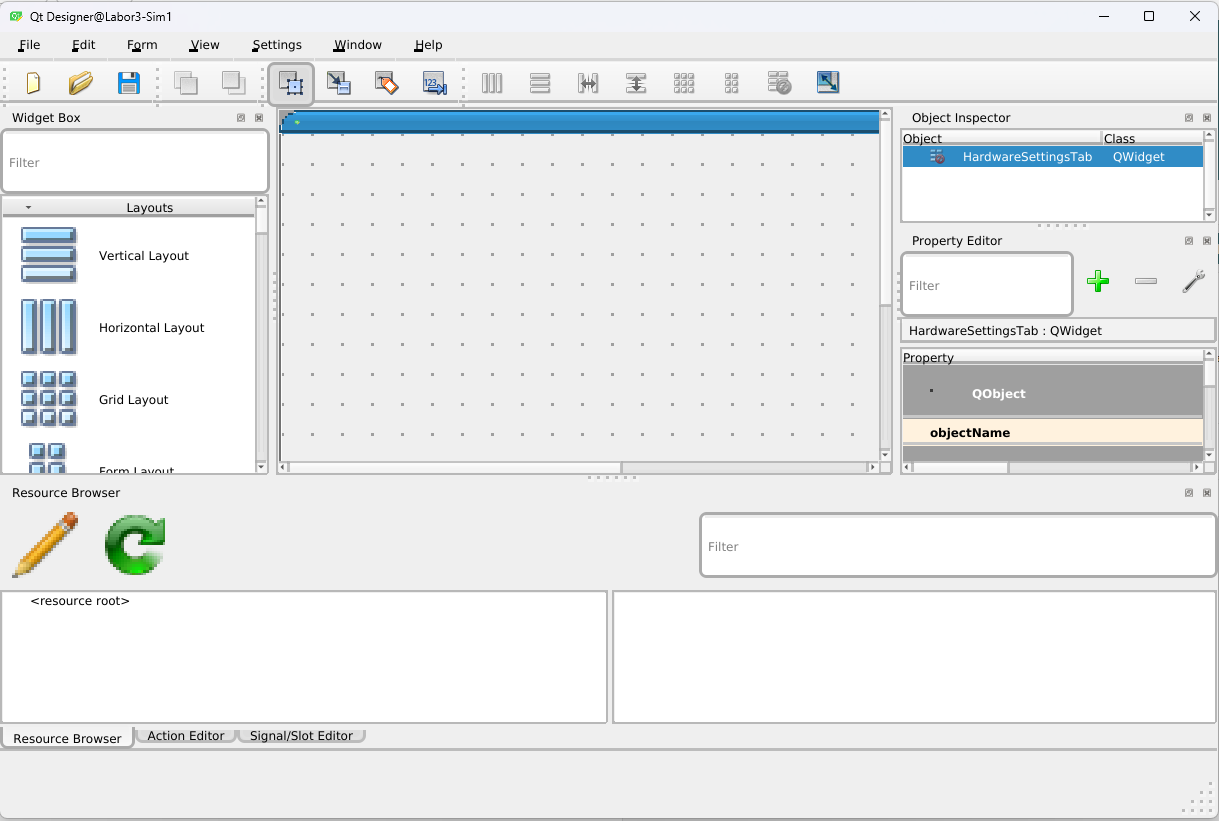
-
Hi and welcome to devnet,
Which OS are you on ?
Which version of Qt Creator is it ? -
5.4.0-215-generic #235-Ubuntu
My problem has somehow fixed itself over night. Sadly, I cannot say what I did. There was no additional computer restart or anything like that, the computer just ran from last evening 18:00 (where the problem still persisted) to now (13:45, where the problem is somehow fixed).Still, thanks SGaist for trying to help.
-
C CreeperInBlack has marked this topic as solved on
-
5.4.0-215-generic #235-Ubuntu
My problem has somehow fixed itself over night. Sadly, I cannot say what I did. There was no additional computer restart or anything like that, the computer just ran from last evening 18:00 (where the problem still persisted) to now (13:45, where the problem is somehow fixed).Still, thanks SGaist for trying to help.
@CreeperInBlack
Magical resolution is more usual under Windows. And no matter what OS, when anything misbehaves a good, stern reboot is always worth a try. ;-)

